Categories
MakeProSimp Apps

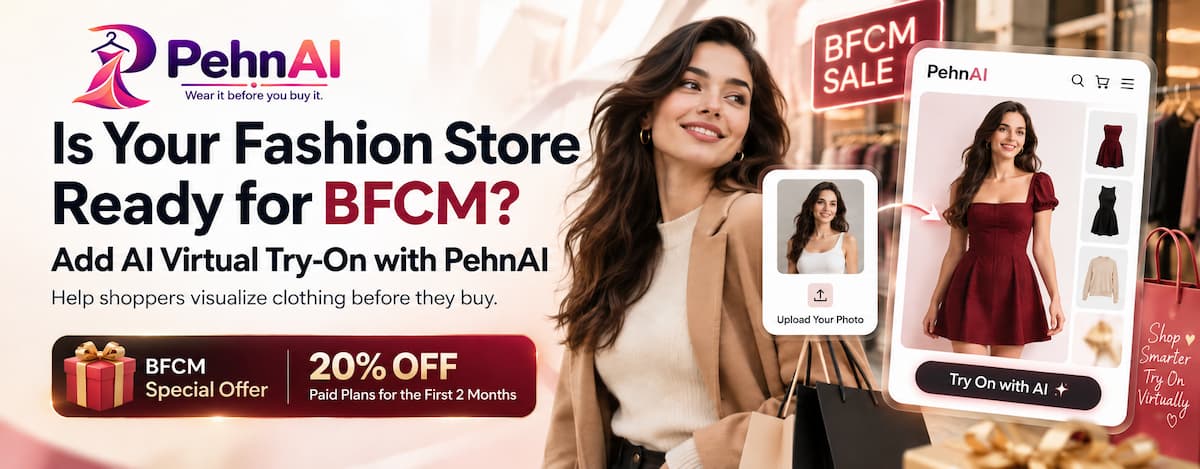
Is Your Fashion Store Ready for BFCM? Add AI Virtual Try-On with PehnAI

BFCM is one of the busiest shopping periods of the year for online stores.

For fashion merchants, that can mean more shoppers browsing collections, comparing products, checking offers, and deciding what to buy.

But there is one challenge that discounts alone cannot always solve:

“How will this actually look on me?”

When shoppers buy clothing online, they can see the product photos, read the description, select a size, and check the price. But they still cannot physically try the product on before making a decision.

That uncertainty can create hesitation – especially when shoppers are comparing several products during a busy BFCM sale.

Before your BFCM campaigns start bringing more shoppers to your fashion store, consider giving customers another way to explore your products:

AI-powered virtual Try-On.

AI Virtual Try-On can give fashion shoppers a more interactive way to visualize clothing while they are exploring your product pages.

BFCM Is Coming. Is Your Fashion Store Ready?

Preparing for BFCM usually means:

  • Planning discounts
  • Preparing promotional banners
  • Creating email campaigns
  • Scheduling social media posts
  • Updating product pages
  • Preparing inventory
  • Promoting your best-selling collections

All of these are important.

But after a shopper clicks your campaign and arrives on a clothing product page, another part of the experience begins.

They still have to decide:

Is this product right for me?

For fashion shoppers, that decision can involve more than price.

They may be wondering:

  • How would this style look on me?
  • Does this color suit me?
  • Can I picture myself wearing it?
  • Should I choose this item or another one?
  • Am I confident enough to place the order?

During BFCM, when shoppers have many stores, products, and offers competing for their attention, helping them answer these questions can make the product experience more useful.

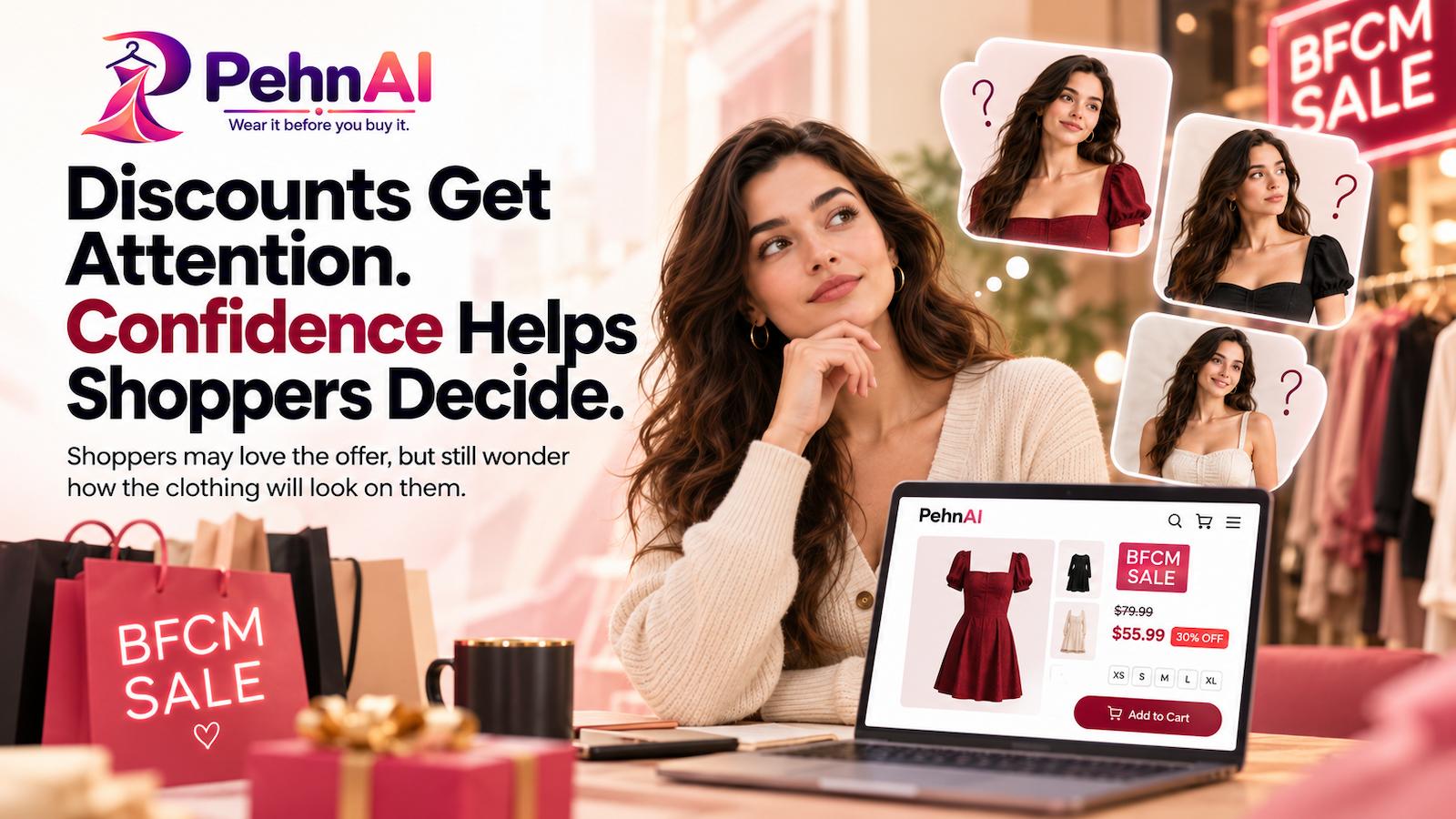
Discounts Get Attention. Product Confidence Helps Shoppers Decide.

Is Your Fashion Store Ready for BFCM? Add AI Virtual Try-On with PehnAI - MakeProSimp

A strong BFCM discount can encourage someone to visit your store.

But a discount does not automatically remove uncertainty about the product.

This is especially relevant for fashion.

A shopper may like your product photography and the BFCM price while still having difficulty imagining how the garment might look when worn by them.

That creates a gap between:

Seeing the product → Imagining the product on themselves → Making a purchase decision

Virtual Try-On can help make that middle step more interactive.

Instead of only looking at a model or product image, shoppers can use their own photo to visualize the clothing.

What Should Fashion Stores Check Before BFCM?

Before your campaigns go live, review the parts of your product experience that can influence how easily shoppers explore and understand your clothing.

1. Review Your Product Pages

Your product page is where much of the buying decision happens.

Before BFCM, check that your important fashion products have:

  • Clear product titles
  • Good product images
  • Useful descriptions
  • Available variants
  • Pricing and promotional information
  • Size or product information shoppers may need
  • Clear Add to Cart actions

Why this matters

BFCM shoppers may move between products quickly.

The easier your product page is to understand, the easier it is for shoppers to evaluate what you are selling.

But even a well-designed product page may leave one question unanswered:

What would this clothing look like on me?

That is where virtual Try-On can add another layer to the product experience.

2. Think Beyond Traditional Product Images

Fashion stores usually rely heavily on product photography.

High-quality photography is essential, but every shopper is different.

A garment shown on a model may not help every customer imagine themselves wearing it.

During BFCM, consider whether your product page gives shoppers enough ways to explore a product before deciding.

AI Virtual Try-On can complement traditional product photography by letting shoppers visualize selected clothing using their own photo.

Why this matters

Online shoppers cannot walk into a fitting room and physically try on the clothing.

Giving them an interactive way to visualize a product can make online shopping feel more personal than simply scrolling through product images.

3. Reduce the Visualization Gap

There is an important difference between:

“I like this product.”

and

“I can imagine myself wearing this product.”

For fashion merchants, helping shoppers move from the first thought to the second can be valuable.

With an AI Virtual Try-On experience, a shopper can upload their photo and generate a visual preview of the selected clothing.

It does not replace the physical fitting room or guarantee an exact real-world fit.

Instead, it provides another visual reference that can help shoppers explore the product and make a more informed decision.

4. Make the Experience Easy on Mobile and Desktop

BFCM shoppers may visit your store from different devices.

Some may be browsing from a laptop, while many others may discover your products through social media, email, or ads on their phones.

Your virtual Try-On experience should therefore be easy to access regardless of how a shopper reaches your store.

Before BFCM, test the experience yourself.

Check:

  • How the Try-On button appears
  • How easily shoppers can start the experience
  • The photo upload process
  • How the result is presented
  • Mobile usability
  • Desktop usability
  • Different products and variants

The goal is to make virtual Try-On feel like a natural part of the shopping journey.

5. Understand How Shoppers Use Try-On

Adding a new experience to your product page is only the beginning.

You should also understand whether shoppers are actually using it.

Looking at Try-On activity can help you learn more about how customers interact with the feature and which products generate interest.

During BFCM, when more shoppers may be visiting your store, these insights can become especially useful.

Don’t Let Your BFCM Discount Be the Only Shopping Experience

BFCM campaigns often focus heavily on price.

20% OFF.

30% OFF.

Limited-Time Deal.

Black Friday Special.

These messages can be effective at getting attention.

But fashion shopping is also visual and personal.

Once someone arrives on the product page, giving them an interactive way to explore the clothing can help make the experience more engaging.

That’s where PehnAI comes in.

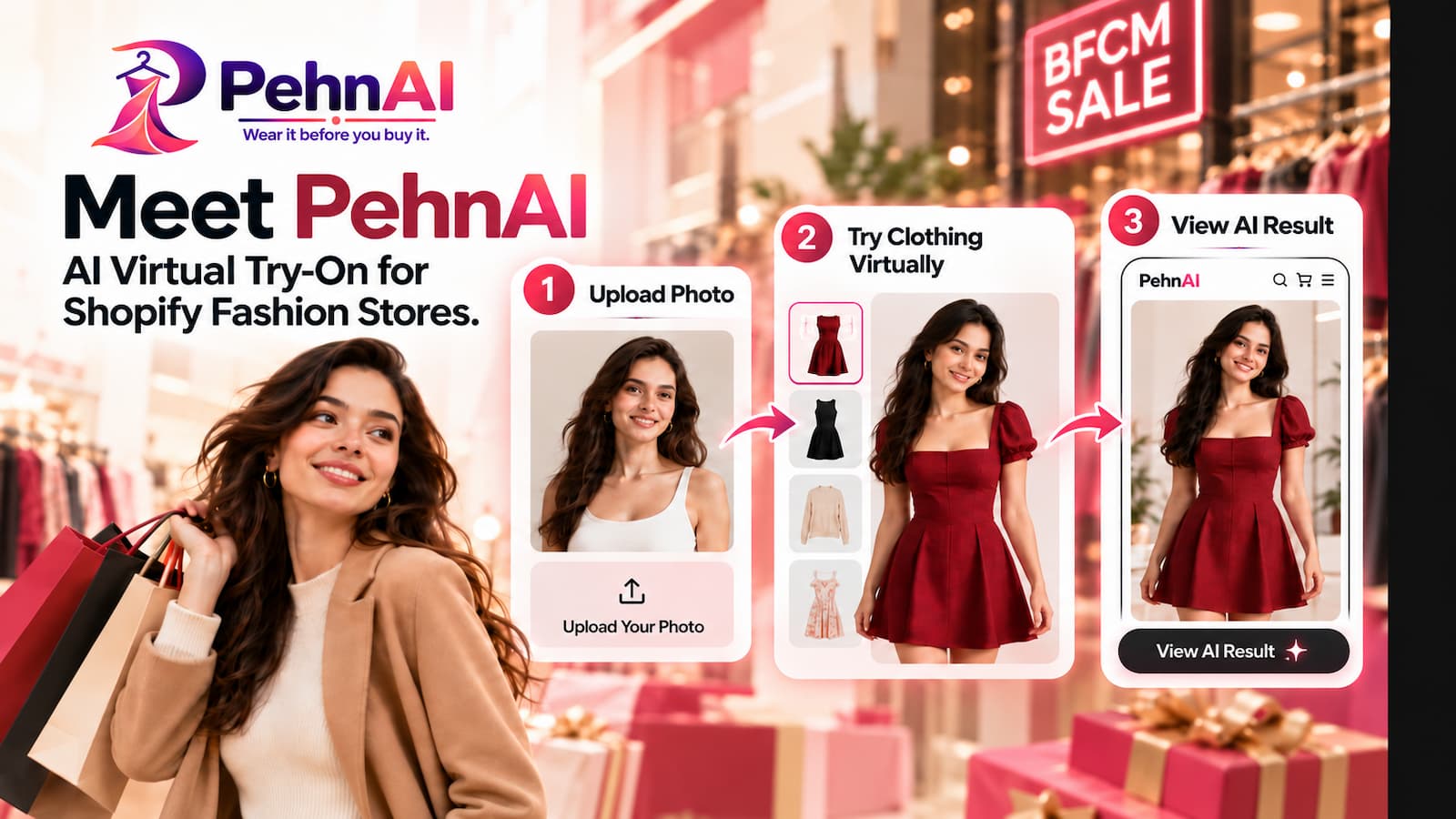
Meet PehnAI: AI Virtual Try-On for Shopify Fashion Stores

Is Your Fashion Store Ready for BFCM? Add AI Virtual Try-On with PehnAI - MakeProSimp

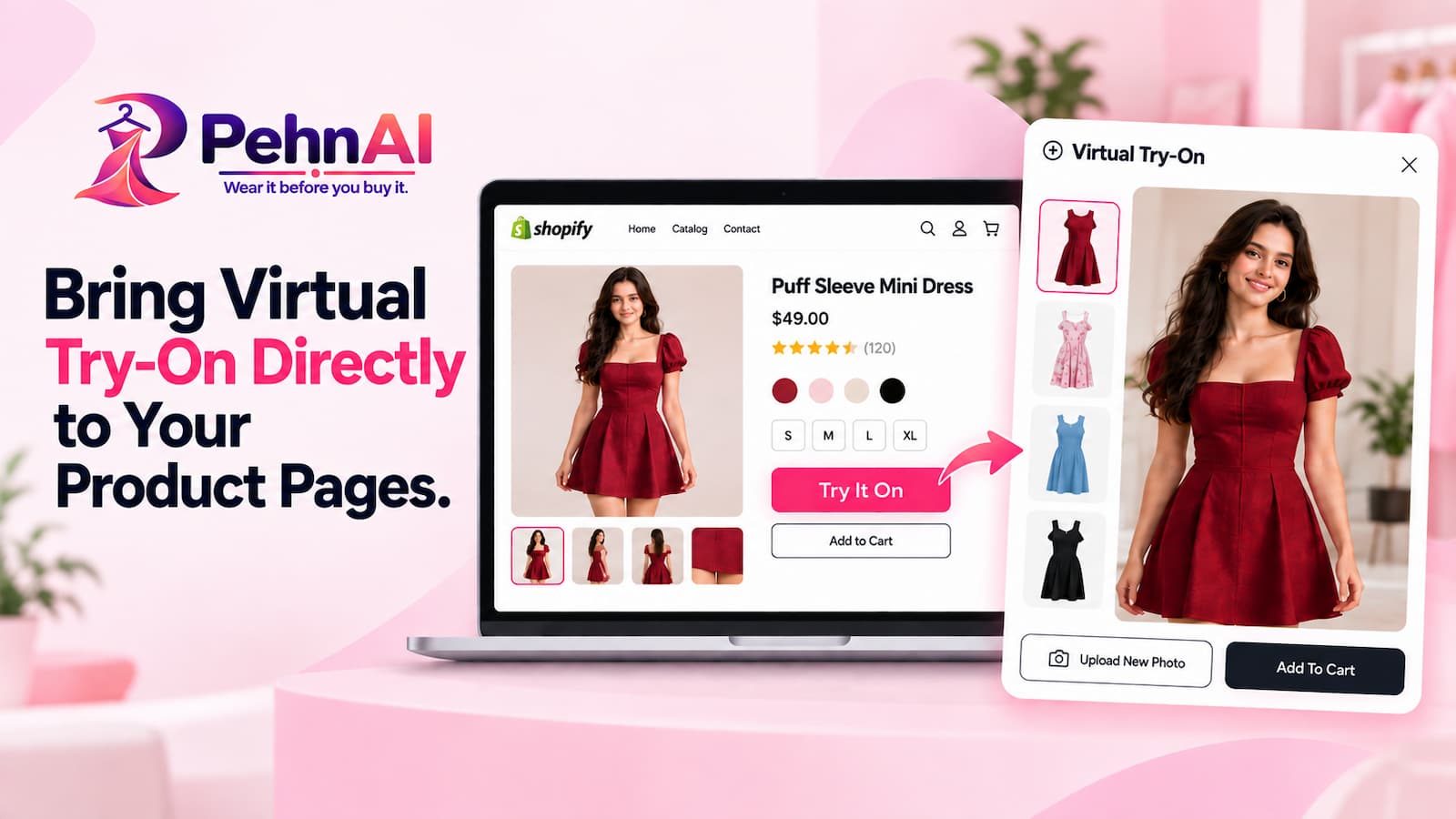
PehnAI brings AI Virtual Try-On directly to Shopify product pages, giving fashion shoppers another way to explore clothing before making a purchase decision.

Shoppers can upload their photo and generate a virtual preview to visualize the selected clothing on themselves before buying.

Instead of asking customers to rely only on product images and their imagination, PehnAI gives them an interactive virtual fitting-room experience directly inside your Shopify store.

The idea is simple:

See → Try Virtually → Explore → Decide

For fashion merchants preparing for BFCM, this adds another way for shoppers to interact with products while they are considering a purchase.

How PehnAI Can Help Your Fashion Store During BFCM

1. AI-Powered Virtual Try-On

PehnAI allows shoppers to use their own photo to virtually try on supported clothing products.

The shopper chooses a product, starts the Try-On experience, provides a photo, and PehnAI generates a visual Try-On result.

Why it matters during BFCM

During a major sale, shoppers may be comparing several products and several stores.

Virtual Try-On gives them another way to explore your clothing without leaving the product page.

Instead of only asking:

“Do I like this?”

they can also explore:

“How might this look on me?”

That can make the shopping experience more interactive and personal.

2. Try-On Directly From Product Pages

Is Your Fashion Store Ready for BFCM? Add AI Virtual Try-On with PehnAI - MakeProSimp

The Try-On experience can be made available directly on your Shopify product pages.

That means shoppers do not need to navigate to a completely separate shopping experience just to try the feature.

They can discover a product and start a virtual Try-On while they are already considering it.

Why it matters during BFCM

The fewer unnecessary steps in the shopping experience, the better.

During BFCM, shoppers may be moving quickly through multiple products.

Keeping virtual Try-On close to the product they are viewing can make it easier for them to use the feature at the moment it is most relevant.

3. Customize the “Try It On” Button

Every Shopify theme is different.

PehnAI lets merchants configure the Try It On button so it can better fit their storefront experience.

You can customize settings such as:

  • Button position
  • Button text
  • Button size
  • Button style
  • Button color
  • Mobile visibility
  • Desktop visibility

Depending on your storefront setup, you can position the Try It On option around important product-page areas.

Why it matters during BFCM

Your storefront may already include BFCM banners, promotional messages, discounts, and other calls to action.

Having control over the Try-On button helps you integrate the feature into your existing product-page design rather than forcing an unrelated experience into the page.

4. Control Which Products Offer Virtual Try-On

Not every product in a fashion catalog necessarily needs the same experience.

PehnAI provides product-level Try-On controls, allowing you to configure where virtual Try-On should be available.

This can be particularly useful when preparing for BFCM.

You might choose to focus on:

  • Featured products
  • Best sellers
  • New arrivals
  • BFCM collections
  • High-traffic products
  • Products you are actively promoting

Why it matters during BFCM

You can focus your virtual Try-On experience around the products that are most relevant to your campaign instead of treating every product exactly the same.

5. Support Different Products and Variants

Fashion products often have multiple variants and product images.

PehnAI is designed to work with fashion product experiences where different product or variant imagery may need to be considered.

This helps make virtual Try-On more useful across a broader clothing catalog.

Why it matters during BFCM

If your BFCM campaigns promote multiple styles, variants, or collections, customers may want to explore more than one option before deciding.

Giving them a virtual way to compare clothing can make that exploration more engaging.

6. Understand Try-On Engagement

Is Your Fashion Store Ready for BFCM? Add AI Virtual Try-On with PehnAI - MakeProSimp

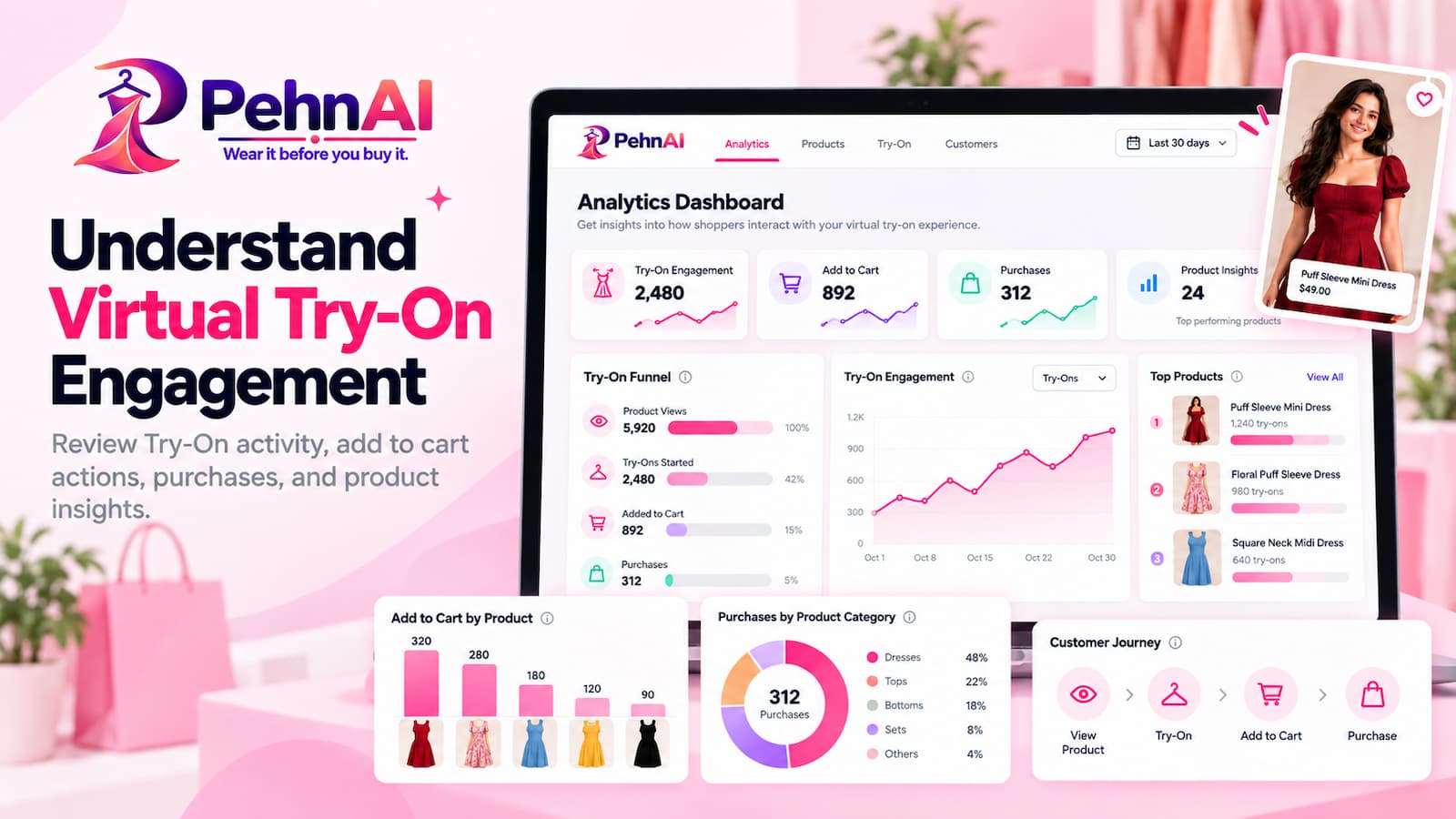
PehnAI includes analytics to help merchants understand how shoppers interact with virtual Try-On.

You can review Try-On activity and engagement and better understand what happens after shoppers interact with the experience.

PehnAI also provides purchase-attribution insights to help merchants connect Try-On activity with later shopping actions.

Why it matters during BFCM

BFCM brings an opportunity to learn as well as sell.

You may be able to see:

  • Which products attract Try-On activity
  • How shoppers engage with the Try-On experience
  • What happens after shoppers use Try-On
  • Whether Try-On users continue toward Add to Cart or purchase activity

These insights can help you better understand how customers interact with your fashion products during one of the busiest shopping periods of the year.

From Product Discovery to Virtual Try-On

Is Your Fashion Store Ready for BFCM? Add AI Virtual Try-On with PehnAI - MakeProSimp

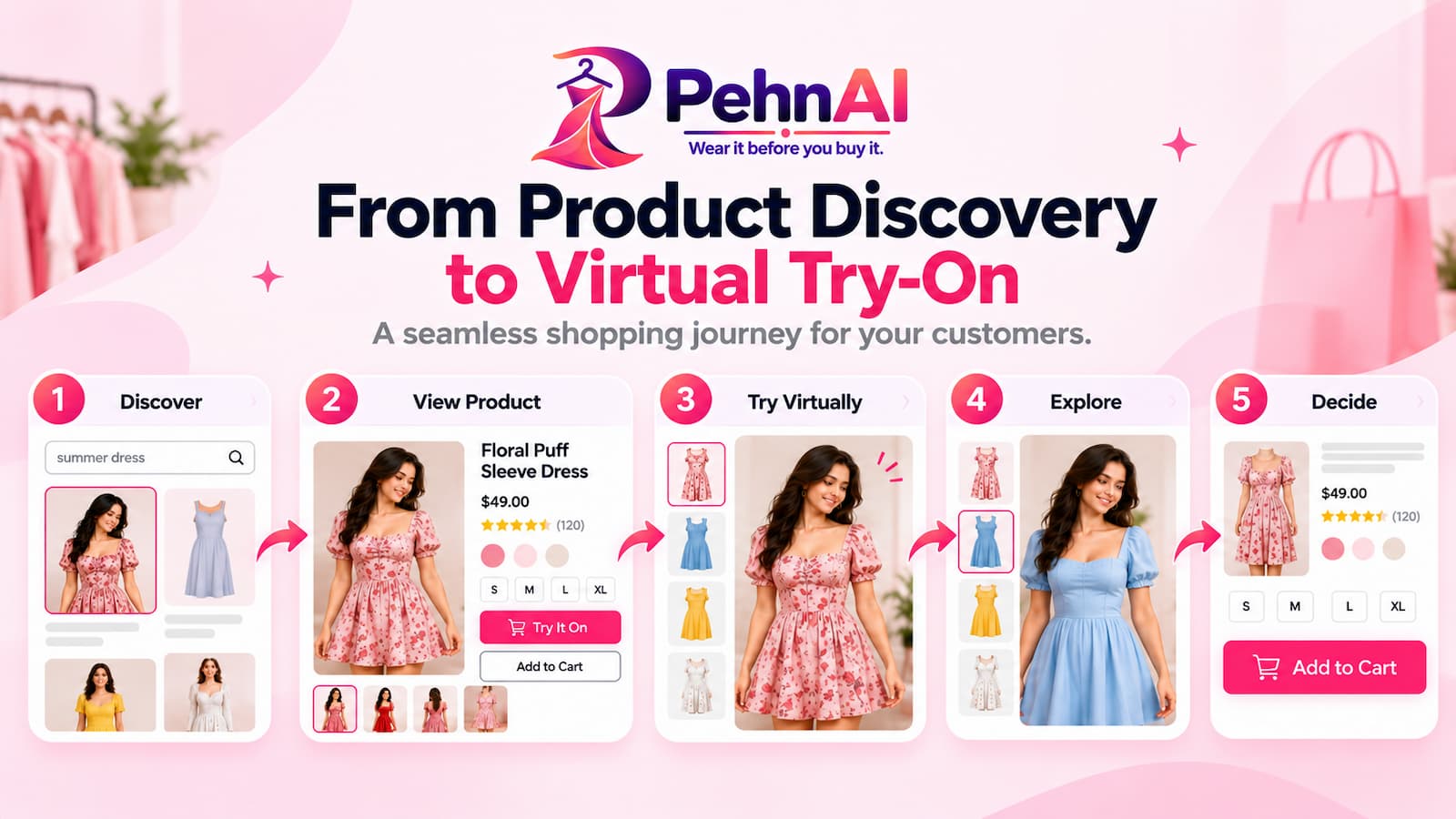
A traditional online fashion journey might look something like this:

Discover → View Product → Check Images → Read Details → Decide

With PehnAI, you can add another interaction:

Discover → View Product → Try Virtually → Explore → Decide

The goal is not to replace your product images, descriptions, size information, or other product-page content.

Virtual Try-On works alongside them.

Your images show the product.

Your description explains the product.

Your size information helps shoppers understand their options.

PehnAI gives shoppers another way to visualize the product on themselves.

How to Prepare PehnAI Before Your BFCM Campaign

If you are planning to use virtual Try-On during BFCM, it is better to prepare and test it before your promotions start.

1. Install PehnAI

Add PehnAI to your Shopify store and choose the plan that fits your expected usage.

You can start with the Free Plan and explore the virtual Try-On experience before upgrading.

Add PehnAI Virtual Try-On to Your Store →

2. Enable PehnAI on Your Storefront

Activate PehnAI and make sure the required app embed is enabled in your Shopify theme.

3. Configure Your Try It On Button

Choose where the Try It On button should appear and customize it to fit your storefront.

Review the button on both desktop and mobile.

4. Configure Your Products

Select the clothing products where you want shoppers to have access to virtual Try-On.

Consider starting with the products or collections you plan to promote most heavily during BFCM

5. Test the Experience Yourself

Before sending BFCM traffic to your store, run your own Try-On tests.

Visit your store like a customer.

Select a product.

Start Try-On.

Upload a photo.

Review the generated result.

Test the complete experience on both desktop and mobile.

6. Review Your Analytics

Once shoppers begin using Try-On, review your PehnAI analytics to understand how they are interacting with it.

Use these insights alongside your existing Shopify and marketing data to better understand your BFCM customer journey.

Make Your BFCM Fashion Experience More Interactive

BFCM does not have to be only about lowering prices.

It can also be an opportunity to improve how customers experience your products.

For fashion merchants, virtual Try-On provides an additional way for shoppers to interact with clothing before deciding whether to buy.

They can:

See the product.

Try it virtually.

Visualize it on themselves.

Continue shopping with more information.

And they can do it directly from your Shopify product experience.

Ready to Add AI Virtual Try-On Before BFCM?

If you are preparing your Shopify fashion store for BFCM, now is a good time to test how virtual Try-On fits into your product experience.

Install PehnAI, configure your selected products, customize your Try It On button, and test the experience before your BFCM campaigns begin.

🎉 PehnAI BFCM Special Offer

Is Your Fashion Store Ready for BFCM? Add AI Virtual Try-On with PehnAI - MakeProSimp

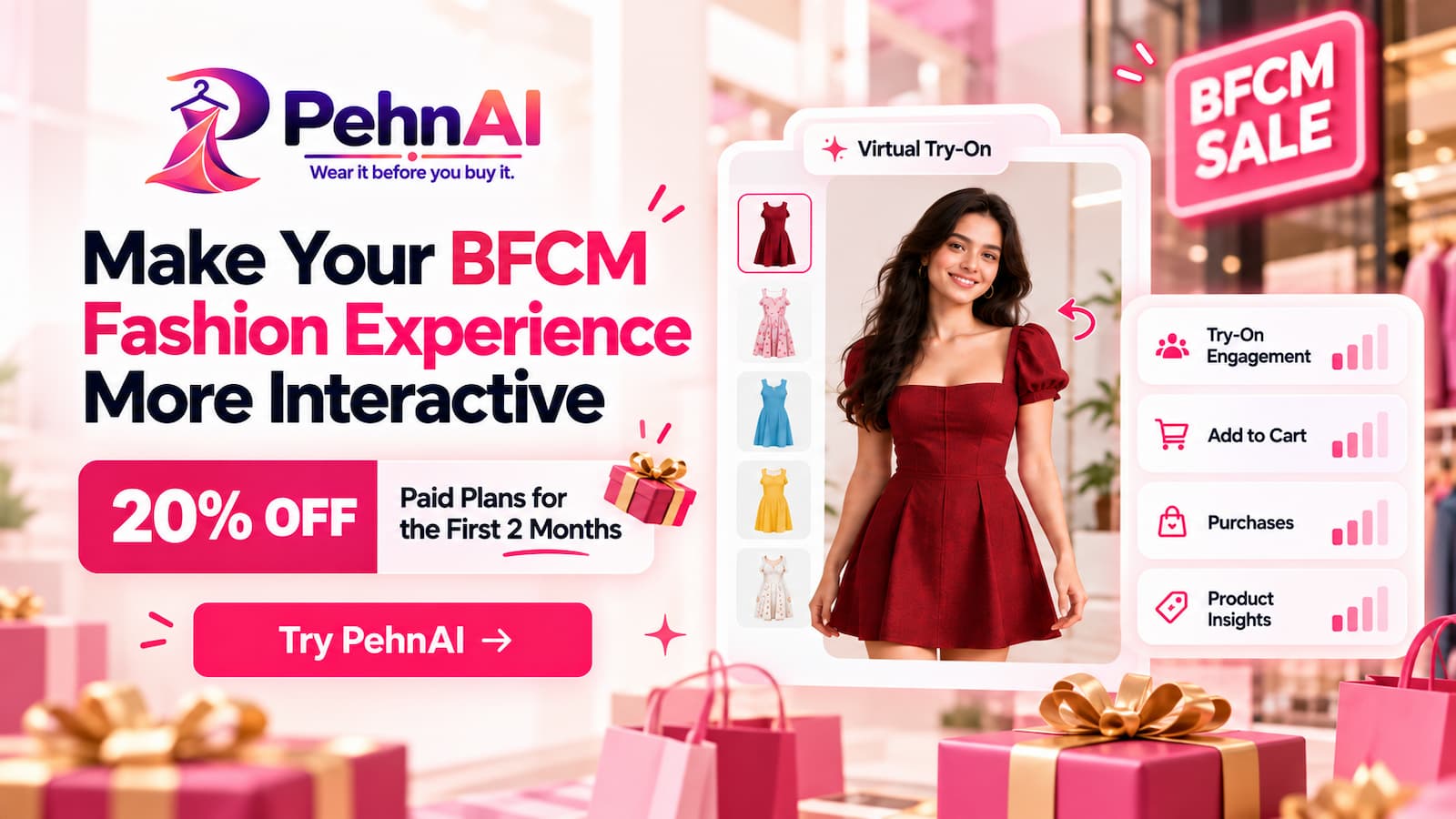
Get 20% OFF PehnAI paid plans for your first 2 months.

You can also start with PehnAI’s Free Plan and experience AI-powered virtual Try-On on your Shopify store.

Add PehnAI Virtual Try-On to Your Store →

A Final Note Before BFCM

BFCM shoppers will see plenty of discounts.

Adding AI Virtual Try-On to your fashion store can give shoppers an additional way to interact with your products during this busy shopping period.

For fashion stores, the opportunity is not only to offer a competitive price, but also to give shoppers a better way to experience the products behind those offers.

Review your product pages.

Prepare your BFCM collections.

Make sure your storefront works smoothly.

And consider giving shoppers the ability to visualize your clothing on themselves before they decide.

Let them see it. Let them try it virtually. Let them decide with PehnAI.

Categories
MakeProSimp Apps

Is Your Shopify Store Ready for BFCM?

Start Your Free Audit →

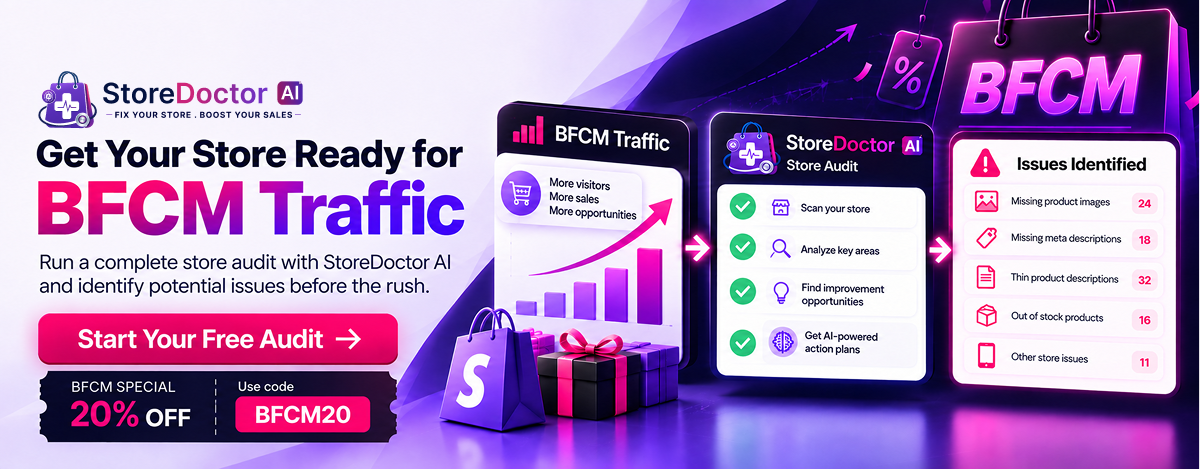
BFCM is one of the biggest shopping periods of the year. More shoppers can mean more sales, but it also means there is less room for unnoticed problems in your store.

A missing product detail, an SEO issue, or something that creates friction on a product page may not seem urgent on a normal day. But when more shoppers are visiting your store, these issues can have a bigger impact.

Before your BFCM campaigns go live, it’s worth taking some time to check your store and identify anything that needs attention.

BFCM Is Coming. Is Your Store Ready?

BFCM preparation usually starts with planning offers, creating campaigns, and getting marketing ready. But there is another part of preparation that is easy to overlook: making sure your Shopify store is ready for the shoppers those campaigns will bring in.

When traffic increases, shoppers may visit more product pages, browse more categories, and search for more information before making a purchase. That makes it important to review the parts of your store that customers interact with every day.

Before BFCM, merchants should take a closer look at:

  • Product information – Is the information shoppers need available?
  • SEO – Are important SEO details properly configured?
  • Store experience – Are there store issues that could create friction?
  • Product experience – Are product pages providing the information shoppers need?
  • Offers and promotions – Are your BFCM offers clearly presented?
  • Customer experience – Is the buying journey easy to understand?

You don’t need to wait for BFCM traffic to discover something needs fixing. Finding potential issues early gives you time to review them and make changes before the shopping rush begins.

What Should You Check Before BFCM?

You don’t have to review every part of your Shopify store manually.

Start with the areas that can directly affect how shoppers discover your products, understand what you’re selling, and interact with your store.

1. Check Your Product Information

Your product page is where shoppers make many of their purchasing decisions. Before BFCM, make sure your products provide the information customers need.

Check that:

  • Product titles are clear and descriptive
  • Product descriptions are complete
  • Product images are available and appropriate
  • Important product information is present
  • Products contain the information shoppers need

Why this matters

During BFCM, shoppers are often comparing products and making decisions quickly. If important information is missing or unclear, they may have difficulty understanding the product or deciding whether it is right for them.

2. Check Your SEO

BFCM shoppers don’t only arrive through ads, emails, or social media. Search can also be an important way for shoppers to discover products and pages.

Before BFCM, review the SEO information supported by your store audit.

Check that:

  • Important SEO information is present
  • Meta information is configured appropriately
  • Products and pages contain relevant search information
  • Identifiable search-visibility issues are addressed

Why this matters

A BFCM campaign can bring more attention to your store, but you also want your existing search visibility to work properly. Identifying SEO issues before the campaign gives you time to review and address them.

3. Check Your Store

Your store is more than your product pages. There are other areas of your Shopify setup that can affect the overall shopping experience.

Check for:

  • Important store information
  • Store configuration issues
  • Areas that may create customer friction
  • Other issues identified by your store audit

Why this matters

When more shoppers visit your store, even small problems can become easier to notice. Reviewing your store before BFCM gives you an opportunity to catch issues before they become a distraction during your busiest period.

4. Check the Product Experience

A shopper may arrive on your product page because of a BFCM promotion, but the promotion is only one part of the experience.

The product page still needs to provide the information shoppers need to understand the product and move forward.

Check for:

  • Complete product-page information
  • Missing information
  • Potential points of friction
  • Areas that may require attention

Why this matters

The easier it is for shoppers to find and understand important product information, the less likely they are to leave because they couldn’t find what they needed.

Don’t Wait Until BFCM to Find Store Issues

You don’t want to discover important store issues after your BFCM campaign is already running.

Instead, give yourself time to:

Audit → Identify → Review → Improve → Prepare

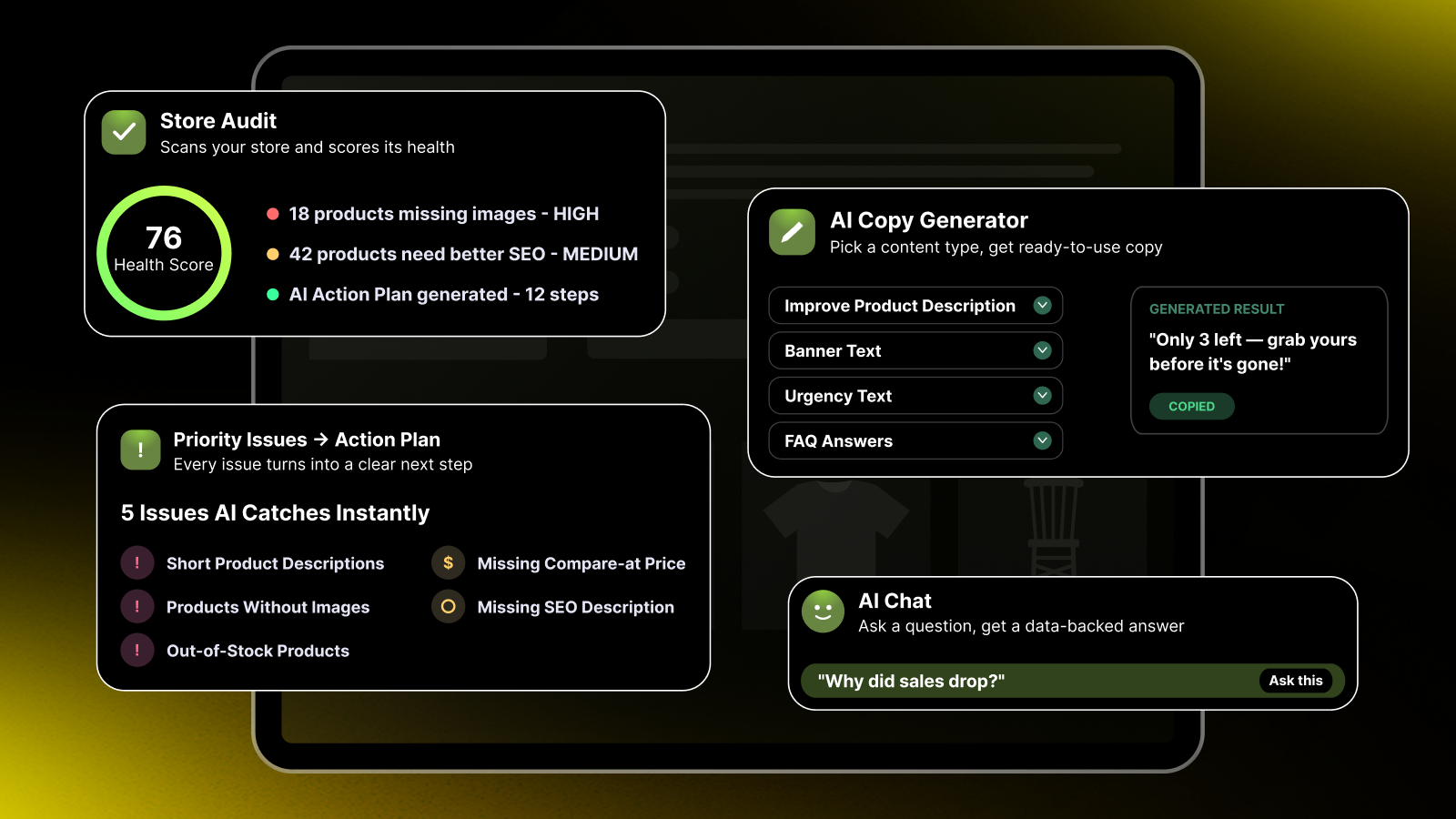
Run an audit early, look at the issues that are relevant to your store, and decide what needs attention before your BFCM traffic arrives. That’s where StoreDoctor AI can help.

Meet StoreDoctor AI App

StoreDoctor AI helps Shopify merchants audit their stores and identify areas that may need attention.

Instead of manually checking different parts of your store one by one, you can start with an automated audit and get an overview of the issues identified by StoreDoctor.

The goal is simple:

Find potential issues before they become a bigger problem.

Get An overview-Of Your Shopify Store

How StoreDoctor Helps You Prepare for BFCM

StoreDoctor is designed to help merchants move from finding issues to understanding what needs attention.

1. AI Store Audit

AI Store Audit

StoreDoctor AI checks your Shopify store and looks for issues across products, SEO, content, images, and inventory. Instead of going through everything manually, you can run an audit and quickly see what needs attention.

The audit gives you a clear view of the issues StoreDoctor finds, so you can spend your time fixing what could actually affect your store.

Why it matters before BFCM

Before BFCM traffic starts coming in, it’s worth knowing whether there are any problems in your store that could get in the way of sales.

Run the audit early, review the issues it finds, and use the results as a checklist for your BFCM preparation. This gives you time to fix important problems before your promotions go live rather than finding them when customers are already shopping.

Try Your Free Store Audit →

2. AI Action Plan

AI Action Plan

Once StoreDoctor finds issues in your store, the AI Action Plan helps you make sense of them.

Instead of looking at a long list of problems and wondering where to start, you get a clearer view of what needs attention and which fixes should come first. This makes it easier to turn your audit results into actual next steps.

Why it matters before BFCM

Finding problems is one thing. Knowing what to fix first is another.

With BFCM approaching, you probably don’t have time to work through every issue at once. The Action Plan helps you focus on the fixes that deserve your attention first, so you can work through your store improvements in a more organized way.

Run your audit, review the recommendations, and start with the issues that matter most before your BFCM campaigns go live.

Get Your Free Action Plan →

3. AI Copy Generator

AI Copy Generator

Once you know what needs fixing and where to focus, the AI Copy Generator helps you get the actual copy written.

Just add your product title and description, choose what you want to create, and let AI do the writing for you. You can improve a product description, create urgency text, write banner copy, or generate answers to common customer questions.

Instead of staring at a blank page or spending hours rewriting the same content, you can generate copy in seconds, review it, and use what works best for your store.

Why it matters before BFCM

BFCM is a busy time for shoppers, and your store copy needs to make things clear quickly. Your product descriptions should explain the value, your banners should grab attention, and your promotional copy should give shoppers a reason to act.

But when you have dozens of products and promotions to prepare, writing all of that copy yourself can take a lot of time.

The AI Copy Generator helps you get it done faster. Improve your key product pages, create BFCM-ready banners and urgency messages, and prepare answers to common questions before your campaigns go live.

That way, when the BFCM traffic starts coming in, your store is ready with copy that helps shoppers understand your products and take action.

Try Free AI Copy Generator →

4. AI Chat

AI Chat

Not sure what’s going on with your store? Just ask.

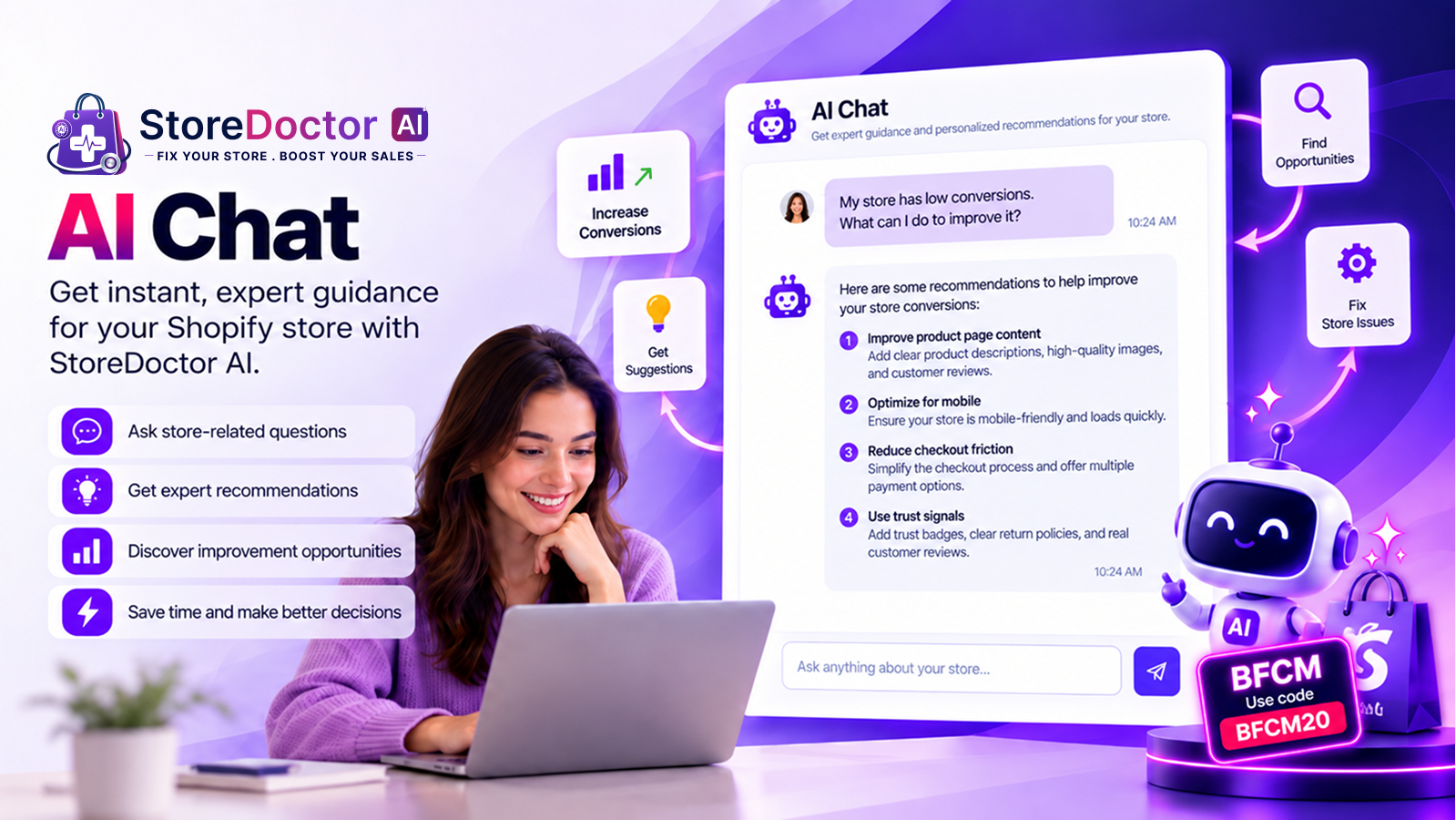
AI Chat lets you ask simple questions about your store and get answers based on your store data and the latest audit results. Instead of digging through reports or trying to figure everything out yourself, you can ask one focused question and get practical next steps.

For example, you can ask:

  • Why did my sales drop?
  • Which products need improvement?
  • What should I fix first?

The answers are based on your store, so you get guidance that’s relevant to what’s actually happening in your business.

Why it matters before BFCM

BFCM preparation can leave you with a lot of questions and not much time to find the answers.

AI Chat gives you a quick way to understand what’s happening in your store and where you may need to focus. Instead of guessing or spending hours going through different reports, you can ask a question and get a clear direction on what to look at next.

Use it to spot potential problems, understand your store better, and make your BFCM preparation a little easier.

Chat With AI for Free →

From Store Issues to BFCM Readiness

A store audit is useful for more than just finding a list of problems. It gives you a chance to see what may need attention before BFCM traffic starts coming in.

With StoreDoctor, you can go through your store step by step:

1. Run Your Audit

Start by checking your Shopify store and getting an overview of the areas that may need attention.

2. Find Issues

See what StoreDoctor identifies across your store, products, and SEO.

3. Review What Needs Attention

Go through the results and decide which issues are relevant to your store and worth working on before BFCM.

4. Make Your Changes

Work through the issues you’ve identified and make the improvements that make sense for your store.

5. Get Ready for BFCM

Once you’ve reviewed the important areas, you’ll have a clearer idea of what still needs to be done before your BFCM campaigns go live.

Ready to Check Your Shopify Store?

Getting your store ready for BFCM doesn’t have to mean going through everything manually. Start with an audit, see what needs attention, and give yourself enough time to make the changes before the holiday traffic arrives.

🎉 BFCM Special Offer

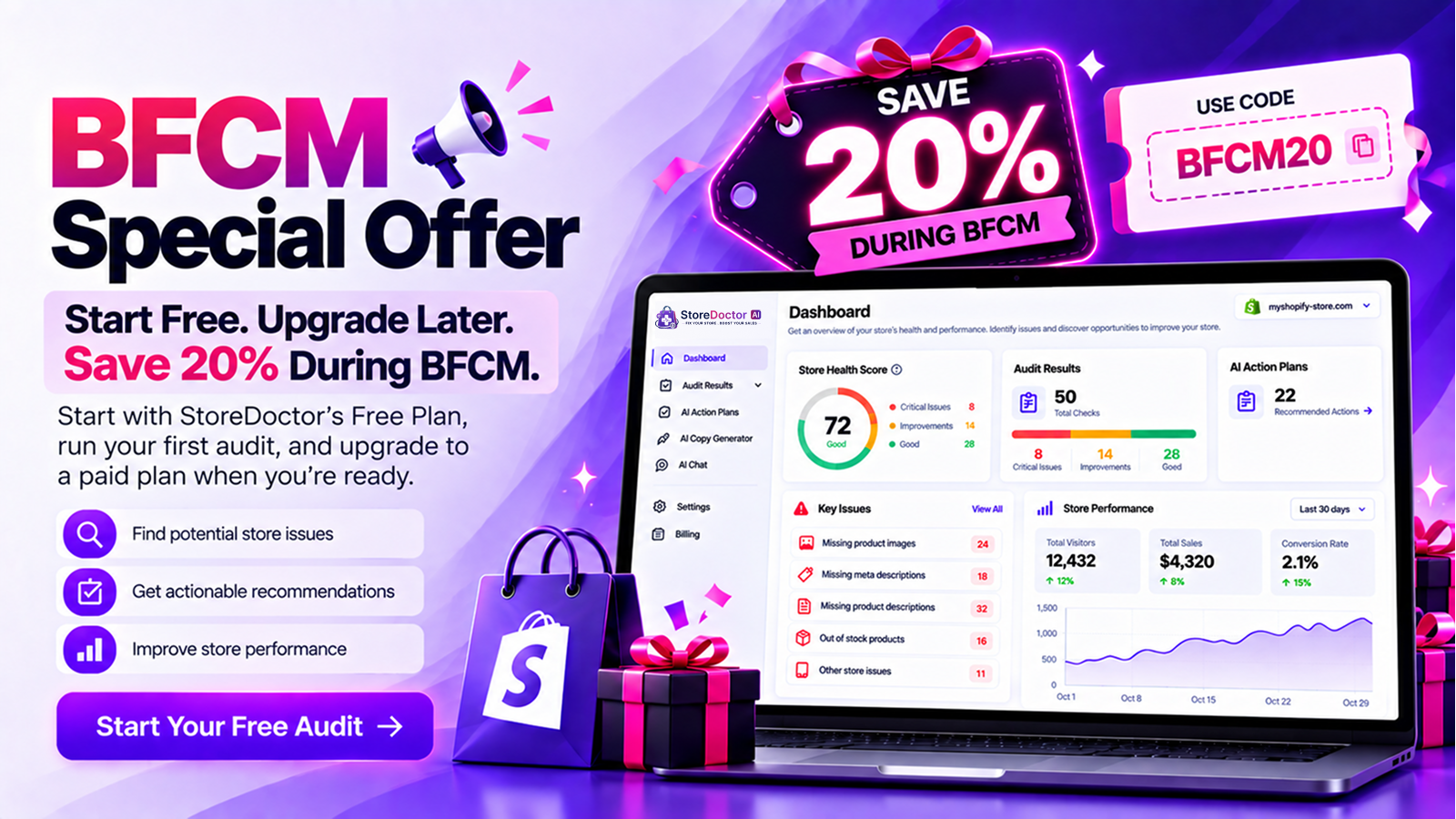
Start Free. Upgrade Later. Save 20% During BFCM.

Start with StoreDoctor’s Free Plan, run your first audit, and upgrade to a paid plan when you’re ready.

Start Your Free Audit →

BFCM Special Offer

A Final Note Before BFCM

BFCM is busy enough without discovering store issues at the last minute.

Before your campaigns go live, take a little time to check the store your customers will actually be using. Look beyond your offers and promotions and make sure the important parts of your store are ready too.

Run your audit. See what needs attention. Get your store ready for BFCM.

Categories
MakeProSimp Apps

Why Customer Trust in eCommerce Is the Key to Online Sales

Introduction

The online shopping landscape has become more competitive than ever. Customers have access to countless stores, products, and brands competing for their attention. While pricing, product quality, and marketing strategies play important roles in attracting shoppers, one factor often determines whether a visitor becomes a customer: trust.

Unlike traditional retail stores, online businesses lack face-to-face interaction. Customers cannot physically inspect products, speak directly with sales representatives, or instantly verify a store’s credibility. As a result, they rely heavily on trust signals and the overall shopping experience when making purchasing decisions.

Building Customer Trust in eCommerce is not just about increasing sales; it is about creating long-term relationships that encourage repeat purchases, loyalty, and sustainable business growth. This article explores why trust is the foundation of online sales and how businesses can strengthen it.

The Role of Trust in Online Shopping

When customers visit an online store, they immediately evaluate whether the business is trustworthy. They consider factors such as website design, product information, reviews, payment security, and overall professionalism.

Many shoppers hesitate before purchasing because they have concerns such as:

  • Will the product match its description?
  • Is my payment information secure?
  • Will the order arrive on time?
  • Can I get support if something goes wrong?

Customer Trust in eCommerce helps remove these doubts and gives customers the confidence to complete their purchase.

Customers are far more likely to buy from businesses they trust. A trustworthy shopping experience reduces uncertainty and increases conversion rates.

Trust Helps Increase Conversion Rates

Building Customer Trust in eCommerce encourages shoppers to complete purchases, reduces cart abandonment, and improves overall conversion rates.

Attracting visitors is only the first step. Converting them into paying customers requires building confidence throughout the customer journey.

When customers trust a business, they are more likely to:

  • Explore products in detail
  • Spend more time on the website
  • Add items to their cart
  • Complete the checkout process

Even small trust issues can lead to abandoned carts and lost sales.

In many cases, trust influences buying decisions more strongly than discounts because customers prioritize safety, reliability, and a positive experience over lower prices.

Transparency Builds Strong Customer Relationships

Transparency is one of the most effective ways to build Customer Trust in eCommerce. Customers appreciate clear, honest, and accurate information.

This includes:

  • Detailed product descriptions
  • High-quality product images
  • Clear pricing information
  • Transparent shipping costs
  • Easy-to-understand return policies

When businesses set clear expectations, customers feel more informed and confident.

Transparency also reduces misunderstandings, minimizes disputes, and improves overall customer satisfaction.

Social Proof Strengthens Customer Confidence

People often look to others when making decisions. In eCommerce, social proof plays a significant role in influencing purchase behavior.

Social proof includes:

  • Customer reviews
  • Ratings
  • Testimonials
  • Recent purchase activity
  • User-generated content

When shoppers see positive experiences from others, they feel more confident about buying. It reduces uncertainty and builds credibility for the brand.

The more authentic social proof a business displays, the easier it becomes for potential customers to trust the store.

Consistent Communication Creates Better Experiences

Trust is strengthened through communication. Customers expect updates throughout their shopping journey.

Effective communication includes:

  • Order confirmations
  • Shipping updates
  • Inventory updates
  • Customer support responses
  • Follow-up messages

Consistent communication demonstrates reliability and helps customers feel valued.

Even when unexpected issues arise, clear and timely communication helps maintain trust and preserve customer relationships.

Trust Drives Customer Loyalty and Retention

Trust is not only important for acquiring customers but also for retaining them.

Customers who trust a brand are more likely to:

  • Make repeat purchases
  • Recommend the store to others
  • Leave positive reviews
  • Engage with future promotions

Loyal customers often generate significantly more long-term value than first-time buyers. They become advocates who help attract new customers through word-of-mouth recommendations and social sharing.

How the Right Tools Can Support Customer Trust

Building Customer Trust in eCommerce requires consistency, transparency, and a seamless customer experience. The right tools can help businesses strengthen these trust-building elements.

Build Confidence Through Social Proof

One of the strongest ways to build trust is by showing real customer activity.

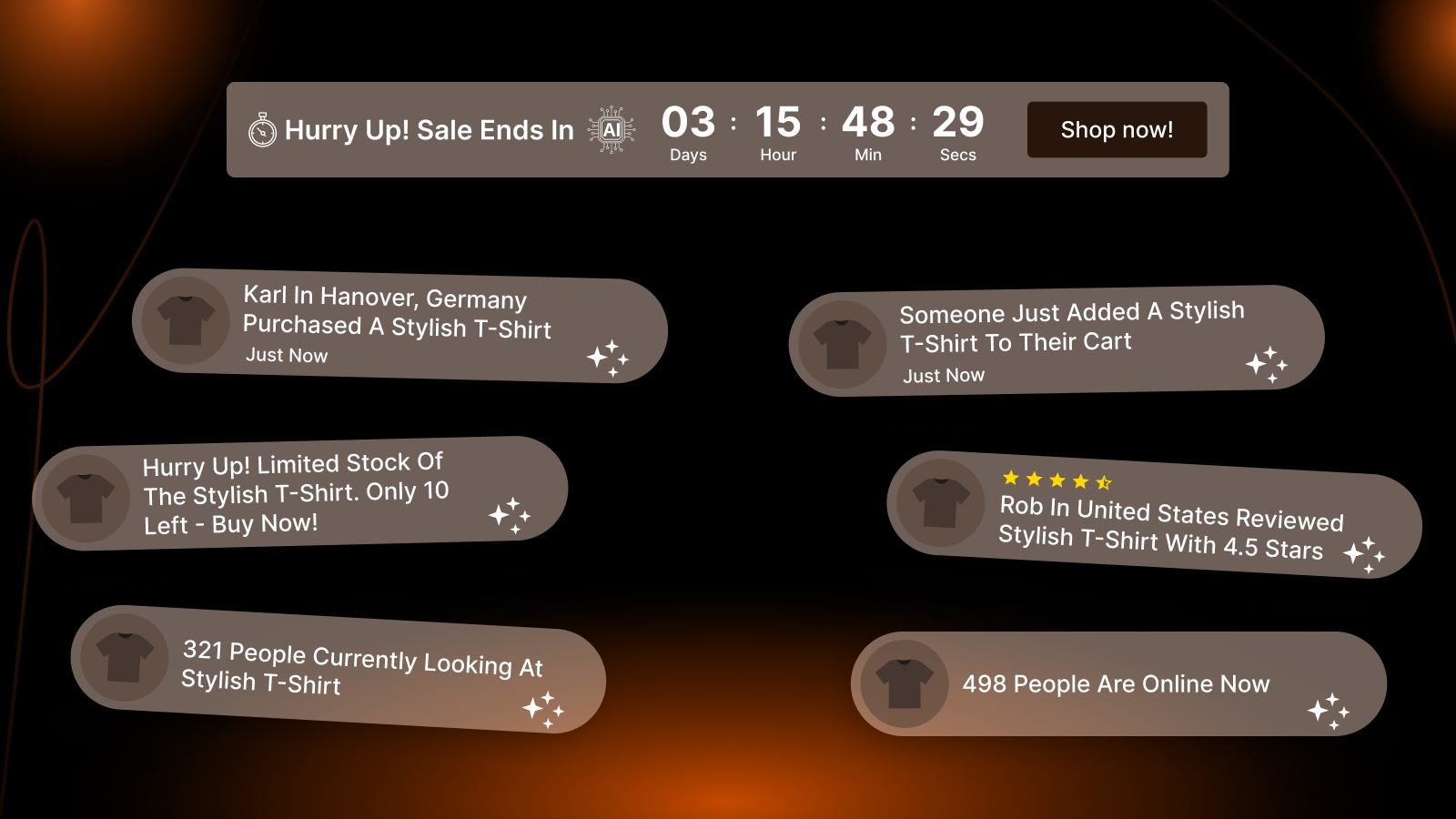
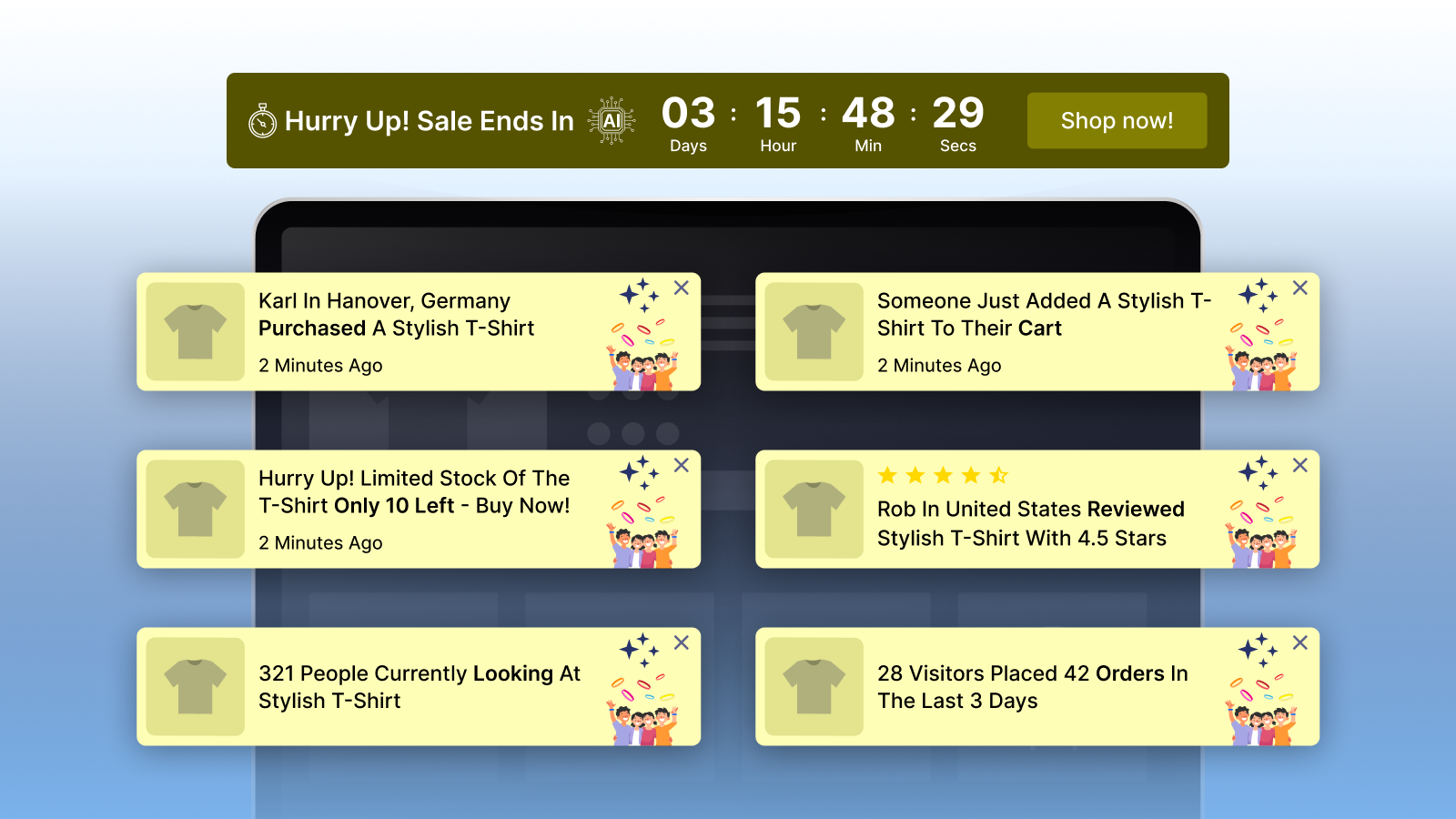
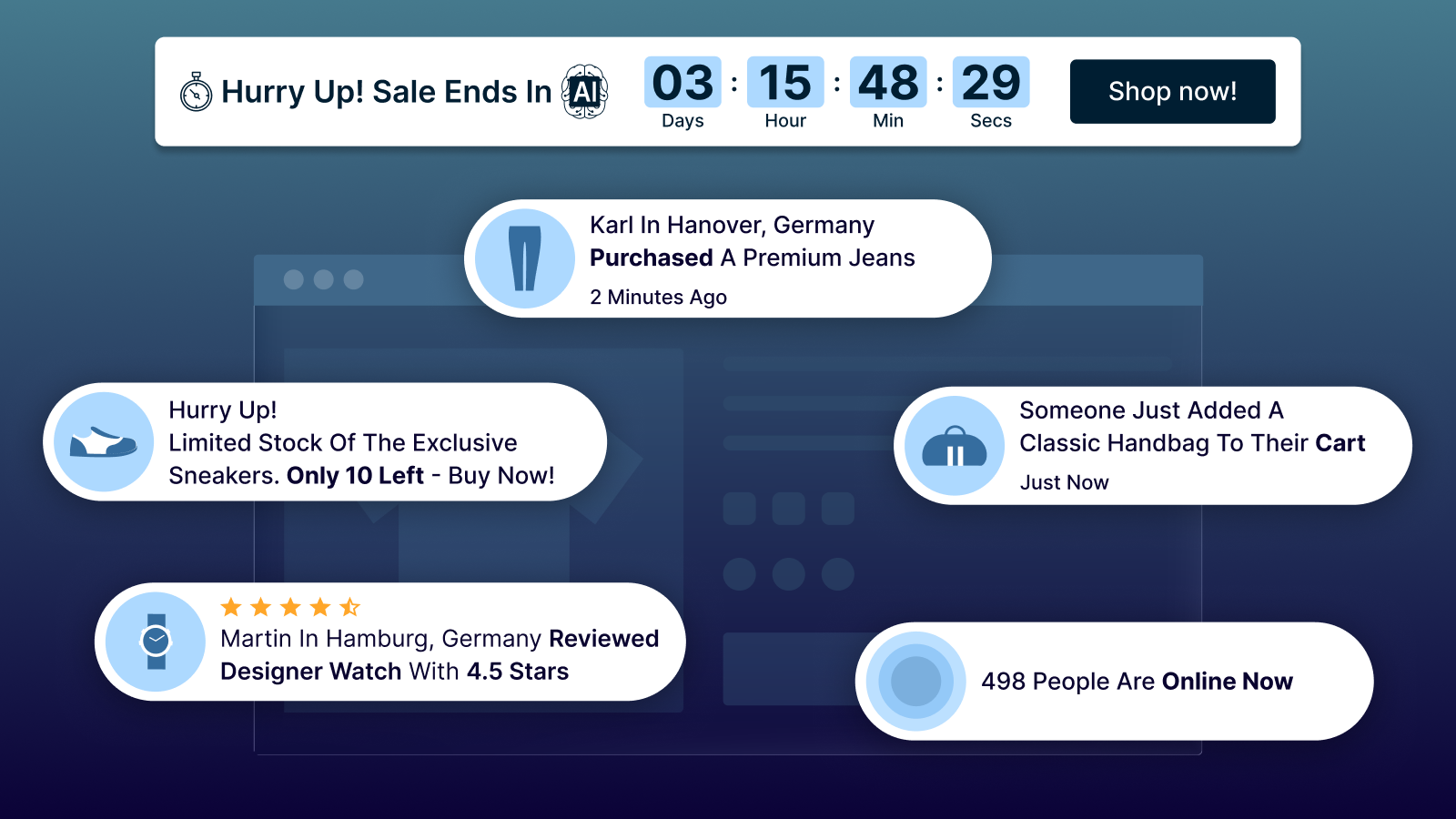
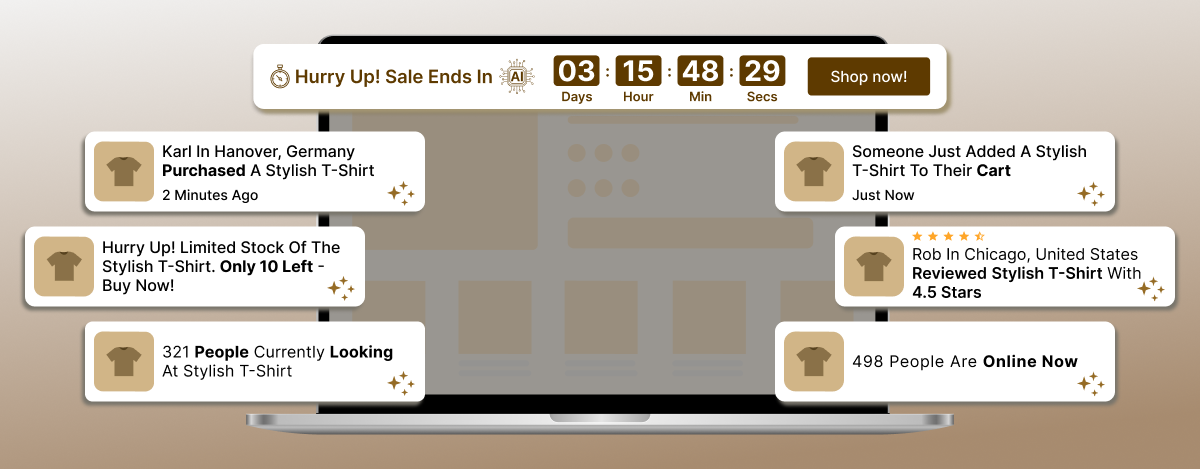
ToastiBar enhances trust with AI-Powered Engagement Popups like:

  • Recent Sales Notifications
  • Cart Activity Notifications
  • Product Review Notifications
  • Visitor Counter Notifications
  • Low-Stock Notifications
  • Countdown Timers

why customer trust in eCommerce is the key to online sales ToastiBar

These features create a sense of authenticity, activity, and credibility that reassures potential buyers.

Try ToastiBar For Shopify

Try ToastiBar For Wix

Try ToastiBar For Shopline

Improve Transparency With Inventory Updates

Clear inventory information improves customer confidence and reduces frustration.

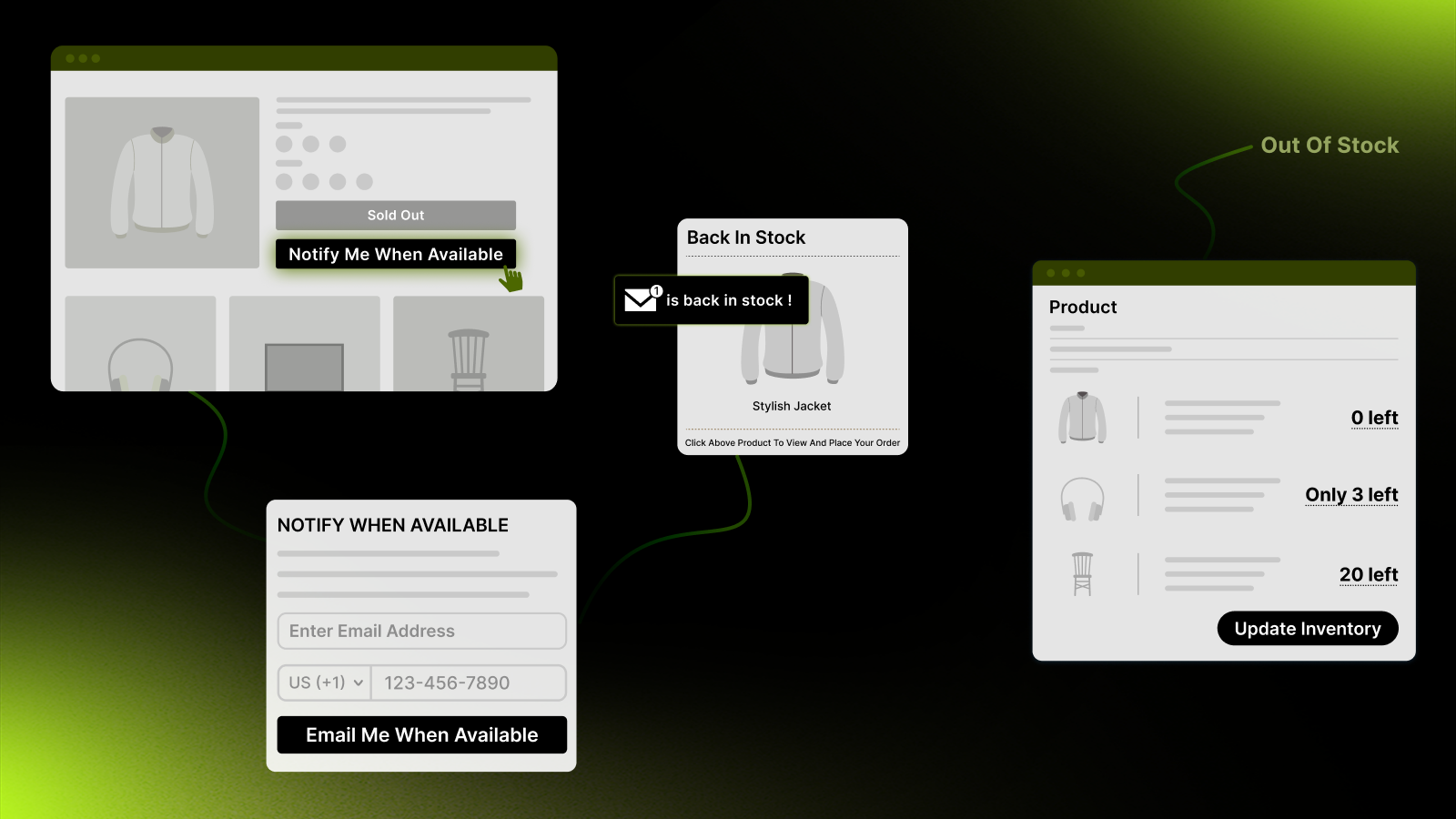
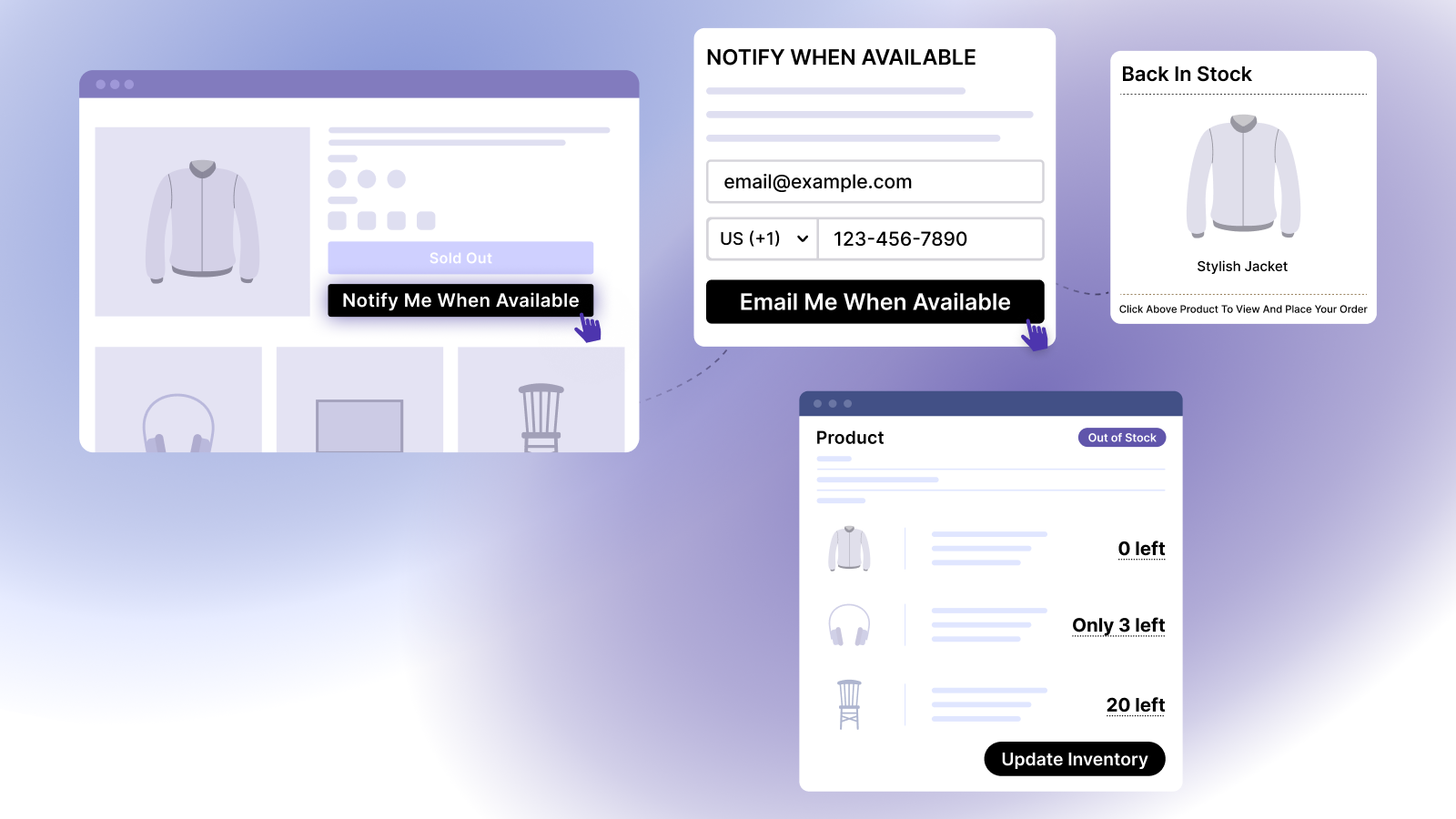
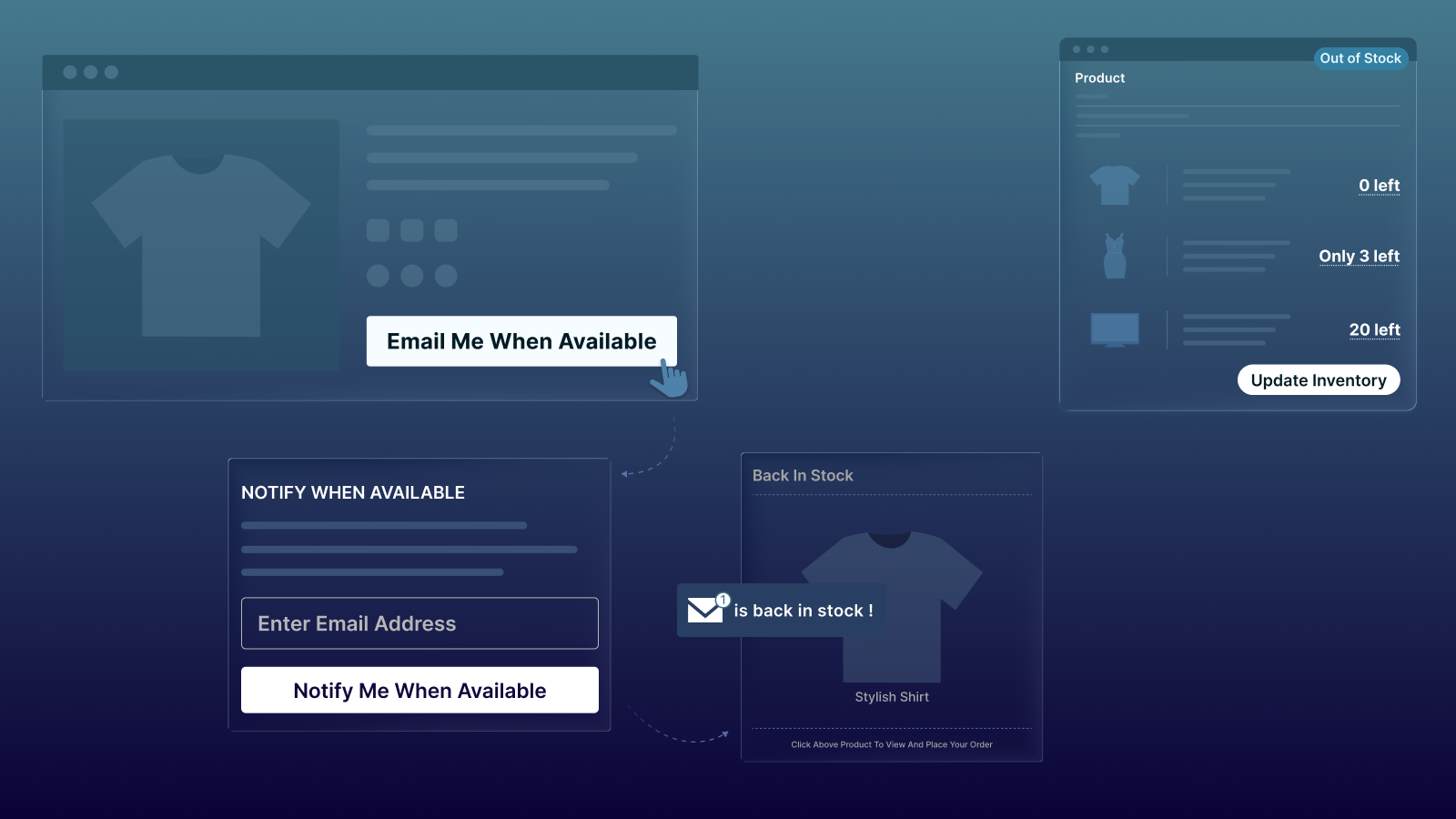
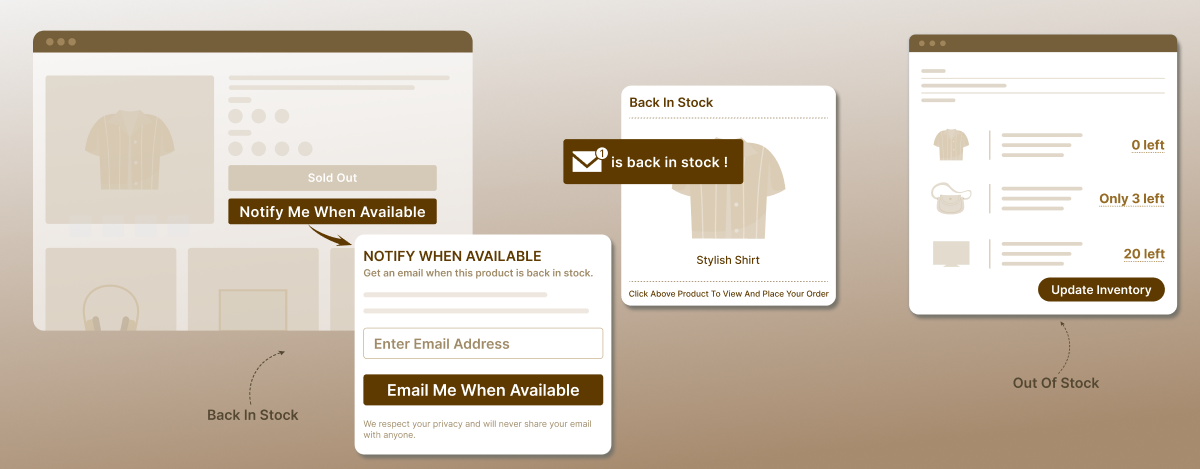
Notim helps businesses by providing:

  • Back-in-Stock Alerts (For customers)
  • Out-of-Stock Notifications (For merchants)
  • Low-Stock Alerts (For merchants)
  • Multi-Location Inventory Tracking
  • Automated Stock Updates

By keeping shoppers informed about product availability, businesses can create a more transparent and trustworthy shopping experience.

why customer trust in eCommerce is the key to online sales Notim

Try Notim: Back In Stock+Notify Me [Shopify]

Try Notim: Back In Stock+Notify Me [Shopline]

Create Personalized Shopping Experiences

Personalization makes shopping easier and more relevant.

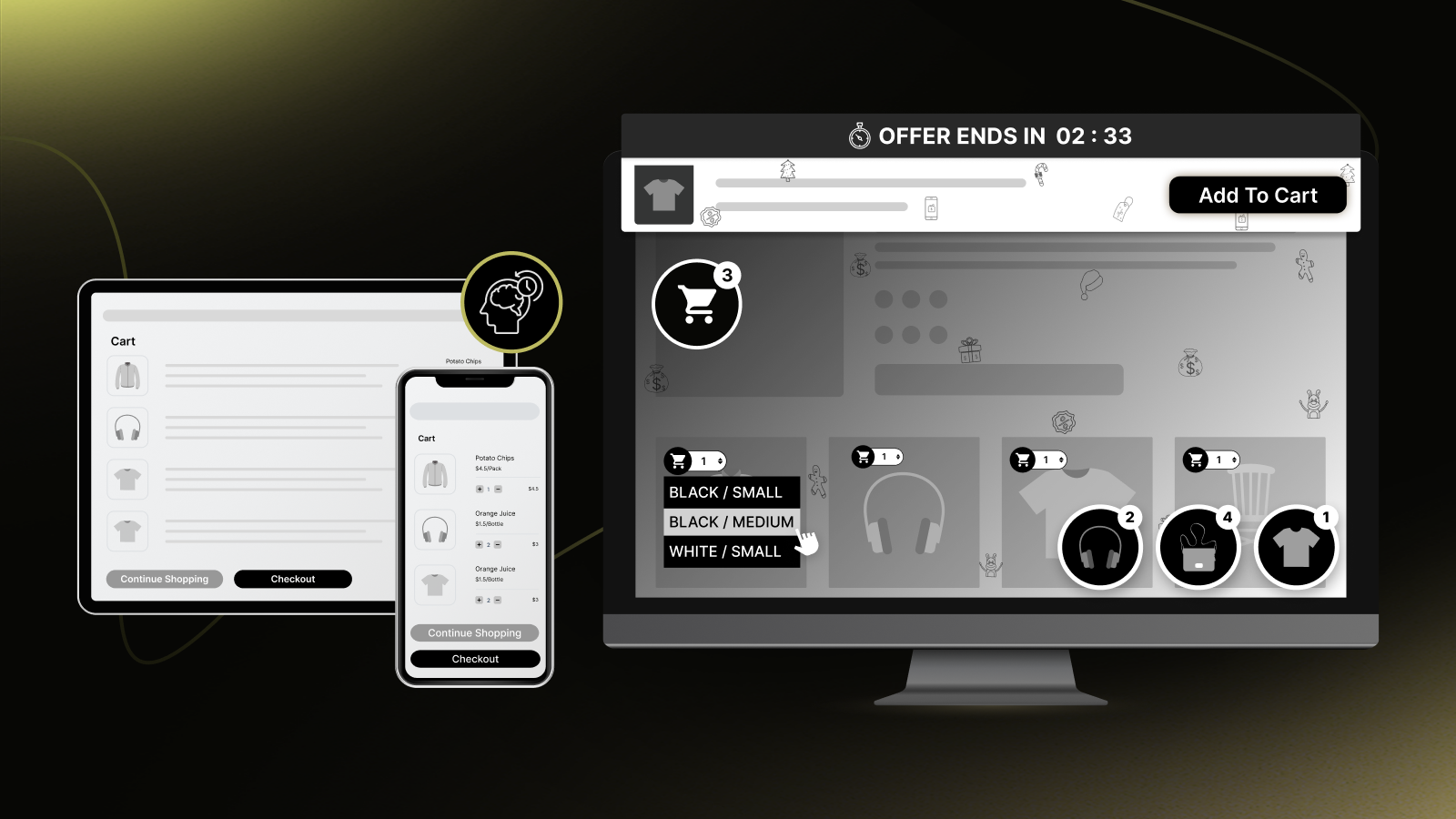
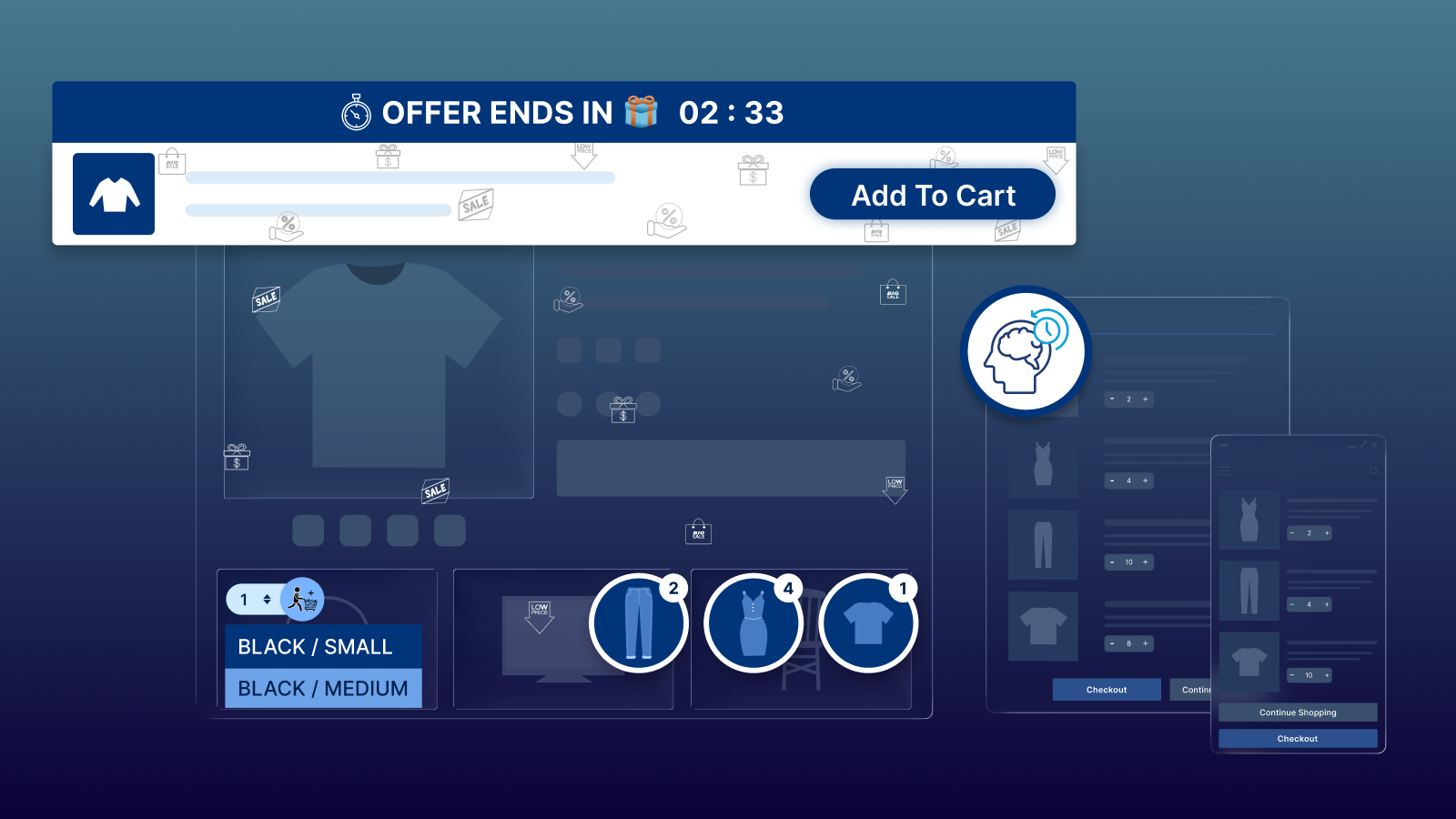
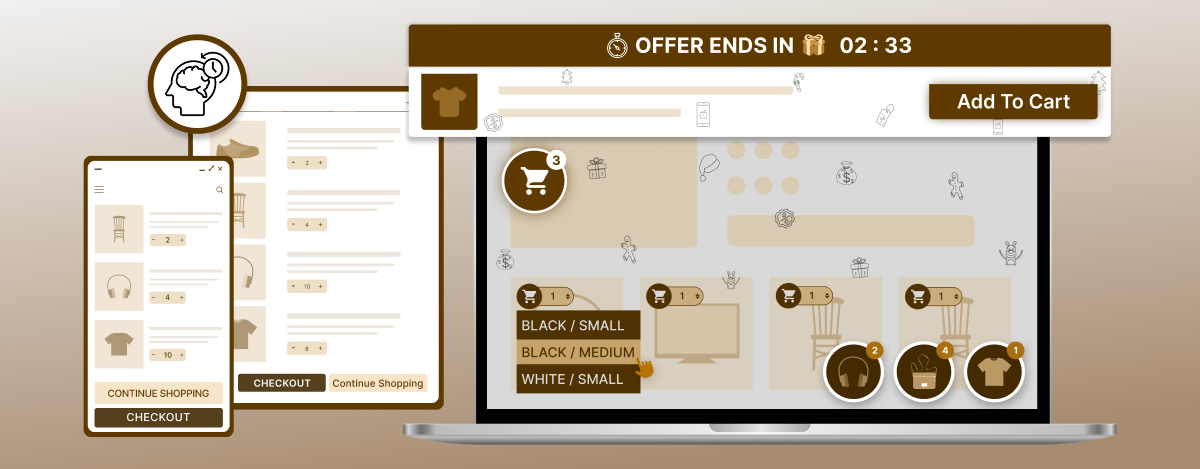
Buyme (Buystro) helps improve customer experience through:

  • Sticky Add to Cart Bar
  • Quick Buy Buttons
  • Sticky Cart
  • Cart Preview
  • Countdown Timer

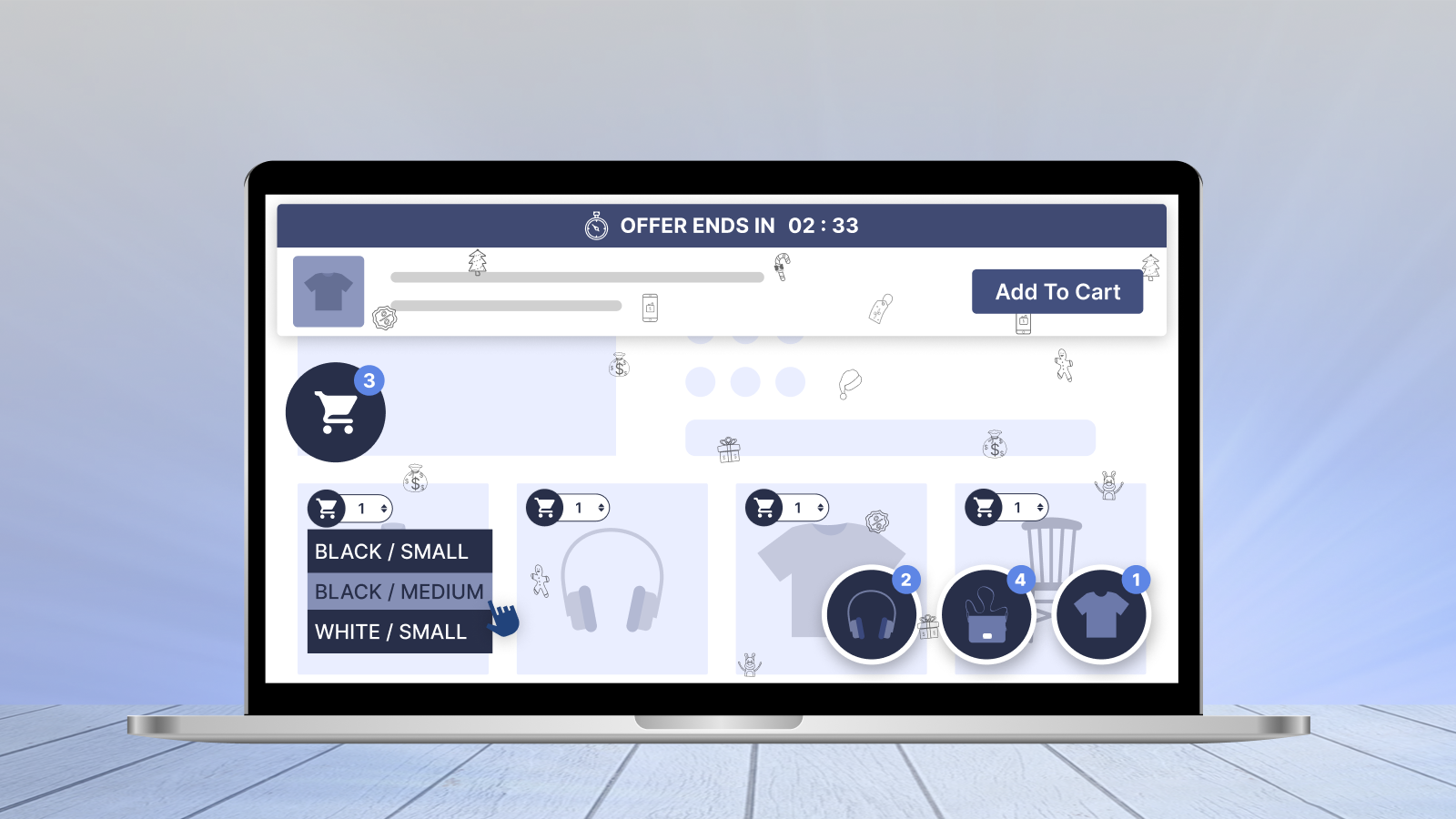
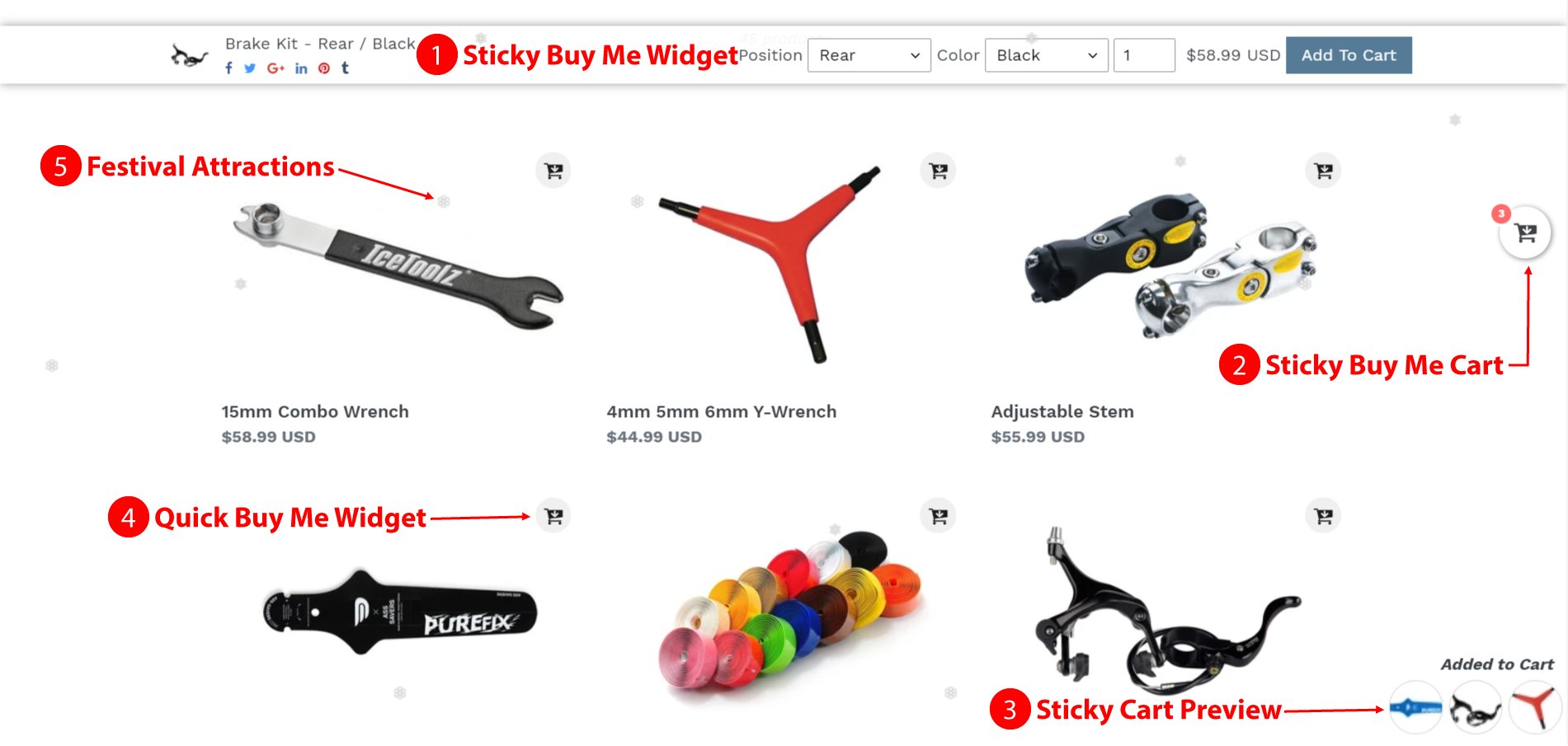
These features simplify the purchasing process by keeping important shopping actions easily accessible throughout the customer journey. By reducing friction and making checkout more convenient, Buyme (Buystro) helps create a smoother shopping experience that encourages customer confidence and trust.

why customer trust in eCommerce is the key to online sales Buyme banner

Try Buy Me – Sticky Buy Button

Increase Product Visibility and Engagement

Even the most trusted stores need effective ways to showcase products and promotions.

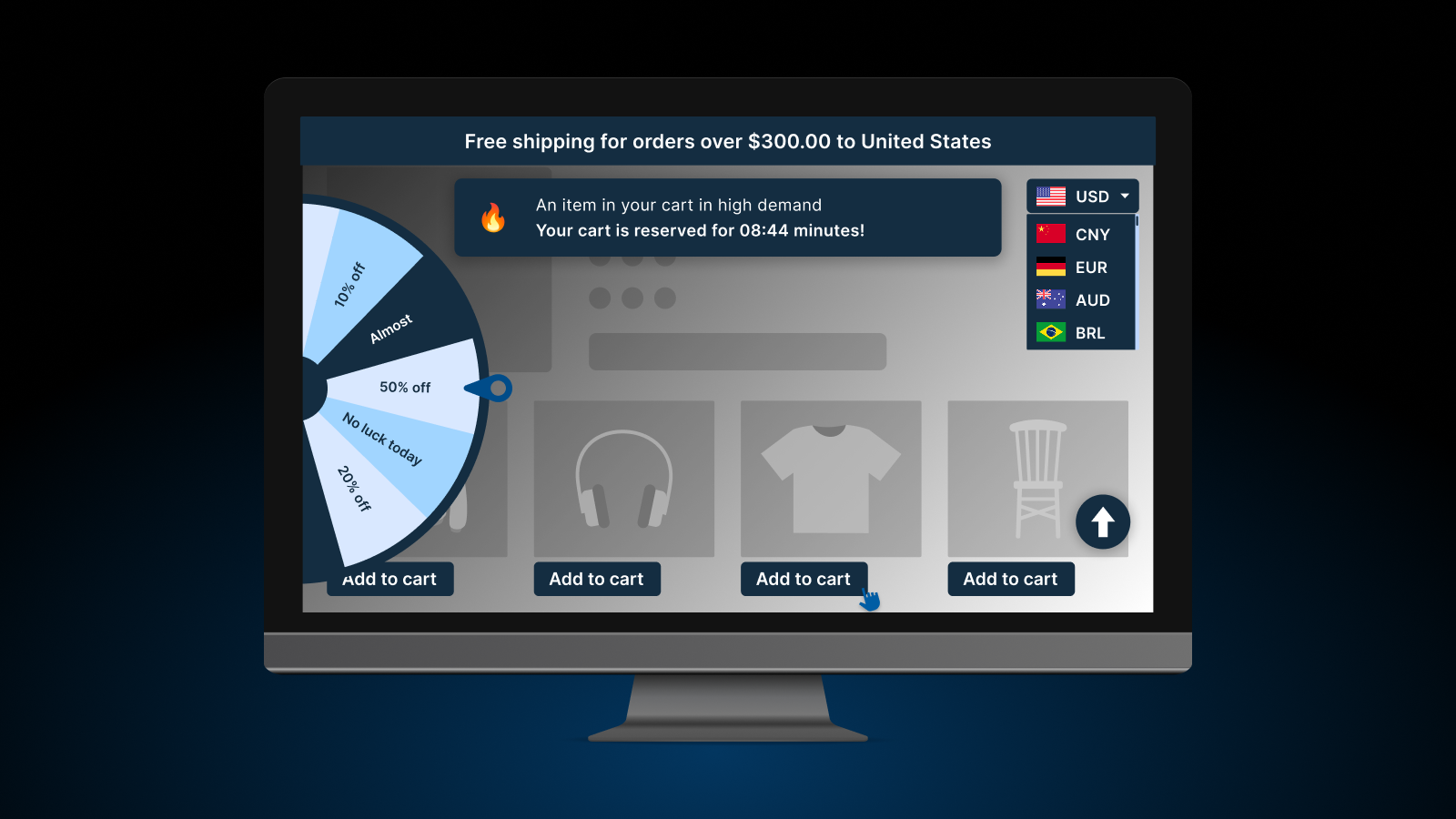
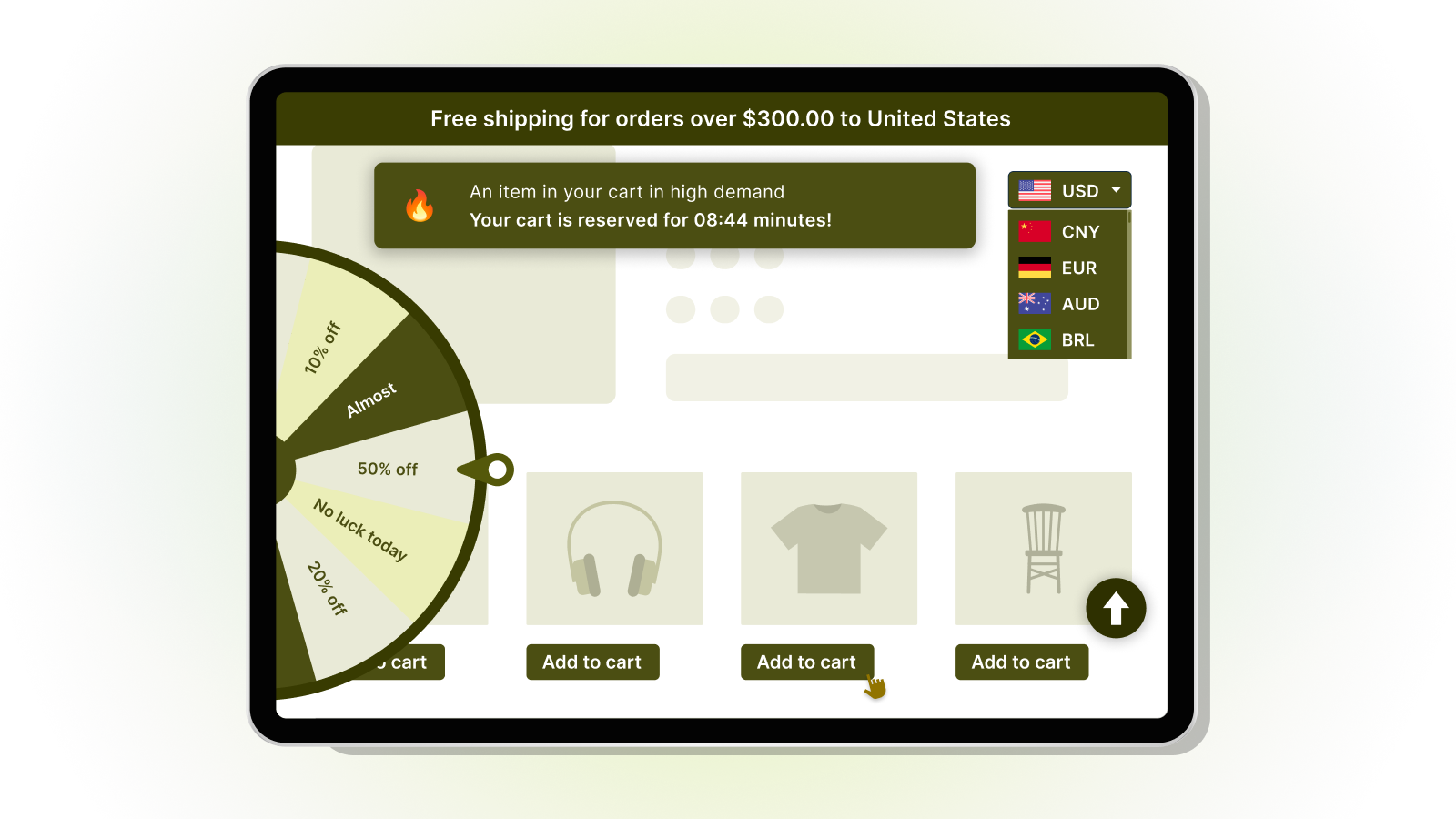
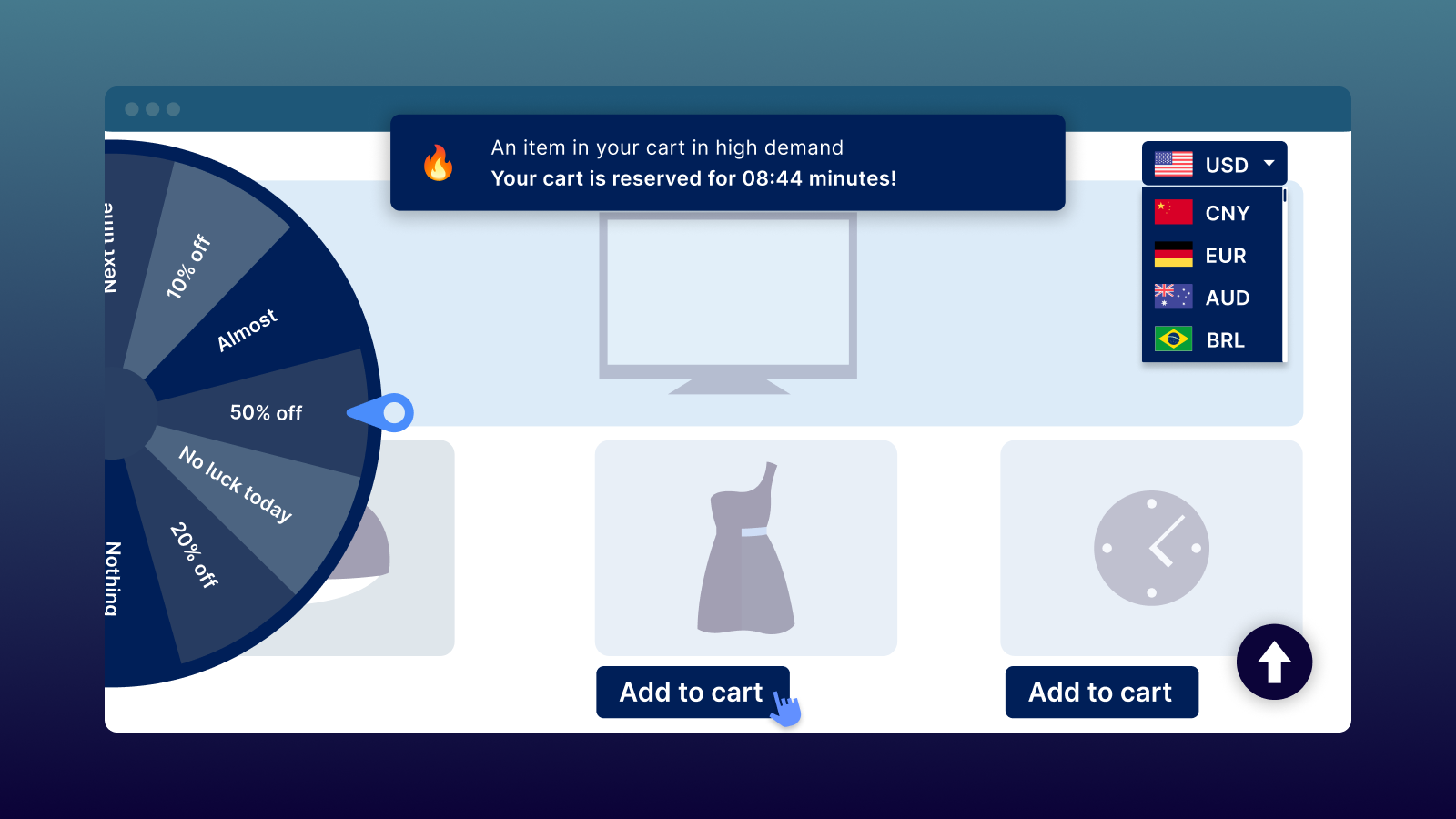
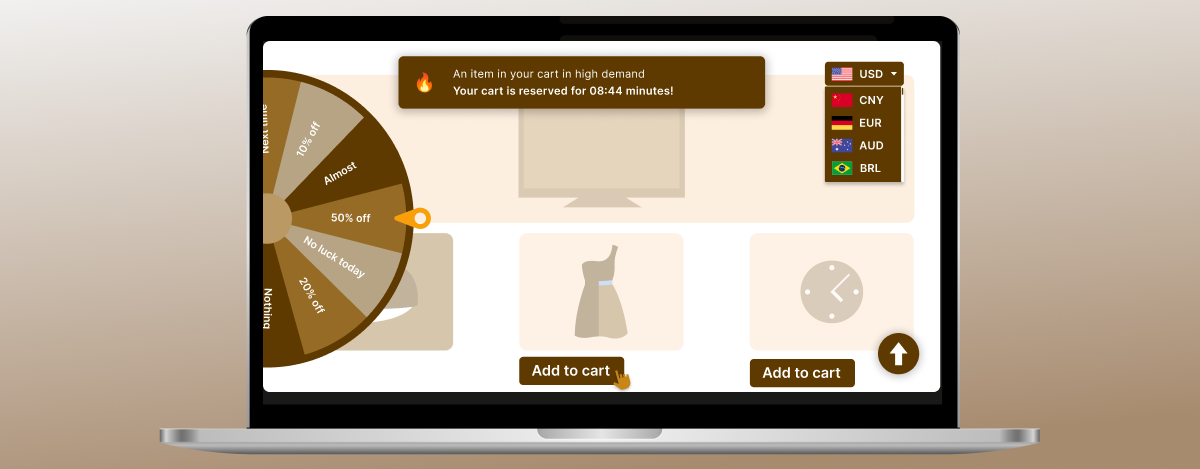
PromoteMe helps businesses increase visibility through:

  • Currency Converter
  • Advanced Shipping Bar
  • Search Autocomplete
  • Quick Add To Cart Buttons
  • Cart Reserved Feature
  • Wheel of Fortune

By helping customers discover products more easily and highlighting generous offers, PromoteMe improves product visibility while creating a more engaging shopping experience.

why customer trust in eCommerce is the key to online sales PromoteMe banner

Try Promote Me | Many apps in one

Improve Store Performance and Customer Experience

Building customer trust also requires maintaining a healthy, optimized, and user-friendly online store. Even small issues with product pages, SEO, performance, or the overall shopping experience can reduce customer confidence.

StoreDoctor AI helps businesses identify and address store issues through:

  • Store Audit and Performance Insights
  • AI-Powered Action Plans
  • AI Copy Generator
  • AI Chat for Store Optimization
  • Conversion Checklist

By identifying issues that may affect product presentation, SEO, performance, and user experience, StoreDoctor AI helps merchants take actionable steps to create a more professional, reliable, and customer-friendly store.

A well-optimized store makes it easier for customers to find products, understand what they are buying, and navigate the purchasing journey with confidence.

why customer trust in eCommerce is the key to online sales StoreDoctorAI

Try StoreDoctor AI For Shopify

Combining Trust, Visibility, and Customer Experience

Successful eCommerce businesses understand that trust is built through multiple touchpoints. Social proof, inventory transparency, streamlined shopping experiences, and effective product promotion all work together to create a positive customer journey.

Tools like ToastiBar, Notim, Buyme (Buystro), PromoteMe, and StoreDoctor AI help businesses strengthen these trust-building elements while improving customer engagement and overall store performance.

When customers feel informed, supported, and confident throughout their shopping experience, they are more likely to complete purchases, return for future orders, and recommend the brand to others.

Conclusion

Customer Trust in eCommerce is one of the most important factors in online business success. While marketing, pricing, and product quality attract customers, trust determines whether they complete a purchase.

Businesses that prioritize transparency, communication, consistency, and customer experience build stronger relationships and long-term loyalty.

By leveraging solutions such as ToastiBar, Notim, Buyme (Buystro), PromoteMe, and StoreDoctor AI, businesses can create more trustworthy, engaging, and customer-focused shopping experiences.

In today’s competitive eCommerce landscape, trust is not simply an advantage – it is the foundation of sustainable online growth.

Categories
MakeProSimp Apps

From Browsing to Buying: How to Win More Customers This Daughter’s Day

Daughter’s Day is more than a celebration – it’s a moment when people look for meaningful ways to show their love and appreciation through thoughtful gifts. Whether it’s personalized keepsakes, fashion accessories, beauty products, gadgets, flowers, or handcrafted items, shoppers spend time searching for gifts that create lasting memories.

For eCommerce businesses, this presents an incredible opportunity. However, attracting visitors to your store is only the beginning.

The real challenge is turning those visitors into paying customers.

Today’s online shoppers move quickly. They compare products, check reviews, browse multiple stores, and expect a fast, seamless shopping experience. If they encounter a slow website, confusing navigation, unavailable products, or a complicated checkout process, they’ll likely leave – and purchase from another store instead.

Successful Daughter’s Day campaigns aren’t built around discounts alone. They’re built around creating an enjoyable shopping journey that guides customers from the moment they discover your store to the moment they complete their purchase.

In this guide, we’ll walk through each stage of that journey and share practical strategies to help you deliver a better shopping experience, build customer confidence, and win more customers this Daughter’s Day.

Why the Customer Journey Matters During Daughter’s Day

Think about how customers actually shop during a festival.

They rarely visit a store and purchase immediately.

Instead, they:

  • Discover gift ideas online.
  • Browse multiple stores.
  • Compare products and prices.
  • Read customer reviews.
  • Save products for later.
  • Return to complete their purchase.
  • Sometimes even wait for better offers before checking out.

Every step in this journey influences their buying decision.

A great shopping experience isn’t about convincing customers to buy instantly – it’s about removing obstacles that prevent them from buying.

When shoppers can easily discover products, navigate your store, trust your brand, and complete checkout without frustration, conversions naturally improve.

A successful Daughter’s Day Campaign starts by understanding how customers actually shop during a festival.

Let’s explore how you can optimize every stage of your customer’s journey this Daughter’s Day.

Step 1: Help Customers Discover the Perfect Gift

The shopping journey begins long before customers click the Buy Now button.

When visitors arrive at your store, they’re often looking for inspiration rather than a specific product. If they can’t quickly find relevant gift ideas, there’s a good chance they’ll leave without exploring further.

Instead of presenting hundreds of products in one place, organize your store into curated Daughter’s Day collections that make browsing simple and enjoyable.

Some popular collection ideas include:

  • Gifts Under $25
  • Personalized Daughter’s Day Gifts
  • Best Sellers
  • Fashion & Accessories
  • Beauty Essentials
  • Jewelry Collections
  • Home Décor Gifts
  • Premium Gift Sets
  • Last-Minute Gift Ideas

You can also create a dedicated Daughter’s Day landing page featuring featured collections, limited-time offers, and gift recommendations for different budgets.

The easier it is for customers to discover products, the more likely they are to continue their shopping journey.

Pro Tip: Place your best-selling or highest-rated products at the top of every Daughter’s Day collection to help shoppers make decisions more quickly.

Step 2: Create Excitement Before They Leave

Even when shoppers find products they like, many postpone making a purchase.

They tell themselves they’ll come back later.

Unfortunately, many never do.

Creating a sense of urgency helps encourage shoppers to act before they lose interest or find a better deal elsewhere.

Simple promotions such as flash sales, limited-time discounts, exclusive Daughter’s Day bundles, or free shipping offers become far more effective when customers can clearly see that time is running out.

This is where smart promotional messaging makes a significant difference.

With ToastiBar, merchants can quickly launch engaging promotional campaigns using the AI Setup Wizard, making it easy to configure announcements without spending hours on setup. Once your campaign is ready, the AI Copy Generator helps create persuasive promotional messages, while the AI Timer Message Builder generates compelling countdown content that motivates shoppers to take action.

Displaying a visually appealing Countdown Timer across product pages or promotional banners reminds customers that special Daughter’s Day offers won’t last forever, encouraging them to complete their purchase before the opportunity expires.

Rather than creating pressure, these timely reminders help customers make faster purchasing decisions while adding excitement to your seasonal campaign.

Pro Tip: Pair countdown timers with free shipping or exclusive Daughter’s Day campaign offers to create a stronger incentive for immediate purchases.

👉 Try ToastiBar at:

Step 3: Make Buying Effortless

Once customers have found the perfect gift, the next goal is simple – help them complete their purchase with as little effort as possible.

Every unnecessary click, extra scroll, or complicated step increases the chances of cart abandonment.

This is especially true for mobile shoppers, who expect fast, intuitive buying experiences.

A few simple improvements can make a significant difference:

  • Keep important purchase buttons visible while customers browse.
  • Provide quick access to the shopping cart.
  • Reduce the number of steps required to buy.
  • Make it easy for returning shoppers to continue where they left off.
  • Reinforce urgency during the buying process.

Buy Me (Buystro) is designed to remove these common buying barriers.

The Sticky Add to Cart and Sticky Buy Button remain visible while customers scroll through product pages, allowing them to purchase at any time without searching for action buttons. The Floating Cart Button provides instant access to the shopping cart, while Quick Buy Buttons help shoppers skip unnecessary steps and move directly toward checkout.

To keep the momentum going, merchants can also display a Sticky Countdown Timer, reminding customers that Daughter’s Day offers are available for a limited time. And if shoppers aren’t ready to purchase immediately, the Remember My Cart feature saves their selections, allowing them to return later without rebuilding their cart from scratch.

By making every interaction faster and more convenient, you reduce friction and create a shopping experience that encourages customers to complete their purchase with confidence.

Pro Tip: Before launching your Daughter’s Day campaign, test your entire buying journey on both desktop and mobile devices to ensure every important action is always within easy reach.

👉 Try Buy Me: Sticky Add To Cart Bar (Buystro)

Step 4: Recover Sales You Would Have Lost

Imagine a customer finding the perfect Daughter’s Day gift – only to discover it’s out of stock.

In many cases, that customer won’t wait.

Instead, they’ll visit another store and complete their purchase there.

Out-of-stock products don’t have to mean lost sales. With the right strategy, you can stay connected with interested shoppers and bring them back as soon as inventory becomes available again.

Start by making it easy for customers to express their interest in unavailable products instead of leaving your store disappointed.

Some best practices include:

  • Display a Notify Me option on unavailable products.
  • Encourage customers to subscribe for restock updates.
  • Automatically notify customers when products are available again.
  • Send timely email and SMS notifications.
  • Restock popular Daughter’s Day products before peak demand.
  • Monitor inventory across multiple locations to improve product availability.

Notim helps merchants turn missed opportunities into future sales with a complete back-in-stock solution.

Customers can subscribe using the Notify Me Button, while Out of Stock Alerts keep them informed when products become unavailable. As soon as inventory is replenished through Automatic Restocking, Back In Stock Alerts are sent automatically via Email Notifications or SMS Notifications, encouraging shoppers to return and complete their purchase.

For merchants managing inventory across multiple fulfillment locations, Multi-location Inventory support helps ensure notifications are sent based on your inventory configuration, providing a more accurate customer experience.

Instead of losing customers when products sell out, you continue building relationships that lead to future conversions.

Pro Tip: Review your best-selling Daughter’s Day products from previous campaigns and prioritize inventory planning to reduce stock shortages during peak shopping periods.

Try Notim at:

Step 5: Optimize Every Customer Touchpoint

A successful Daughter’s Day campaign doesn’t happen by chance.

Before launching your promotions, it’s important to ensure your store is fully prepared to convert visitors into customers. Even minor issues – such as incomplete product descriptions, inconsistent messaging, missing calls to action, or poorly optimized pages – can impact your campaign’s performance.

Every interaction your customers have with your store should inspire confidence and make purchasing decisions easier.

Before your campaign goes live, review your store and ask yourself:

  • Are your product pages complete and persuasive?
  • Are your calls to action clear?
  • Is your homepage promoting Daughter’s Day offers?
  • Are your product descriptions engaging?
  • Is your store free from conversion barriers?
  • Can customers easily navigate from product discovery to checkout?

Rather than manually reviewing every page, merchants can use StoreDoctor AI to identify improvement opportunities before the campaign begins.

Its Store Audit scans your store for potential issues, while the AI Action Plan provides practical recommendations to improve overall performance. The AI Chat assistant offers quick guidance whenever you need help, and the AI Copy Generator helps create compelling product descriptions, promotional content, and marketing copy tailored to your campaign.

To ensure nothing important is overlooked, the Conversion Checklist helps merchants verify that every critical element of the shopping experience is optimized before launching seasonal promotions.

Preparing your store in advance allows you to focus on serving customers instead of fixing last-minute issues during one of your busiest shopping periods.

Pro Tip: Complete a full store audit at least a few days before Daughter’s Day campaign so you have enough time to implement improvements and test every customer journey.

👉 Try StoreDoctor AI

Step 6: Deliver a Smooth Shopping Experience

By the time customers have explored your products and started considering a purchase, their expectations are higher than ever. They want every interaction with your store to feel fast, intuitive, and effortless.

Even small inconveniences – such as slow page transitions, difficulty finding products, or a lengthy checkout process – can interrupt the buying journey and increase the chances of cart abandonment.

Creating a seamless shopping experience means removing friction at every touchpoint.

Here are a few ways to improve your customers’ browsing experience:

  • Make product discovery faster.
  • Simplify navigation across your store.
  • Reduce waiting time between pages.
  • Help shoppers find products instantly.
  • Personalize the shopping experience.
  • Make checkout faster and more convenient.

Promote Me helps merchants create a smoother shopping journey with a collection of features designed to improve customer engagement and convenience.

The Instant Page Loader keeps visitors engaged while pages load, creating a polished browsing experience. Search Autocomplete helps customers quickly discover products without unnecessary searching, while the Quick Add to Cart feature allows shoppers to add products instantly from collection pages.

For stores selling internationally, the Currency Converter automatically displays prices in customers’ preferred currencies, making purchasing decisions easier. To create excitement and encourage participation, merchants can launch interactive campaigns using the Wheel of Fortune, offering visitors an engaging way to unlock exclusive Daughter’s Day discounts.

As customers move closer to checkout, the Cart Reserved Countdown creates a gentle sense of urgency by reminding shoppers that their reserved items won’t remain available forever. At the same time, Copy Protection Plus helps safeguard your original product descriptions, promotional content, and creative assets from unauthorized copying.

Together, these features create a shopping experience that feels modern, interactive, and customer-friendly.

Pro Tip: Test your shopping experience from a first-time visitor’s perspective. The easier it is to browse, search, and purchase, the more likely customers are to complete their orders.

👉 Try Promote Me

Step 7: Build Trust Before Customers Check Out

Before customers click the final purchase button, they often ask themselves one important question:

“Can I trust this store?”

Trust plays a significant role in every buying decision, especially when customers are purchasing meaningful gifts for someone special.

One of the most effective ways to build confidence is by showing that other shoppers are actively engaging with your store.

Real-time activity creates reassurance that your business is active, trustworthy, and chosen by other customers.

Helpful trust-building elements include:

  • Recent purchase notifications
  • Product review notifications
  • Live visitor activity
  • Cart activity updates
  • Order summaries
  • Low inventory messages

With ToastiBar, merchants can display engaging Sales Popups showcasing recent purchases, Product Visitors to highlight product popularity, and Product Reviews that reinforce customer confidence.

Additional features like Cart Notifications, Cart Summary, and Order Summary keep shoppers informed throughout their buying journey, while Low Inventory Alerts create urgency without feeling overly aggressive.

To further improve campaign performance, the AI Performance Advisor analyzes campaign effectiveness and provides valuable insights that help merchants optimize future promotional strategies.

Together, these trust signals create a shopping environment that feels active, reliable, and credible – encouraging more customers to complete their purchases.

Pro Tip: Authentic social proof works best. Display notifications that accurately reflect customer activity to build long-term trust and credibility.

👉 Try ToastiBar at:

Step 8: Increase Every Order Value

Once customers have decided to make a purchase, the next opportunity is to encourage them to add a little more to their cart. Increasing your Average Order Value (AOV) doesn’t always require attracting new customers – it often comes from helping existing shoppers discover products that complement their original purchase.

For Daughter’s Day campaign, shoppers are often willing to spend a little extra to create a more thoughtful and complete gift.

Consider offering:

  • Gift bundles
  • Frequently bought together products
  • Personalized gift add-ons
  • Premium gift wrapping
  • Buy More, Save More offers
  • Free shipping on minimum order values

Making these additional purchases easy is just as important as recommending them.

With Buy Me (Buystro), merchants can keep the Sticky Add to Cart and Floating Cart Button visible throughout the shopping journey, making it simple for customers to continue adding products without interrupting their browsing experience. Quick Buy Buttons further reduce friction by allowing shoppers to purchase products instantly, especially when browsing recommended items or gift bundles.

To make product discovery even smoother, Promote Me’s Quick Add to Cart feature enables customers to add products directly from collection pages, reducing unnecessary clicks and encouraging impulse purchases.

By removing barriers and presenting relevant product recommendations at the right time, you can increase order values while helping customers build the perfect Daughter’s Day gift package.

Pro Tip: Create exclusive “Daughter’s Day Gift Sets” that combine complementary products at a special price. Customers appreciate the convenience, and bundled offers often lead to higher order values.

Step 9: Create a Mobile Shopping Experience Customers Love

A significant portion of Daughter’s Day shoppers will discover your store through social media posts, email campaigns, advertisements, or search results – all from their mobile devices.

A poor mobile experience can quickly turn interested visitors into lost opportunities.

Your mobile store should make it effortless for customers to browse, compare products, and complete purchases without frustration.

Before launching your Daughter’s Day campaign, make sure your mobile experience includes:

  • Fast-loading pages
  • Simple navigation
  • Easy-to-read product information
  • Clear call-to-action buttons
  • Quick product search
  • A smooth checkout process

A seamless mobile shopping experience is created when multiple improvements work together.

Promote Me helps shoppers find products faster with Search Autocomplete, keeps browsing engaging with the Instant Page Loader, and supports international customers through the Currency Converter. Buy Me (Buystro) simplifies purchasing by keeping important buying actions visible with the Sticky Buy Button, Sticky Add to Cart, and Floating Cart Button, while ToastiBar keeps customers engaged using promotional countdowns and real-time notifications that create urgency and build trust.

When every step feels fast, intuitive, and convenient, customers are more likely to stay engaged and complete their purchases -regardless of the device they’re using.

Pro Tip: Test your entire Daughter’s Day shopping journey on multiple smartphones and tablets to ensure every page, button, and feature works flawlessly.

Step 10: Turn Daughter’s Day Success Into Long-Term Growth

Your Daughter’s Day campaign doesn’t end when the festival is over.

In fact, some of the most valuable opportunities begin after the campaign has finished.

By analyzing customer behavior and campaign performance, you can identify what worked well, uncover areas for improvement, and build even stronger strategies for future shopping events.

Review key performance indicators such as:

  • Website traffic
  • Conversion rate
  • Average order value
  • Cart abandonment rate
  • Best-selling products
  • Revenue generated
  • Customer engagement
  • Returning customer rate

Instead of relying on guesswork, use data to improve every future campaign.

StoreDoctor AI helps merchants continue optimizing their stores with Store Audit, actionable recommendations through the AI Action Plan, and ongoing assistance from AI Chat. Combined with insights from ToastiBar’s AI Performance Advisor, merchants can evaluate promotional performance, identify opportunities for improvement, and create more effective campaigns for upcoming seasonal events.

Every campaign becomes a learning opportunity, helping you deliver even better shopping experiences throughout the year.

Pro Tip: Save your Daughter’s Day campaign reports and compare them with future seasonal promotions like Diwali, Black Friday, Christmas, Valentine’s Day, Mother’s Day, and Father’s Day to identify long-term growth opportunities.

Conclusion

Winning more customers this Daughter’s Day campaign isn’t about offering the biggest discount – it’s about creating the best shopping experience.

From the moment customers discover your store to the moment they complete their purchase, every interaction shapes their buying decision. By helping shoppers find the perfect gift, creating excitement with limited-time offers, simplifying the buying process, optimizing your store, recovering potential lost sales, and building trust throughout the customer journey, you can turn casual browsers into loyal customers.

Whether you’re preparing your first Daughter’s Day campaign or looking to improve upon previous years, focusing on the complete shopping journey will help you stand out in a competitive market.

A well-planned Daughter’s Day Campaign can help your store turn more browsers into buyers.

Start planning early, optimize every touchpoint, and deliver an experience your customers will remember – because the best Daughter’s Day campaigns don’t just generate sales; they build lasting customer relationships.

FAQs

1. Why is Daughter’s Day a good opportunity for eCommerce businesses?

Daughter’s Day encourages customers to purchase meaningful gifts, making it an ideal occasion for online stores to increase seasonal sales, attract new shoppers, and strengthen customer relationships.

2. How can I improve my Daughter’s Day campaign?

Focus on creating an enjoyable shopping journey with curated gift collections, limited-time offers, fast store performance, simplified checkout, inventory planning, and trust-building elements.

3. What types of products are popular during Daughter’s Day?

Jewelry, personalized gifts, fashion accessories, beauty products, home décor, books, flowers, chocolates, gadgets, and gift bundles are among the most popular choices.

4. How do back-in-stock alerts help increase sales?

Back-in-stock alerts allow customers to subscribe to unavailable products and receive automatic notifications when inventory is replenished, helping recover sales that might otherwise be lost.

5. Why is mobile optimization important during seasonal campaigns?

Many shoppers browse and purchase using smartphones. A fast, mobile-friendly shopping experience improves engagement, reduces cart abandonment, and increases conversions.

6. How can I measure the success of my Daughter’s Day campaign?

Monitor metrics such as conversion rate, average order value, revenue, cart abandonment, customer engagement, and returning customer rate to understand your campaign’s performance and improve future promotions.

Categories
MakeProSimp Apps

Why Friendship Day Shoppers Leave Without Buying and How to Turn Them Into Customers

Friendship Day is a special occasion that celebrates the bonds we share with our closest friends. Every year, millions of shoppers search for meaningful gifts, personalized keepsakes, matching accessories, greeting cards, gift hampers, and digital gift cards to make the day memorable. For online businesses, this seasonal celebration presents an excellent opportunity to attract new customers, increase sales, and strengthen customer relationships.

However, bringing more visitors to your online store is only half the journey.

During Friendship Day, customers often browse multiple websites, compare products, check reviews, and look for the best deals before making a purchase. While many visitors show genuine interest in buying, a large percentage leave without completing their orders.

This doesn’t always mean they weren’t interested.

In many cases, shoppers abandon their buying journey because they hesitate, don’t fully trust the store, face unnecessary friction during checkout, or simply don’t feel enough urgency to buy before leaving. Even small barriers can turn a potential customer into a missed sales opportunity.

Successful eCommerce businesses understand that increasing Friendship Day sales isn’t just about offering discounts or attracting more traffic. It’s about creating a shopping experience that builds trust, simplifies the buying process, keeps customers engaged, and encourages them to complete their purchases with confidence.

In this guide, we’ll explore why visitors leave without buying during Friendship Day and share practical strategies to help you turn more seasonal shoppers into happy customers while maximizing your Friendship Day eCommerce sales.

1) Build Trust Before Visitors Leave Your Store

Imagine you’re shopping for a Friendship Day gift online. You find two stores selling similar products at nearly the same price.

The first store looks quiet. There are no customer reviews, no signs of recent purchases, and nothing that reassures you that other people trust the business.

The second store immediately feels different. You notice recent purchase notifications, customer reviews, visitor activity, and a countdown timer announcing that the Friendship Day offer ends soon. Instantly, the store feels more active, reliable, and trustworthy.

Most shoppers naturally feel more confident buying from the second store.

This is where social proof, urgency, and real-time customer activity make a difference.

When visitors see that other customers are actively shopping, purchasing products, and taking advantage of limited-time offers, they’re far more likely to continue their own buying journey.

ToastiBar Sales Popup & Proof helps merchants create this experience by displaying real-time shopping activity across the store.

Instead of static product pages, visitors see Sales Popups highlighting recent purchases, Review Notifications that reinforce product credibility, Visitor Count and Recent Visitor notifications showing product popularity, Cart Activity Notifications that demonstrate ongoing customer engagement, and Order Summary notifications that showcase completed purchases.

To encourage faster purchasing decisions, Low Stock Alerts notify shoppers when inventory is running low, while Countdown Timers create urgency for Friendship Day sales, limited-time offers, exclusive gift bundles, product launches, and seasonal campaigns.

For even smarter customer engagement, AI-powered Sales Popups automatically display relevant notifications at the right time, helping merchants capture attention without overwhelming shoppers. Whether promoting a bestselling Friendship Day gift or highlighting a flash sale, AI-driven notifications make every interaction feel more timely and personalized.

Together, these trust signals help reduce hesitation, build confidence, and create an engaging shopping experience that encourages visitors to complete their purchases instead of leaving your store.

Examples of ToastiBar

  • 🎁 Someone just purchased a Friendship Day Gift Box.
  • 👀 18 shoppers are viewing this Friendship Day Combo.
  • ⭐ Emma recently left a 5-star review for this Friendship Day Mug.
  • 🔥 Only 6 Friendship Day Gift Hampers are left in stock.
  • ⏳ Friendship Day Sale ends in 2 hours – Shop Now!

Why Friendship Day Shoppers Leave Without Buying and How to Turn Them Into Customers - ToastiBar App

👉 Try ToastiBar at:

2) Simplify Friendship Day Shopping with Buy Me

Building trust is an important first step, but trust alone doesn’t guarantee a sale. Once shoppers decide they like your products, the buying process should feel quick, simple, and effortless.

Many Friendship Day shoppers compare multiple online stores before making a purchase. Building trust and delivering a seamless shopping experience helps Friendship Day shoppers feel confident enough to complete their purchases.

This becomes even more important during Friendship Day, when many customers shop at the last minute for friendship bracelets, personalized gifts, matching accessories, and gift hampers. They want a fast checkout experience without unnecessary steps or distractions.

Unfortunately, many online stores make the buying journey more complicated than it needs to be. Customers often have to scroll back to find the Add to Cart button, search for the checkout option, or repeat the same actions while browsing different products. These small frustrations can lead to abandoned carts and missed sales.

Buy Me: Sticky Add To Cart Bar (Buystro) helps merchants create a seamless shopping experience by keeping important purchase actions visible throughout the customer journey.

With Sticky Add To Cart, shoppers can add products to their cart anytime without scrolling back to the top of the page. The Floating Cart Button gives customers quick access to their shopping cart from anywhere on the store.

For shoppers who are ready to buy, Quick Buy Buttons allow adding products from the product listing and reduce unnecessary steps of visiting the product page, and take them directly to checkout, making the purchasing process much faster.

To create urgency during Friendship Day promotions, the built-in Countdown Timer reminds customers that limited-time offers and exclusive gift deals are ending soon, encouraging quicker purchasing decisions.

Additionally, Remember My Cart automatically saves customers’ selected products, allowing them to return later and continue shopping without losing their cart items. This helps reduce abandoned carts and improves the overall shopping experience.

By simplifying every step of the buying journey, Buy Me helps merchants deliver a faster, smoother, and more convenient shopping experience that increases customer satisfaction and boosts conversions during Friendship Day.

Examples of Buy Me Features

  • 🎁 Sticky Add To Cart keeps the purchase button visible while customers browse Friendship Day gift pages.
  • 🛒 Floating Cart Button provides instant access to the shopping cart from anywhere on the website.
  • ⚡ Quick Buy Buttons help shoppers instantly purchase last-minute Friendship Day gifts from the product collections.
  • ⏳ Countdown Timer reminds customers that Friendship Day flash sales and exclusive offers are ending soon.
  • 🔄 Remember My Cart saves customers’ added-to-cart items so they can return later and complete their purchase.

Why Friendship Day Shoppers Leave Without Buying and How to Turn Them Into Customers - Buy Me App

👉 Try Buy Me: Sticky Add To Cart Bar (Buystro)

3) Recover Lost Sales Before Customers Shop Somewhere Else

As Friendship Day approaches, popular gifts such as personalized keepsakes, matching accessories, gift hampers, and limited-edition collections often sell out quickly, making inventory management more important than ever.

When customers discover that the product they wanted is unavailable, many simply leave and continue shopping elsewhere. Without a way to reconnect with them, those potential sales are often lost forever.

Instead of allowing interested shoppers to disappear, successful merchants give customers a simple way to stay informed.

Notim: Back In Stock+Notify Me helps merchants recover missed sales by automatically notifying customers when their favorite products become available again.

When a Friendship Day product sells out, shoppers can simply click the Notify Me Button instead of leaving the store disappointed. As soon as inventory is replenished, Back in Stock Alerts automatically notify (via email & SMS) interested customers, encouraging them to return and complete their purchase.

Notim also includes Low Stock Alerts, helping merchants create urgency before products become unavailable. Behind the scenes, Inventory Management, Multi-location Inventory, and Auto Restock make it easier to manage inventory efficiently and keep customers updated without manual effort.

Rather than losing customers because of temporary stock shortages, merchants can continue building relationships and recover sales that would otherwise go to competitors.

Examples of Notim

  • 🔔 Customers click the Notify Me Button when a product goes out of stock.
  • 📧 Back in Stock Alerts automatically notify shoppers when products are available again.
  • 🔥 Low Stock Alerts helps merchants to manage their stock.
  • 📦 Inventory Management and Auto Restock keep stock levels accurate.
  • 🏬 Multi-location Inventory helps merchants manage stock across multiple locations.

Why Friendship Day Shoppers Leave Without Buying and How to Turn Them Into Customers - Notim App

👉 Try Notim at:

4) Keep Friendship Day Shoppers Engaged Until They Complete Their Purchase

Even after building trust and simplifying the buying process, some shoppers still need a final reason to complete their purchase. During Friendship Day, customers often compare prices, browse multiple stores, or hesitate before placing an order. The right promotions at the right time can help turn that hesitation into action.

Instead of relying solely on discounts, successful stores combine urgency, convenience, and engaging promotions to encourage shoppers to complete their purchases.

Promote Me | Many apps in one help merchants create smart promotions that encourage customers to stay longer, discover more products, and purchase with confidence.

An Advanced Shipping Bar motivates shoppers to increase their order value by showing how close they are to qualifying for free shipping or a special Friendship Day reward. For international customers, the Currency Converter automatically displays product prices in their local currency, creating a more comfortable shopping experience.

Finding products also becomes faster with Search Autocomplete, helping visitors quickly discover Friendship Day gift ideas without unnecessary searching. The Quick Add to Cart feature lets customers add products instantly, reducing extra clicks and keeping the buying journey smooth.

To create urgency, the Cart Reserved Countdown reminds shoppers that the products in their cart won’t remain reserved forever, encouraging them to complete their purchase before time runs out.

For even greater engagement, the Wheel of Fortune adds a fun and interactive element to your Friendship Day campaign. Customers can spin to unlock exclusive discounts, free shipping, bonus gifts, or special promotional offers, making shopping more exciting and memorable.

By combining convenience, urgency, and interactive promotions, Promote Me helps transform casual visitors into confident buyers while increasing customer engagement throughout the Friendship Day shopping season.

Examples of Promote Me

  • 🚚 Free Shipping on Friendship Day orders above $100.
  • 🌍 Prices automatically display in the shopper’s local currency.
  • 🔍 Customers instantly find Friendship Day gifts with Search Autocomplete.
  • ⚡ Quick Add to Cart helps shoppers purchase gifts faster.
  • ⏰ Cart Reserved Countdown: Your cart is reserved for the next 10 minutes.
  • 🎉 Spin the Wheel to unlock Friendship Day discounts and rewards.

Why Friendship Day Shoppers Leave Without Buying and How to Turn Them Into Customers - Promote Me App

👉 Try Promote Me

5) A Friendship Day Customer Journey: From First Visit to Final Purchase

Imagine a customer named Emily searching for the perfect Friendship Day gift for her best friend. She’s looking for a personalized mug and a matching friendship bracelet.

She discovers your online store through Google and immediately notices Sales Popups showing that other customers are purchasing Friendship Day gifts. Review Notifications, Visitor Count, and Recent Visitor updates reassure her that your store is active and trusted. A Countdown Timer Bar lets her know that the Friendship Day Sale ends tonight, encouraging her to continue shopping.

As Emily browses your collections and visits the product page, the Sticky Add to Cart Bar remains visible, making it easy to add products without scrolling back to the top. She quickly reviews her selected gifts using Cart Preview, while the Floating Cart keeps the checkout process simple and accessible.

Emily also wants a matching Friendship Day bracelet, but it’s currently unavailable. Instead of leaving your store, she clicks the Notify Me Button. A few days later, she receives a Back in Stock Alert, returns to your store, and completes another purchase.

Before checking out, Emily notices an Advanced Shipping Bar showing that she’s only $10 away from free shipping. She adds another Friendship Day gift to her cart. After spinning the Wheel of Fortune, she unlocks an additional discount and happily completes her purchase.

This journey demonstrates how trust, convenience, inventory communication, and engaging promotions work together to create a seamless shopping experience that increases both conversions and customer satisfaction.

Conclusion

The earlier you prepare your Friendship Day campaign, the better your chances of converting seasonal shoppers into loyal customers. By optimizing every step of the shopping journey, you can maximize conversions and make this Friendship Day your most successful one yet.

While attracting visitors is important, the real key to increasing Friendship Day sales is understanding why shoppers leave without buying and removing the obstacles that prevent them from completing their purchase.

Understanding what Friendship Day shoppers expect and removing obstacles throughout the buying journey helps businesses increase conversions and build long-term customer relationships.

By building trust with ToastiBar, simplifying the buying journey with Buy Me, recovering missed sales with Notim, and increasing customer engagement through Promote Me, merchants can create a seamless shopping experience that inspires confidence and drives more conversions.

Start preparing your Friendship Day campaign early, optimize every stage of the customer journey, and focus on creating an experience that turns first-time visitors into loyal customers who return long after the celebration is over.

Frequently Asked Questions (FAQs)

Why do shoppers leave without buying during Friendship Day?

Many shoppers leave because they hesitate before purchasing. Common reasons include a lack of trust, complicated checkout, limited urgency, or products being out of stock during the busy Friendship Day shopping season.

How can I increase Friendship Day sales?

Build customer trust with social proof, simplify the buying journey, recover sales with back-in-stock alerts, and use engaging promotions that encourage shoppers to complete their purchases.

Why are Sales Popups and Countdown Timers effective during Friendship Day?

Sales Popups, Review Notifications, and Visitor Count reassure shoppers that other customers are actively buying while the Countdown Timers create urgency for limited-time Friendship Day offers.

How do Back in Stock Alerts help recover Friendship Day sales?

When popular Friendship Day gifts sell out, Back in Stock Alerts automatically notify (via email & SMS) interested shoppers as soon as products become available again, helping merchants recover sales that might otherwise be lost.

What tools can help improve Friendship Day conversions?

Solutions like ToastiBar, Buy Me, Notim, and Promote Me help merchants build trust, simplify shopping, recover missed sales, and create engaging promotional campaigns that maximize Friendship Day eCommerce sales.

When should I start preparing for Friendship Day sales?

Ideally, merchants should start preparing their Friendship Day campaigns at least 2–4 weeks in advance by optimizing their store, creating promotions, and ensuring inventory is ready for increased demand.

Categories
MakeProSimp Apps

Why Customer Experience Is the New Competitive Advantage in eCommerce Growth

The e-commerce industry is more competitive than ever. Customers have access to countless online stores offering similar products, competitive prices, and attractive promotions. While these factors remain important, they are no longer enough to differentiate a business from its competitors.

Today’s shoppers expect more than just products – they expect exceptional experiences. From discovering products and browsing collections to completing purchases and receiving support, every interaction influences how customers perceive a brand.

As customer expectations continue to evolve, businesses are realizing that customer experience has become one of the most powerful competitive advantages in e-commerce. Brands that deliver seamless, engaging, and customer-focused experiences are more likely to attract loyal customers, increase conversions, and achieve sustainable growth.

Let’s explore why customer experience matters and how businesses can use it to stay ahead in an increasingly crowded marketplace.

Understanding Customer Experience in eCommerce

Customer experience refers to every interaction a shopper has with an online store throughout their buying journey.

This includes:

  • Browsing products
  • Finding relevant information
  • Adding products to the cart
  • Completing purchases
  • Receiving order updates
  • Getting customer support

Every touchpoint contributes to the overall perception of a brand. A positive experience can encourage customers to return, while a poor experience may cause them to shop elsewhere.

Why It Matters

Customers are more likely to trust and buy from businesses that provide smooth, enjoyable, and hassle-free shopping experiences.

Customers Expect Personalized Shopping Experiences

Modern consumers are accustomed to personalized digital experiences. They expect online stores to understand their preferences and help them discover products that match their interests.

Personalized shopping experiences can help businesses:

  • Improve product discovery
  • Increase customer engagement
  • Deliver relevant recommendations
  • Encourage additional purchases
  • Increase average order value

When customers can easily find products that meet their needs, they are more likely to stay engaged and complete their purchases.

Why It Matters

Personalization helps create a more relevant shopping experience, making it easier for customers to find what they are looking for.

Convenience Influences Buying Decisions

Convenience is one of the biggest factors influencing online purchasing behavior. Customers want a shopping journey that is fast, simple, and efficient.

Businesses can improve convenience by offering:

  • Easy website navigation
  • Mobile-friendly experiences
  • Quick purchasing options
  • Simplified checkout process
  • Clear product information

Reducing friction throughout the shopping journey can significantly improve customer satisfaction and conversion rates.

Why It Matters

The easier it is for customers to shop, the more likely they are to complete their purchases and return in the future.

Trust and Transparency Build Strong Relationships

Trust is essential for long-term eCommerce success. Customers want confidence that they are purchasing from a reliable business.

Building trust involves:

  • Providing accurate product information
  • Communicating clearly
  • Offering transparent pricing
  • Keeping customers informed

Businesses that consistently deliver on their promises are more likely to build lasting customer relationships.

Why It Matters

Trust reduces hesitation and helps customers feel confident about purchasing from an online store.

Real-Time Engagement Creates Better Shopping Experiences

Today’s customers are constantly interacting with digital content. Static shopping experiences often struggle to capture attention and maintain engagement.

Real-time engagement can help businesses:

  • Showcase customer activity
  • Build credibility
  • Create urgency
  • Encourage purchasing decisions

Interactive experiences make online shopping feel more dynamic and engaging.

Why It Matters

Engaged customers are more likely to explore products, spend more time on the store, and complete purchases.

Customer Retention Drives Long-Term Growth

Acquiring new customers is important, but retaining existing customers is often more cost-effective and profitable.

Satisfied customers are more likely to:

  • Make repeat purchases
  • Leave positive reviews
  • Recommend the business to others
  • Remain loyal to the brand

Creating exceptional customer experiences helps businesses strengthen customer relationships and improve retention.

Why It Matters

Loyal customers contribute to sustainable business growth and long-term success.

How MakeProSimp Solutions Help Improve Customer Experience

Creating an exceptional customer experience requires the right tools to support convenience, engagement, communication, and business growth throughout the customer journey.

Simplify the Buying Journey with Buy Me (Buystro)

Why Customer Experience Is the New Competitive Advantage in eCommerce Growth - Buy Me - Banner

A smooth purchasing process is an important part of customer satisfaction. Customers are more likely to complete purchases when buying options remain easily accessible.

Buy Me (Buystro) helps merchants improve shopping convenience through:

  • Sticky Add to Cart Bar
  • Quick Buy Buttons
  • Sticky Cart
  • Cart Preview

These features help reduce friction during the buying process and make it easier for customers to complete their purchases.

👉 Try BUYSTRO

Strengthen Customer Confidence with ToastiBar

Why Customer Experience Is the New Competitive Advantage in eCommerce Growth - ToastiBar - Banner

Customers often look for signs that a store is active and trusted before making a purchase. Social proof and urgency can influence buying decisions and improve customer confidence.

ToastiBar helps merchants create engaging shopping experiences through AI-Powered popups like:

  • Recent Sales Popups
  • Cart Activities Popups
  • Product Review Popups
  • Low Stock Notifications
  • Visitor Counts Notifications
  • Countdown Timers

These features help showcase real-time customer activity, build trust, create urgency, and encourage shoppers to take action with greater confidence.

👉 Try ToastiBar at:

Keep Customers Informed with Notim

Why Customer Experience Is the New Competitive Advantage in eCommerce Growth - Notim App - Banner

Clear communication about product availability plays an important role in delivering a positive customer experience.

Notim helps merchants stay connected with customers and stay updated about inventory through:

  • Back-in-Stock Alerts
  • Low Stock Alerts
  • Out-of-Stock Notifications
  • Inventory Tracking
  • Multi-Location Inventory Management

These features help businesses keep customers informed about product availability while reducing missed sales opportunities.

👉 Try Notim at:

Optimize Store Performance with Promote Me

Why Customer Experience Is the New Competitive Advantage in eCommerce Growth - Promote Me - Banner

Creating a successful online store requires continuous optimization. Merchants need tools that help improve customer experience, increase conversions, and support business growth.

Promote Me helps merchants enhance their stores through:

  • Currency Converter
  • Advanced Shipping Bar
  • Search Autocomplete
  • Quick Add To Cart Buttons
  • Cart Reserved Feature
  • Wheel of Fortune

These features help businesses improve store usability, capture more leads, reduce cart abandonment, increase customer engagement, and create more opportunities for conversions and revenue growth.

👉 Try Promote Me

Conclusion

Customer expectations continue to evolve, making customer experience one of the most important factors in eCommerce success. While products and pricing remain important, businesses that prioritize convenience, personalization, trust, and engagement are better positioned to stand out in a competitive market.

By focusing on delivering exceptional experiences at every stage of the customer journey, businesses can build stronger customer relationships, improve loyalty, and drive long-term growth.

Solutions like Buy Me (Buystro), ToastiBar, Notim, and Promote Me help businesses simplify the shopping journey, build customer confidence, improve communication, and attract new customers. Together, they create a stronger foundation for sustainable eCommerce growth.

In today’s eCommerce landscape, customer experience is no longer just an advantage – it has become the new competitive advantage.

FAQs

What is customer experience in eCommerce?

Customer experience includes every interaction a shopper has with an online store, from browsing products to completing a purchase and receiving support.

Why is customer experience important?

A positive customer experience helps build trust, increase conversions, and encourage repeat purchases.

How does personalization improve customer experience?

Personalization helps customers discover relevant products faster, making shopping easier and more enjoyable.

How does social proof influence buying decisions?

Social proof, such as sales notifications and reviews, helps build trust and encourages customers to make purchases.

Why is inventory communication important?

Keeping customers informed about product availability helps improve transparency and reduce missed sales opportunities.

How can businesses improve customer experience?

Businesses can improve customer experience through personalization, seamless shopping journeys, clear communication, customer engagement strategies, and effective promotional efforts.

Categories
MakeProSimp Apps

5 Effective Sales Strategies Every Store Should Use This Father’s Day

Father’s Day gives merchants a great opportunity to connect with customers searching for thoughtful gifts and exciting offers. From personalized products and fashion accessories to gadgets and gift collections, shoppers actively look for products that make celebrations more memorable.

However, simply offering discounts is not always enough to increase sales. Creating a better shopping experience, reducing customer hesitation, and improving engagement can play a major role in increasing conversions.

To help your store make the most of this seasonal shopping period, here are five effective Father’s Day sales strategies you can implement this year.

Building customer trust is one of the most effective Father’s Day sales strategies for increasing conversions during seasonal shopping events.

1. Increase Customer Trust with ToastiBar Sales Notifications

Customers feel more confident purchasing from a store when they see real-time customer activity. Social proof notifications help create trust and encourage shoppers to take action faster during Father’s Day sales campaigns.

5 Effective Sales Strategies Every Store Should Use This Father’s Day

ToastiBar – Sales Popup & Social Proof helps Shopify merchants display:

  • Sales notifications showing recent purchases
  • Cart notifications for active shoppers
  • Review notifications that build customer trust
  • Low stock alerts that create urgency
  • Countdown Timers for flash sales
  • AI-powered sales popups for engagement

These features help create urgency, build trust, and improve customer engagement during Father’s Day campaigns.

For example:

  • “Someone recently purchased a Father’s Day Gift Box”
  • “5 customers recently added this item to their cart”
  • “Customers rated this product 4.9/5”
  • “Only 3 items left in stock”
  • “Father’s Day Sale Ends in 2 Hours”

This type of activity creates urgency and gives customers confidence in their purchasing decisions.

👉 Try ToastiBar at:

2. Simplify the Shopping Experience with Buy Me (Buystro)

Customers often leave a store when the purchasing process feels complicated or requires too many steps. Creating a smoother and faster buying experience can help reduce friction and encourage customers to complete their purchases.

5 Effective Sales Strategies Every Store Should Use This Father’s Day

Buy Me (Buystro) – Sticky Buy Button helps merchants improve the shopping experience using features like:

  • Sticky Add To Cart for easy purchases
  • Floating Cart Button for quick access
  • Sticky Checkout Bar for better visibility
  • Quick Buy Buttons for faster checkout
  • Countdown Timer for limited-time offers

These tools keep important purchase actions visible while customers continue browsing product pages.

This helps merchants:

  • Reduce cart abandonment
  • Improve conversions
  • Simplify checkout flow
  • Increase completed purchases

Making purchase actions easily accessible throughout the shopping journey can significantly improve the customer experience.

👉 Try BUYSTRO

3. Recover Lost Sales with Notim: Back In Stock+Notify Me Alerts

Father’s Day best-selling products and limited-edition collections can sell out quickly during seasonal shopping periods. Without a proper inventory recovery strategy, merchants risk losing potential customers when products become unavailable.

Notim’s Back in Stock Alerts help merchants manage inventory better and recover missed sales opportunities.

5 Effective Sales Strategies Every Store Should Use This Father’s Day

The app helps merchants:

  • Back-in-stock alerts for restocked products
  • Out-of-stock alerts for unavailable items
  • Efficient inventory management
  • Multi-location inventory tracking and control
  • Automatic restocking

This strategy works especially well for:

  • Personalized Father’s Day gifts
  • Seasonal collections
  • Trending products
  • Limited inventory items

Keeping customers informed helps recover revenue that might otherwise be lost.

👉 Try Notim at:

4. Boost Father’s Day Sales with Promote Me

Promotional offers and urgency-driven messages are among the most successful Father’s Day sales strategies for boosting customer engagement and revenue.

Running promotional offers is one of the most effective ways to increase Father’s Day sales. Customers are more likely to complete purchases when they see urgency-driven offers and limited-time promotions.

Promote Me – Many Apps in One helps merchants improve engagement and conversions using multiple conversion-focused tools within a single app.

5 Effective Sales Strategies Every Store Should Use This Father’s Day

The app includes features like:

  • Advanced Shipping Bar
  • Cart Reserved Countdown
  • Quick Add To Cart
  • Inactive Tab Messages
  • Promotional Widgets
  • Wheel Of Fortune

These tools help merchants improve customer engagement while reducing cart abandonment during Father’s Day sales events.

For example, you can create offers like:

  • “Father’s Day Sale Ends Tonight!”
  • “Free Shipping on Father’s Day Orders”
  • “Your Cart Is Reserved for 10 Minutes”

Showing relevant offers and urgency messages helps simplify purchase decisions and increase revenue.

👉 Try Promote Me

5. Create a Better Shopping Experience for Seasonal Buyers

Father’s Day shoppers often browse multiple products before making a final purchase decision. Creating a smoother and more engaging shopping experience can help keep visitors on your store longer and improve overall sales performance.

Combining tools like:

  • Social proof notifications from ToastiBar – Sales Popup & Proof
  • Sticky checkout optimization from Buy Me (Buystro) – Sticky Buy Button
  • Restock alerts from Notim – Back in Stock Alerts
  • Promotional campaigns from Promote Me – Many Apps in One

Helps create a more convenient and engaging shopping experience for Father’s Day visitors.

Improving customer experience can help:

  • Increase engagement
  • Reduce shopping friction
  • Improve conversion rates
  • Encourage repeat purchases
  • Maximize seasonal sales opportunities

A well-optimized shopping experience can make a major difference in Father’s Day campaign performance.

Conclusion

Father’s Day is a valuable opportunity for online stores to attract more shoppers and increase seasonal revenue.

These Father’s Day sales strategies can help businesses improve customer engagement, recover lost sales, and maximize seasonal revenue.

By building customer trust, improving the shopping experience, recovering lost sales, and creating urgency-driven offers, businesses can create a smoother shopping experience that encourages faster purchasing decisions.

Tools like ToastiBar – Sales Popup & Proof, Buy Me (Buystro) – Sticky Buy Button, Notim: Back In Stock+Notify Me, and Promote Me – Many Apps in One can help improve engagement and maximize Father’s Day sales performance.

Start preparing your seasonal campaigns early and create a shopping experience that helps customers find the perfect gift while increasing your seasonal sales success.

👨‍👧‍👦💙 Happy Father’s Day! 💙👔

Categories
MakeProSimp Apps

E-Commerce Trends: Last Year’s Lessons, Next Year’s Growth

Every year, the digital commerce landscape evolves – new technologies emerge, customer expectations shift, and competition intensifies. To stay ahead, store owners must reflect on what changed last year and prepare for what’s coming next. This annual review focuses on E-Commerce Trends: Last Year’s Lessons, Next Year’s Growth, helping you understand what worked, what changed, and how to build a stronger strategy for the year ahead.
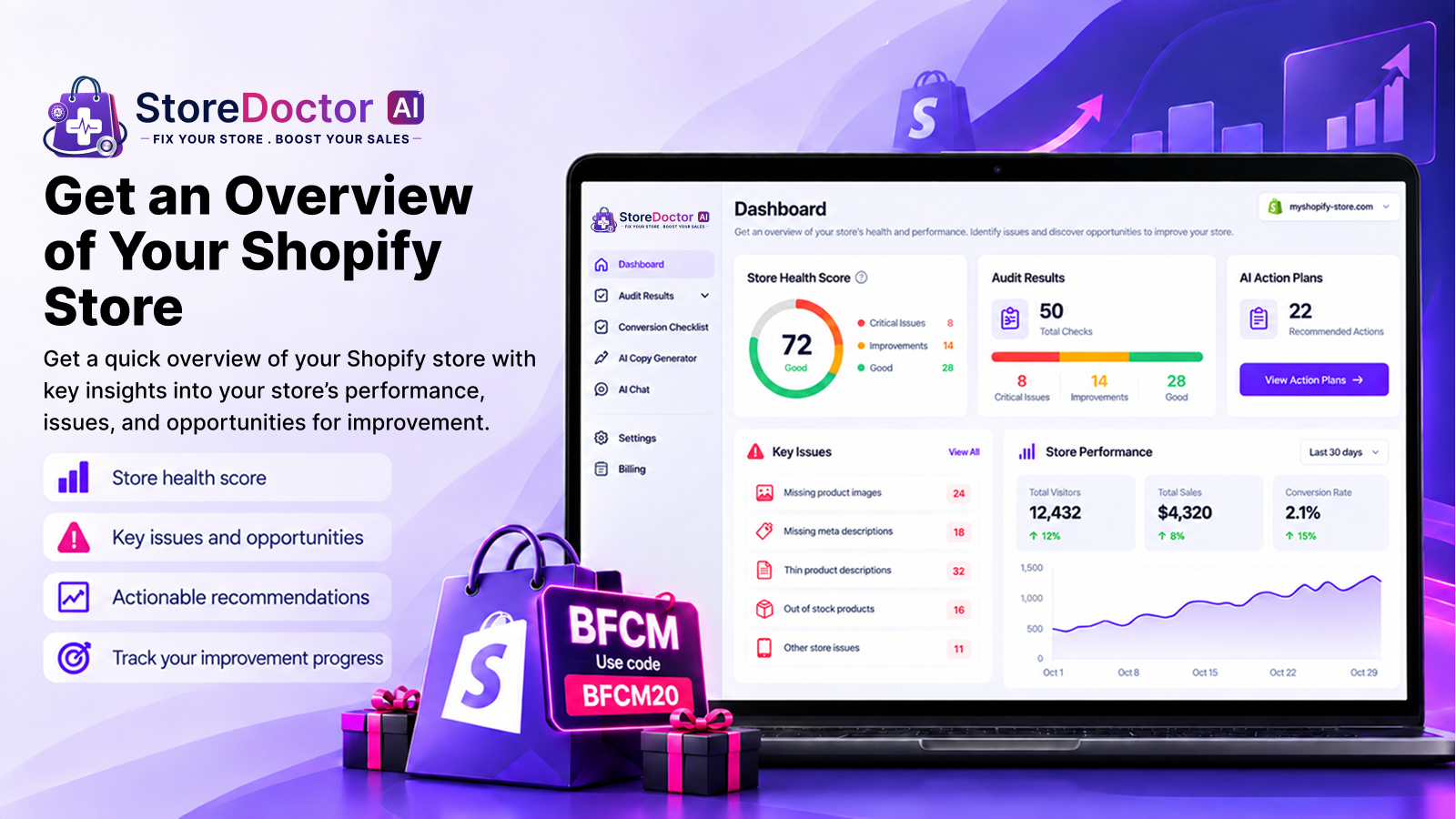
Below is a breakdown of the key e-commerce trends that shaped the previous year and how you can use these insights to grow your business in the upcoming year.

1) Data-Driven Insights Guided Smarter Decisions

Data became one of the most valuable tools for growth last year. From customer behavior tracking to measuring product performance and marketing ROI, merchants increasingly rely on analytics to optimize their store experience.

How to apply this in the next year:

Use data insights to focus on what drives conversions and eliminate friction in your shopping experience. This aligns directly with E-Commerce Trends: Last Year’s Lessons, Next Year’s Growth, where data continues to lead the way for strategic decision-making.

How MakeProSimp Helps:

ToastiBar – Sales Popups & Timers: Boost Conversions With Real-Time Social Proof & Urgency

ToastiBar is one of the most trusted social-proof apps on Shopify, Wix, and Shopline platforms, helping merchants increase trust and convert hesitant visitors into buyers.

Benefits:

  • Real-time sales popups
  • Countdown timers & visitor counters
  • Multi-language & geo-targeting
  • Detailed engagement analytics
  • Lightweight and fast

Toastibar Feature Example Banner - MakeProSimp

👉 Try ToastiBar at:

2) AI-Powered Personalization Became Essential

Artificial intelligence is no longer optional; it has shifted from optional to essential every year, and it’s now a competitive advantage. Online stores are now using AI to personalize every step of the shopping experience. And better personalization led to higher conversions and improved customer engagement.

How AI is transforming e-commerce:

  • Personalized product recommendations based on browsing and purchase history
  • Smart upsell and cross-sell suggestions that boost AOV
  • AI chatbots that provide instant support
  • Automated email and SMS campaigns tailored to each customer

Why it matters:

Leverage AI for product recommendations, support, and automated campaigns, the core components of E-Commerce Trends: Last Year’s Lessons, Next Year’s Growth, to improve conversions by helping shoppers feel understood and guided.

3) Ultra-Fast Checkouts Became the Standard

Customers increasingly demanded quick, mobile-optimized checkout experiences. Slow processes meant lost revenue.
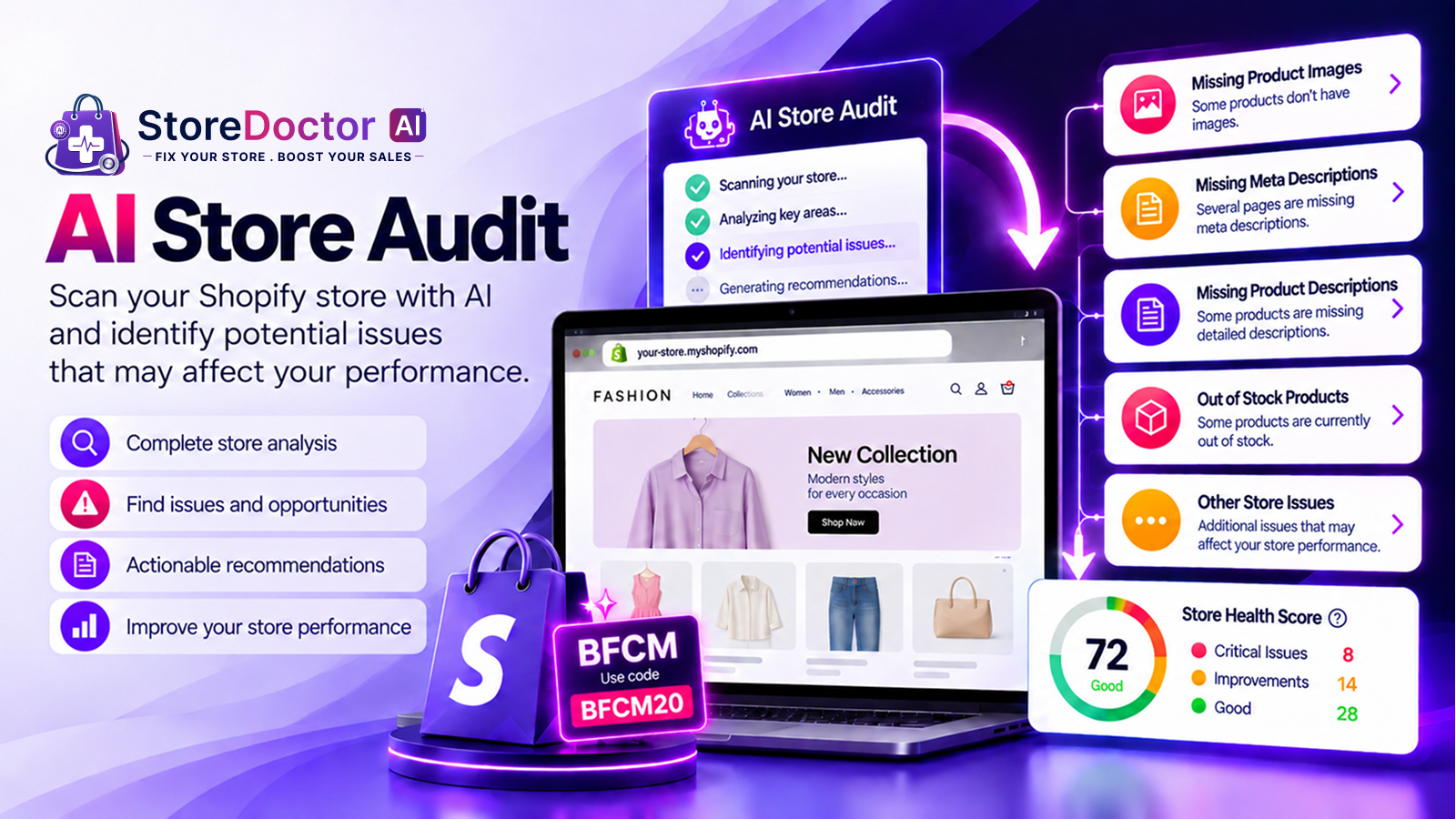
Benefits of faster checkouts:

  • Lower cart abandonment
  • Higher conversion rates
  • Better mobile shopping experience

Why it matters:

If your store isn’t optimizing checkout speed, it is time to prioritize it. Because speed is a recurring theme in E-Commerce Trends: Last Year’s Lessons, Next Year’s Growth, making checkout optimization a priority for the upcoming year.

How MakeProSimp helps:

BUYSTRO App: A Smarter, Faster Path to Checkout

Keeps an always-visible “Add to Cart” or “Buy Now” button on screen. This reduces friction, especially for mobile shoppers, and pushes them to checkout faster.

Enhanced Benefits:

  • Sticky Buy Button visible throughout product pages
  • One-click Buy Now button to accelerate checkout
  • Floating cart and quick cart previews
  • Remember-my-cart feature for returning shoppers
  • Optimized for all mobile devices and modern Shopify themes

Buy Me App All Feature By MakeProSimp

👉 Try BUYSTRO

4) Headless Commerce Became More Accessible

More brands are adopting headless commerce to unlock complete creative freedom and better site performance.

Why merchants are going headless:

  • Lightning-fast page load times
  • Fully customized storefronts
  • Improved SEO
  • Better omnichannel experiences

Why it matters:

With advancements in features and functionalities offered by different platforms like Shopify, Wix, Shopline, etc., this trend is becoming more accessible than ever.

5) Social Commerce Grew Into a Core Sales Channel

Social media platforms are becoming full shopping channels, reducing the path from discovery to purchase. Stores that used short-form video and platform-native shopping outperformed their competitors.
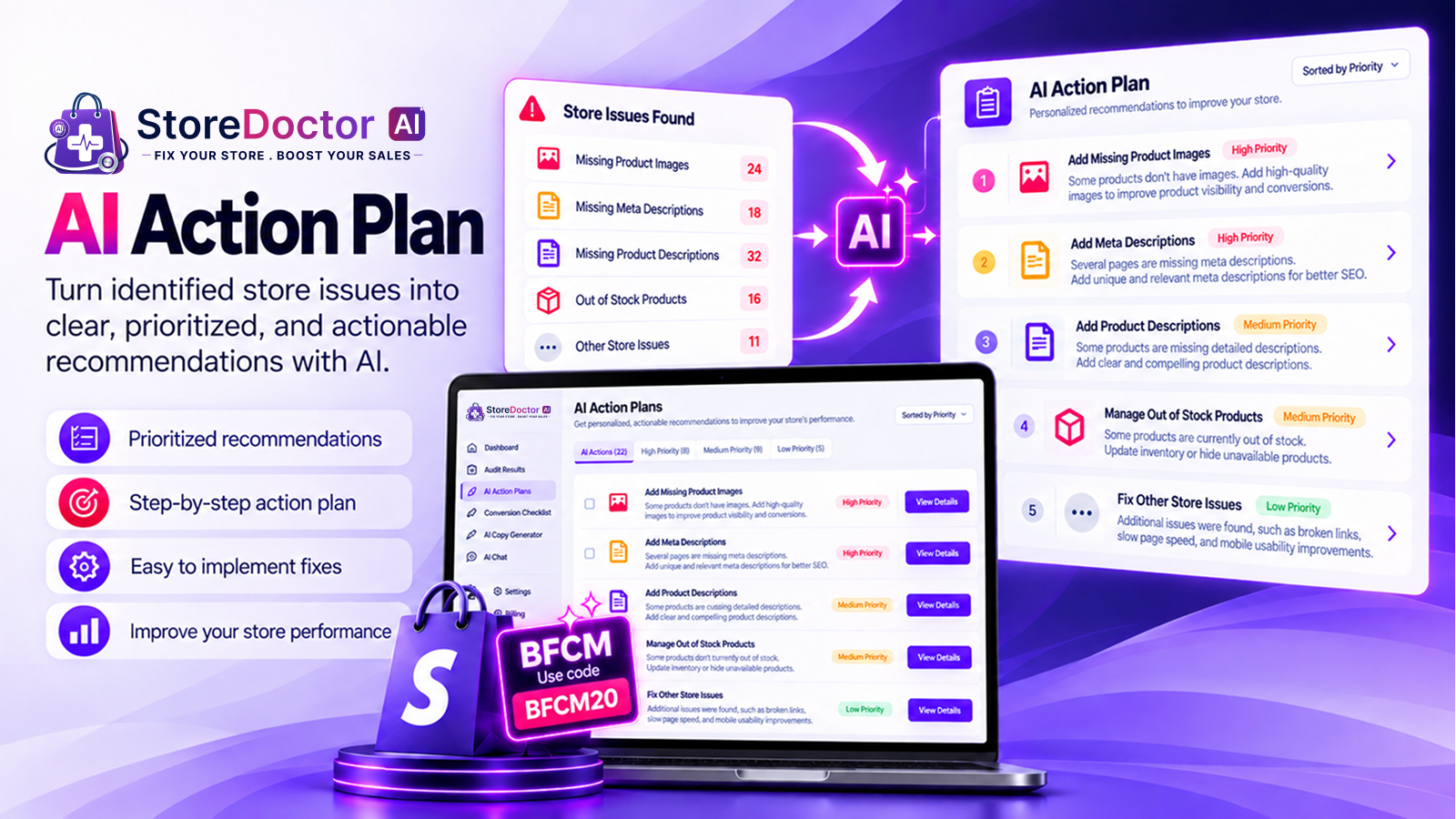
Advantages for merchants:

  • Faster path from product discovery to purchase
  • Better targeting through social algorithms
  • Increased visibility among younger audiences

Why it matters:

In the current trend, social commerce isn’t just a marketing strategy; it’s a sales channel.
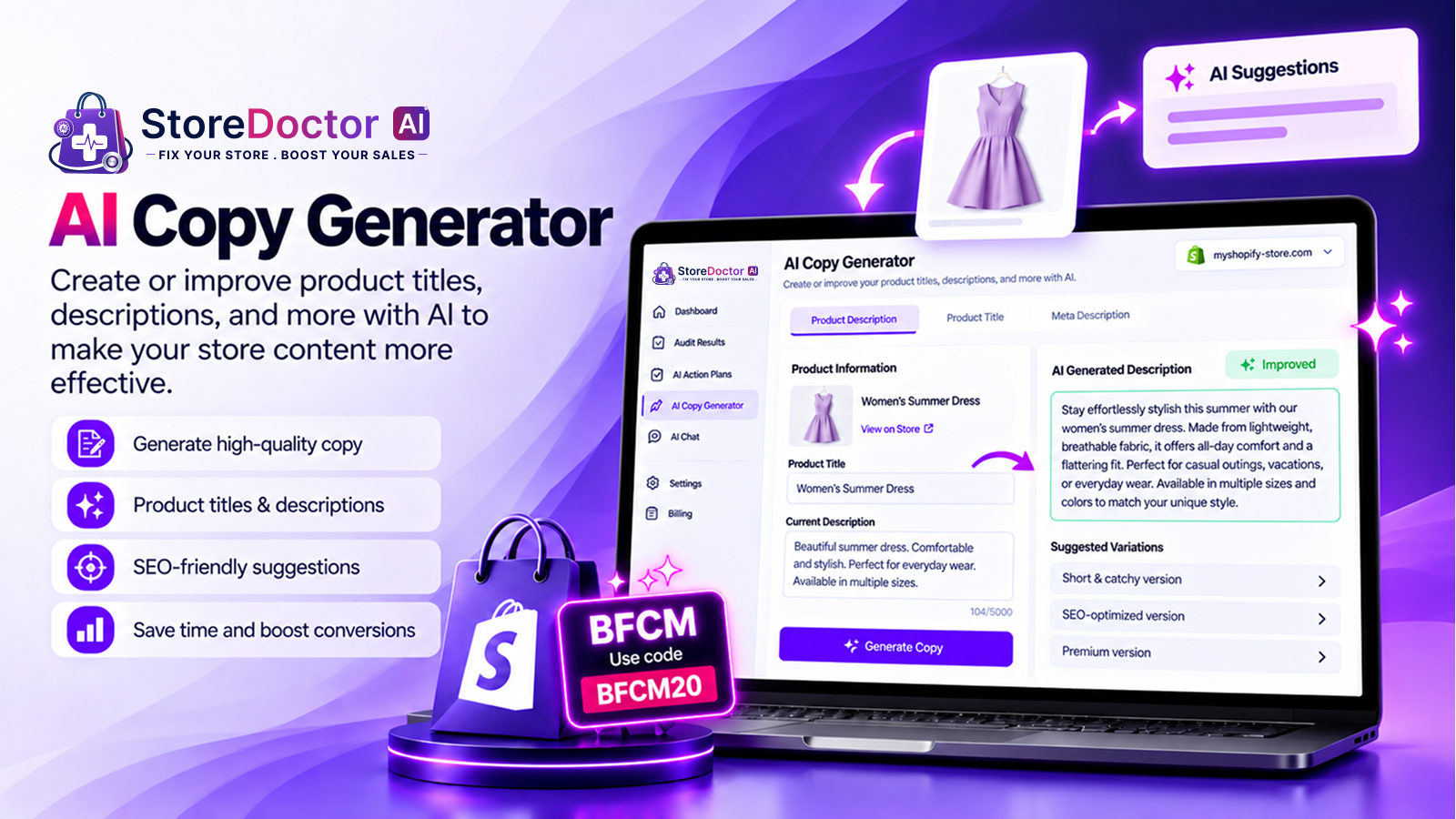
How MakeProSimp helps:

Promote Me | Many apps in one: All-in-One Growth Toolkit for Busy Merchants

Promote Me combines multiple conversion-boosting tools into a single lightweight app, helping merchants avoid installing 15+ separate apps.

Enhanced Benefits:

  • Shipping goal bars & free shipping motivators
  • Cart reserve countdowns that create urgency
  • Currency converter for global shoppers
  • Spin-the-wheel gamified popups to boost engagement
  • Announcement bars, promotional messages, and scarcity tools

Promote Me Feature Example Banner - MakeProSimp

👉 Try Promote Me

6) Subscription Commerce Strengthened Retention

Subscription-based shopping is booming across industries like beauty, wellness, pet care, and food, and recurring purchases boosted predictable revenue and improved customer lifetime value.

Why subscriptions are powerful:

  • Predictable monthly revenue
  • Higher customer lifetime value
  • Improved retention through recurring purchases

Why it matters:

Merchants are using subscription apps to build long-term relationships and increase repeat orders.

7) Automation Became a Must-Have for Scaling

As businesses scale, manual tasks become harder to manage, and in that case the automation helps reduce daily workload and prevent errors. Notim app is now one of the biggest productivity boosters for merchants.

Tasks commonly automated in the previous year:

  • Inventory updates
  • Customer segmentation
  • Order tracking and notifications
  • Marketing workflows
  • Analytics and reporting

Why it matters:

Automation helps store owners focus on strategy instead of daily repetitive tasks.

How MakeProSimp helps:

Notim: Back In Stock+Notify Me: Recover Lost Sales Automatically

Notim ensures you never lose a potential customer due to stockouts. When a product is unavailable, visitors can subscribe and get notified when it’s back.

Enhanced Benefits:

  • “Notify Me” button added instantly to out-of-stock products
  • Send restock emails
  • Works with multi-location inventories
  • Customizable email templates & branding
  • Helps forecast demand by showing which products customers truly want

Automation reinforces the theme of E-Commerce Trends: Last Year’s Lessons, Next Year’s Growth, helping merchants save time and recapture revenue efficiently.

Notim App - Functionalities

👉 Try Notim at:

8) Sustainability Influenced Purchasing Decisions

Customers want brands that care about the environment. Merchants are adopting more eco-friendly strategies to match consumer expectations.

Growing sustainability practices:

  • Carbon-neutral shipping options
  • Transparent supply-chain information
  • Eco-friendly packaging
  • Highlighting sustainability badges on product pages

Why it matters:

Stores that communicate their values clearly often gain stronger customer loyalty.

Conclusion

Understanding E-Commerce Trends: Last Year’s Lessons, Next Year’s Growth is the key to building momentum in the upcoming year. By implementing insights around personalization, automation, data analytics, checkout optimization, and customer engagement, stores can position themselves for long-term success.

MakeProSimp’s suite of apps – ToastiBar, BUYSTRO (Buy Me), Notim, and Promote Me – empowers merchants to apply these lessons immediately and prepare for stronger growth in the next year.

Stay adaptive. Stay innovative. And let the lessons of last year fuel your success in the year ahead.