
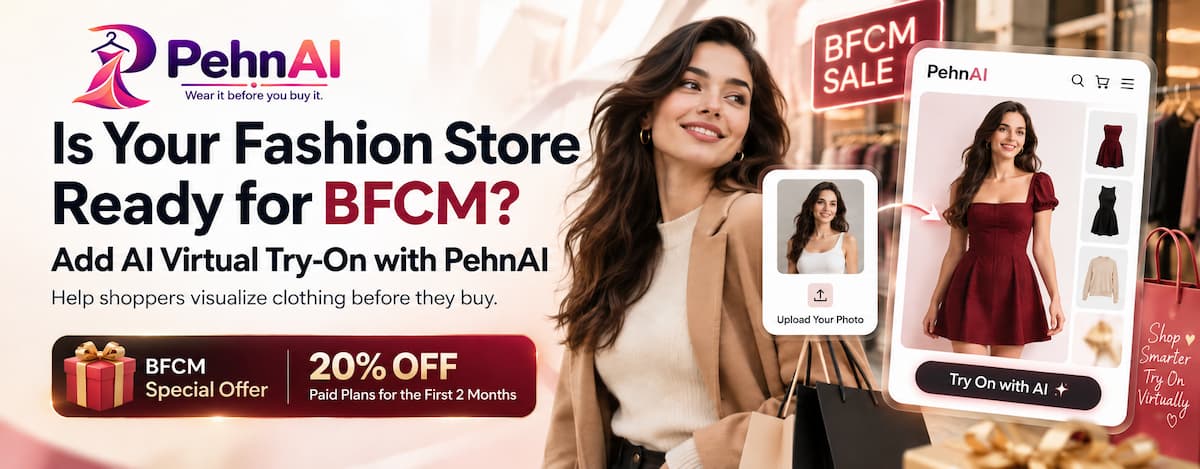
BFCM is one of the busiest shopping periods of the year for online stores.
For fashion merchants, that can mean more shoppers browsing collections, comparing products, checking offers, and deciding what to buy.
But there is one challenge that discounts alone cannot always solve:
“How will this actually look on me?”
When shoppers buy clothing online, they can see the product photos, read the description, select a size, and check the price. But they still cannot physically try the product on before making a decision.
That uncertainty can create hesitation – especially when shoppers are comparing several products during a busy BFCM sale.
Before your BFCM campaigns start bringing more shoppers to your fashion store, consider giving customers another way to explore your products:
AI-powered virtual Try-On.
AI Virtual Try-On can give fashion shoppers a more interactive way to visualize clothing while they are exploring your product pages.
BFCM Is Coming. Is Your Fashion Store Ready?
Preparing for BFCM usually means:
- Planning discounts
- Preparing promotional banners
- Creating email campaigns
- Scheduling social media posts
- Updating product pages
- Preparing inventory
- Promoting your best-selling collections
All of these are important.
But after a shopper clicks your campaign and arrives on a clothing product page, another part of the experience begins.
They still have to decide:
Is this product right for me?
For fashion shoppers, that decision can involve more than price.
They may be wondering:
- How would this style look on me?
- Does this color suit me?
- Can I picture myself wearing it?
- Should I choose this item or another one?
- Am I confident enough to place the order?
During BFCM, when shoppers have many stores, products, and offers competing for their attention, helping them answer these questions can make the product experience more useful.
Discounts Get Attention. Product Confidence Helps Shoppers Decide.

A strong BFCM discount can encourage someone to visit your store.
But a discount does not automatically remove uncertainty about the product.
This is especially relevant for fashion.
A shopper may like your product photography and the BFCM price while still having difficulty imagining how the garment might look when worn by them.
That creates a gap between:
Seeing the product → Imagining the product on themselves → Making a purchase decision
Virtual Try-On can help make that middle step more interactive.
Instead of only looking at a model or product image, shoppers can use their own photo to visualize the clothing.
What Should Fashion Stores Check Before BFCM?
Before your campaigns go live, review the parts of your product experience that can influence how easily shoppers explore and understand your clothing.
1. Review Your Product Pages
Your product page is where much of the buying decision happens.
Before BFCM, check that your important fashion products have:
- Clear product titles
- Good product images
- Useful descriptions
- Available variants
- Pricing and promotional information
- Size or product information shoppers may need
- Clear Add to Cart actions
Why this matters
BFCM shoppers may move between products quickly.
The easier your product page is to understand, the easier it is for shoppers to evaluate what you are selling.
But even a well-designed product page may leave one question unanswered:
What would this clothing look like on me?
That is where virtual Try-On can add another layer to the product experience.
2. Think Beyond Traditional Product Images
Fashion stores usually rely heavily on product photography.
High-quality photography is essential, but every shopper is different.
A garment shown on a model may not help every customer imagine themselves wearing it.
During BFCM, consider whether your product page gives shoppers enough ways to explore a product before deciding.
AI Virtual Try-On can complement traditional product photography by letting shoppers visualize selected clothing using their own photo.
Why this matters
Online shoppers cannot walk into a fitting room and physically try on the clothing.
Giving them an interactive way to visualize a product can make online shopping feel more personal than simply scrolling through product images.
3. Reduce the Visualization Gap
There is an important difference between:
“I like this product.”
and
“I can imagine myself wearing this product.”
For fashion merchants, helping shoppers move from the first thought to the second can be valuable.
With an AI Virtual Try-On experience, a shopper can upload their photo and generate a visual preview of the selected clothing.
It does not replace the physical fitting room or guarantee an exact real-world fit.
Instead, it provides another visual reference that can help shoppers explore the product and make a more informed decision.
4. Make the Experience Easy on Mobile and Desktop
BFCM shoppers may visit your store from different devices.
Some may be browsing from a laptop, while many others may discover your products through social media, email, or ads on their phones.
Your virtual Try-On experience should therefore be easy to access regardless of how a shopper reaches your store.
Before BFCM, test the experience yourself.
Check:
- How the Try-On button appears
- How easily shoppers can start the experience
- The photo upload process
- How the result is presented
- Mobile usability
- Desktop usability
- Different products and variants
The goal is to make virtual Try-On feel like a natural part of the shopping journey.
5. Understand How Shoppers Use Try-On
Adding a new experience to your product page is only the beginning.
You should also understand whether shoppers are actually using it.
Looking at Try-On activity can help you learn more about how customers interact with the feature and which products generate interest.
During BFCM, when more shoppers may be visiting your store, these insights can become especially useful.
Don’t Let Your BFCM Discount Be the Only Shopping Experience
BFCM campaigns often focus heavily on price.
20% OFF.
30% OFF.
Limited-Time Deal.
Black Friday Special.
These messages can be effective at getting attention.
But fashion shopping is also visual and personal.
Once someone arrives on the product page, giving them an interactive way to explore the clothing can help make the experience more engaging.
That’s where PehnAI comes in.
Meet PehnAI: AI Virtual Try-On for Shopify Fashion Stores
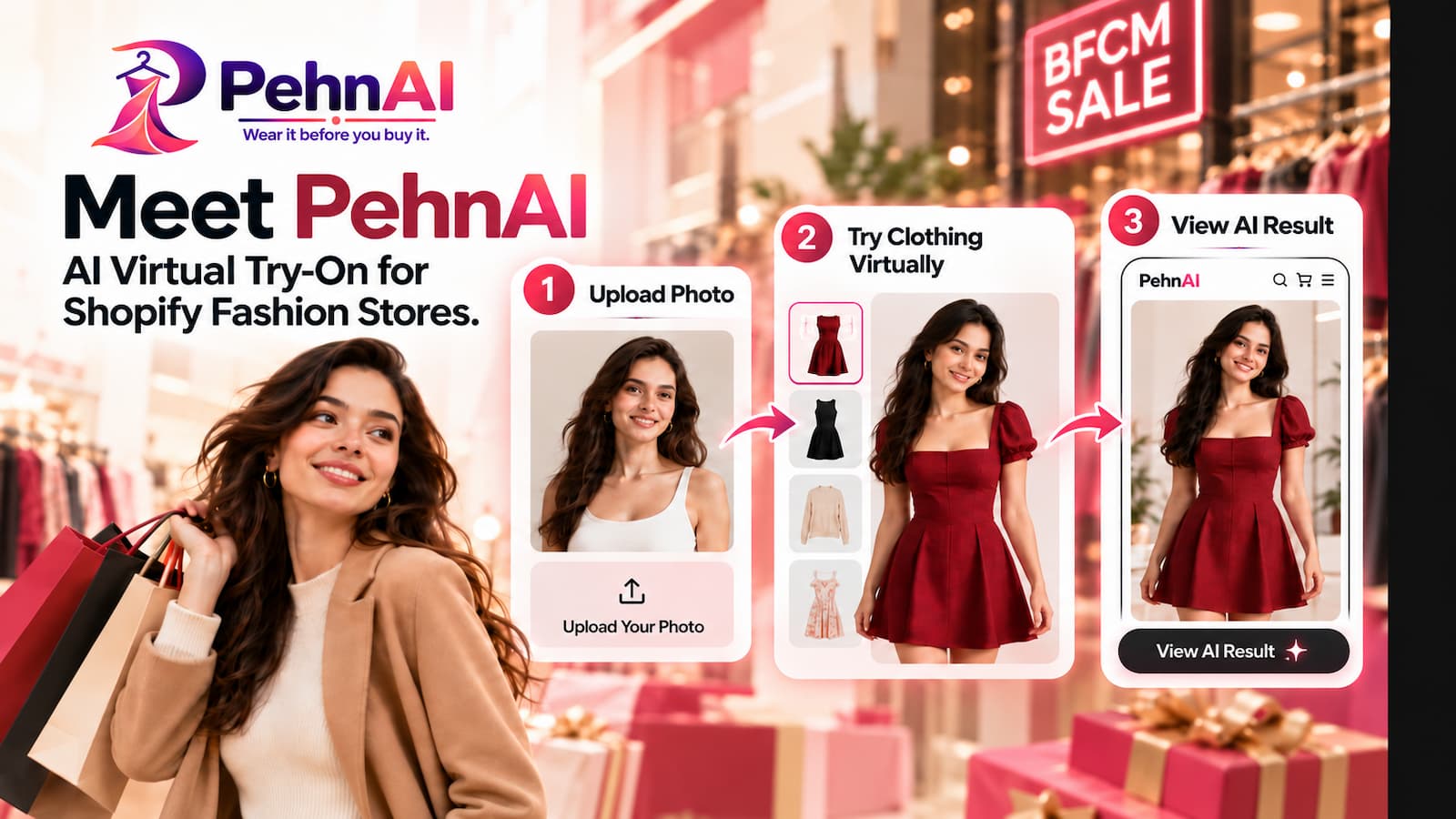
PehnAI brings AI Virtual Try-On directly to Shopify product pages, giving fashion shoppers another way to explore clothing before making a purchase decision.
Shoppers can upload their photo and generate a virtual preview to visualize the selected clothing on themselves before buying.
Instead of asking customers to rely only on product images and their imagination, PehnAI gives them an interactive virtual fitting-room experience directly inside your Shopify store.
The idea is simple:
See → Try Virtually → Explore → Decide
For fashion merchants preparing for BFCM, this adds another way for shoppers to interact with products while they are considering a purchase.
How PehnAI Can Help Your Fashion Store During BFCM
1. AI-Powered Virtual Try-On
PehnAI allows shoppers to use their own photo to virtually try on supported clothing products.
The shopper chooses a product, starts the Try-On experience, provides a photo, and PehnAI generates a visual Try-On result.
Why it matters during BFCM
During a major sale, shoppers may be comparing several products and several stores.
Virtual Try-On gives them another way to explore your clothing without leaving the product page.
Instead of only asking:
“Do I like this?”
they can also explore:
“How might this look on me?”
That can make the shopping experience more interactive and personal.
2. Try-On Directly From Product Pages
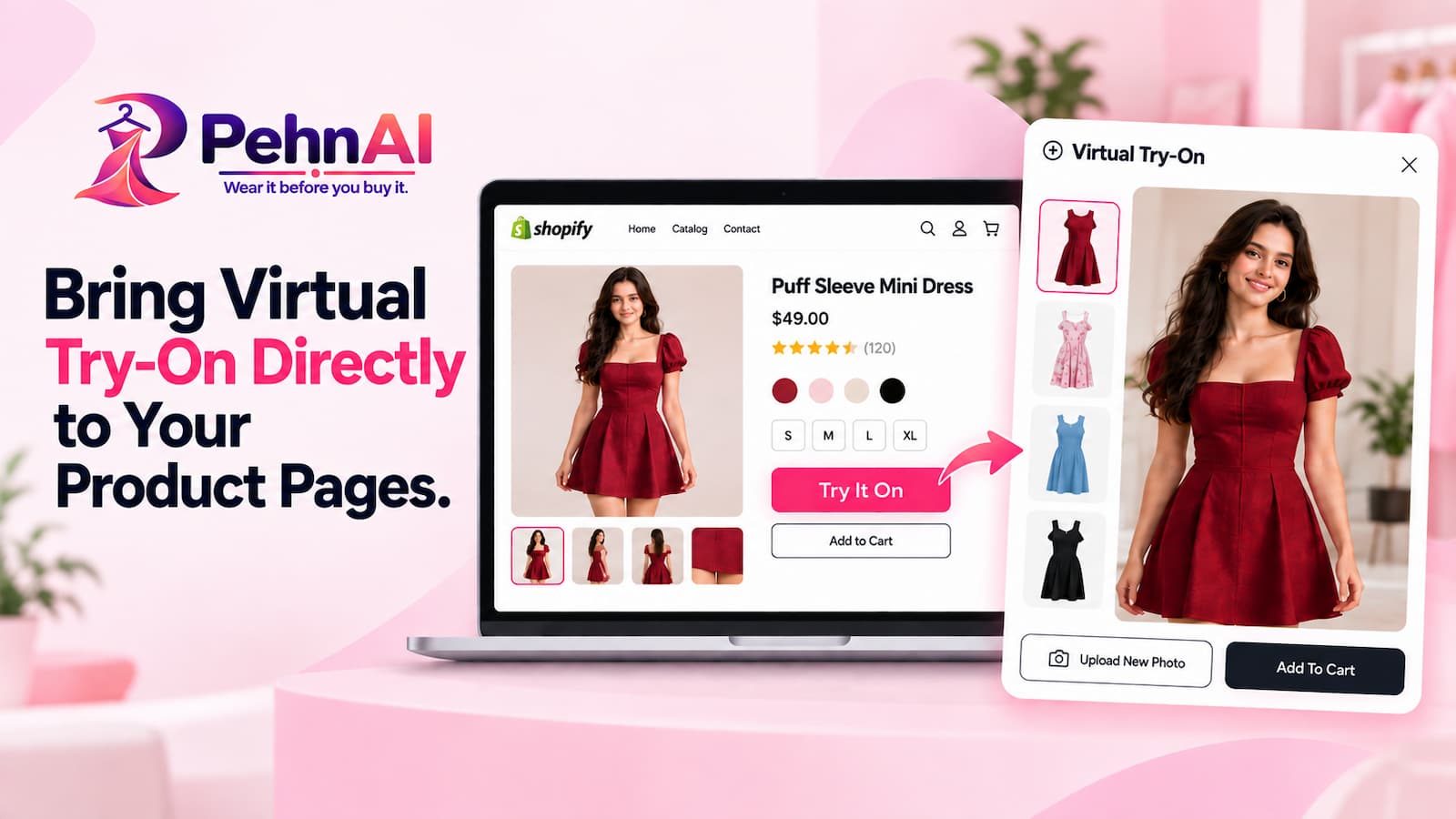
The Try-On experience can be made available directly on your Shopify product pages.
That means shoppers do not need to navigate to a completely separate shopping experience just to try the feature.
They can discover a product and start a virtual Try-On while they are already considering it.
Why it matters during BFCM
The fewer unnecessary steps in the shopping experience, the better.
During BFCM, shoppers may be moving quickly through multiple products.
Keeping virtual Try-On close to the product they are viewing can make it easier for them to use the feature at the moment it is most relevant.
3. Customize the “Try It On” Button
Every Shopify theme is different.
PehnAI lets merchants configure the Try It On button so it can better fit their storefront experience.
You can customize settings such as:
- Button position
- Button text
- Button size
- Button style
- Button color
- Mobile visibility
- Desktop visibility
Depending on your storefront setup, you can position the Try It On option around important product-page areas.
Why it matters during BFCM
Your storefront may already include BFCM banners, promotional messages, discounts, and other calls to action.
Having control over the Try-On button helps you integrate the feature into your existing product-page design rather than forcing an unrelated experience into the page.
4. Control Which Products Offer Virtual Try-On
Not every product in a fashion catalog necessarily needs the same experience.
PehnAI provides product-level Try-On controls, allowing you to configure where virtual Try-On should be available.
This can be particularly useful when preparing for BFCM.
You might choose to focus on:
- Featured products
- Best sellers
- New arrivals
- BFCM collections
- High-traffic products
- Products you are actively promoting
Why it matters during BFCM
You can focus your virtual Try-On experience around the products that are most relevant to your campaign instead of treating every product exactly the same.
5. Support Different Products and Variants
Fashion products often have multiple variants and product images.
PehnAI is designed to work with fashion product experiences where different product or variant imagery may need to be considered.
This helps make virtual Try-On more useful across a broader clothing catalog.
Why it matters during BFCM
If your BFCM campaigns promote multiple styles, variants, or collections, customers may want to explore more than one option before deciding.
Giving them a virtual way to compare clothing can make that exploration more engaging.
6. Understand Try-On Engagement
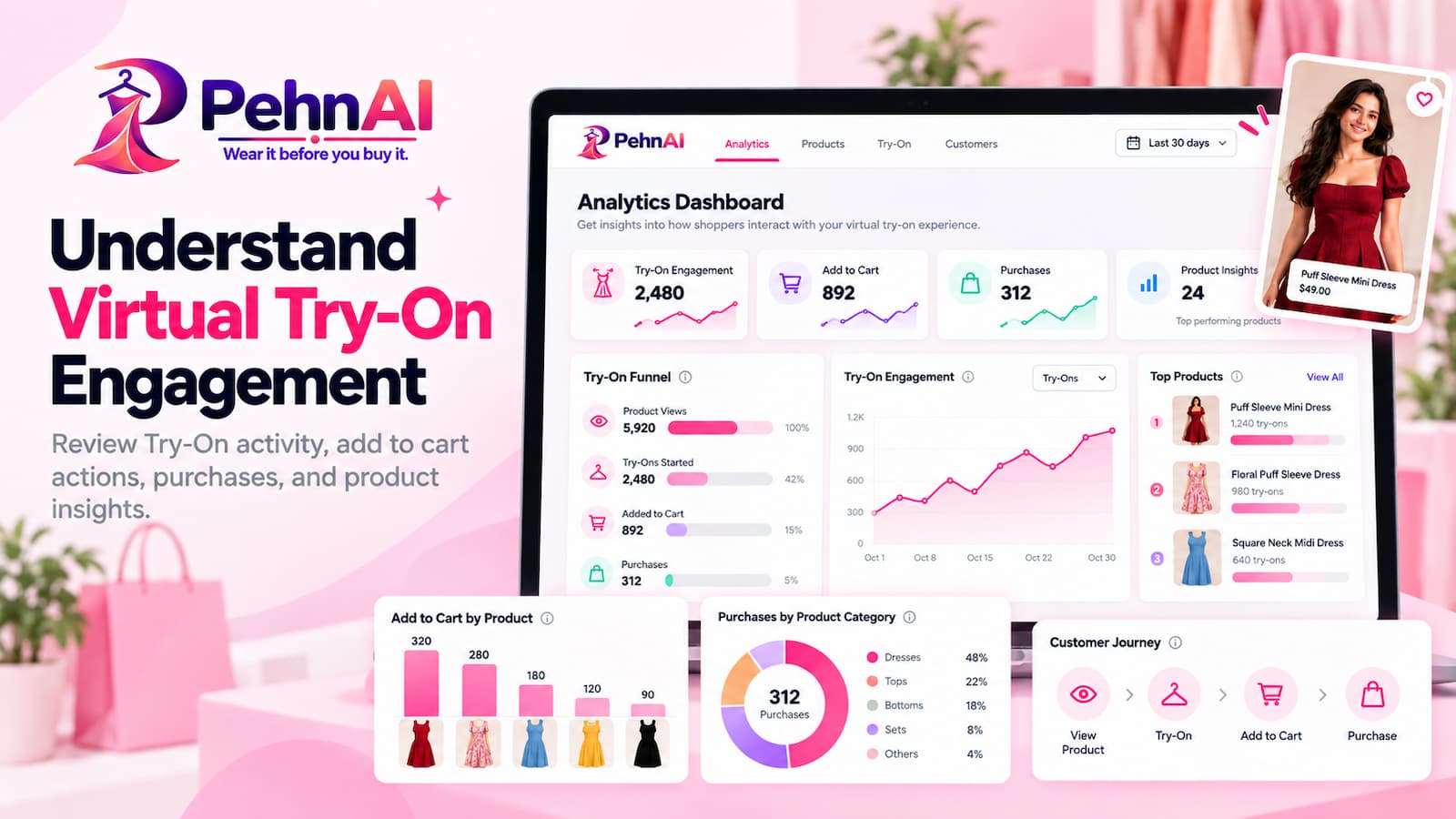
PehnAI includes analytics to help merchants understand how shoppers interact with virtual Try-On.
You can review Try-On activity and engagement and better understand what happens after shoppers interact with the experience.
PehnAI also provides purchase-attribution insights to help merchants connect Try-On activity with later shopping actions.
Why it matters during BFCM
BFCM brings an opportunity to learn as well as sell.
You may be able to see:
- Which products attract Try-On activity
- How shoppers engage with the Try-On experience
- What happens after shoppers use Try-On
- Whether Try-On users continue toward Add to Cart or purchase activity
These insights can help you better understand how customers interact with your fashion products during one of the busiest shopping periods of the year.
From Product Discovery to Virtual Try-On

A traditional online fashion journey might look something like this:
Discover → View Product → Check Images → Read Details → Decide
With PehnAI, you can add another interaction:
Discover → View Product → Try Virtually → Explore → Decide
The goal is not to replace your product images, descriptions, size information, or other product-page content.
Virtual Try-On works alongside them.
Your images show the product.
Your description explains the product.
Your size information helps shoppers understand their options.
PehnAI gives shoppers another way to visualize the product on themselves.
How to Prepare PehnAI Before Your BFCM Campaign
If you are planning to use virtual Try-On during BFCM, it is better to prepare and test it before your promotions start.
1. Install PehnAI
Add PehnAI to your Shopify store and choose the plan that fits your expected usage.
You can start with the Free Plan and explore the virtual Try-On experience before upgrading.
Add PehnAI Virtual Try-On to Your Store →
2. Enable PehnAI on Your Storefront
Activate PehnAI and make sure the required app embed is enabled in your Shopify theme.
3. Configure Your Try It On Button
Choose where the Try It On button should appear and customize it to fit your storefront.
Review the button on both desktop and mobile.
4. Configure Your Products
Select the clothing products where you want shoppers to have access to virtual Try-On.
Consider starting with the products or collections you plan to promote most heavily during BFCM
5. Test the Experience Yourself
Before sending BFCM traffic to your store, run your own Try-On tests.
Visit your store like a customer.
Select a product.
Start Try-On.
Upload a photo.
Review the generated result.
Test the complete experience on both desktop and mobile.
6. Review Your Analytics
Once shoppers begin using Try-On, review your PehnAI analytics to understand how they are interacting with it.
Use these insights alongside your existing Shopify and marketing data to better understand your BFCM customer journey.
Make Your BFCM Fashion Experience More Interactive
BFCM does not have to be only about lowering prices.
It can also be an opportunity to improve how customers experience your products.
For fashion merchants, virtual Try-On provides an additional way for shoppers to interact with clothing before deciding whether to buy.
They can:
See the product.
Try it virtually.
Visualize it on themselves.
Continue shopping with more information.
And they can do it directly from your Shopify product experience.
Ready to Add AI Virtual Try-On Before BFCM?
If you are preparing your Shopify fashion store for BFCM, now is a good time to test how virtual Try-On fits into your product experience.
Install PehnAI, configure your selected products, customize your Try It On button, and test the experience before your BFCM campaigns begin.
🎉 PehnAI BFCM Special Offer

Get 20% OFF PehnAI paid plans for your first 2 months.
You can also start with PehnAI’s Free Plan and experience AI-powered virtual Try-On on your Shopify store.
Add PehnAI Virtual Try-On to Your Store →
A Final Note Before BFCM
BFCM shoppers will see plenty of discounts.
Adding AI Virtual Try-On to your fashion store can give shoppers an additional way to interact with your products during this busy shopping period.
For fashion stores, the opportunity is not only to offer a competitive price, but also to give shoppers a better way to experience the products behind those offers.
Review your product pages.
Prepare your BFCM collections.
Make sure your storefront works smoothly.
And consider giving shoppers the ability to visualize your clothing on themselves before they decide.
Let them see it. Let them try it virtually. Let them decide with PehnAI.