Categories
Buy Me Shopify App

Halloween Marketing Ideas for Shopify Stores: 7 Apps to Help Prepare Your Campaign

A successful campaign takes more than adding pumpkins and spooky graphics to your storefront. Shoppers also need clear offers, useful product information, convenient ways to buy, and a smooth path to checkout. The right Shopify apps can help with different parts of that experience, from sales notifications and back-in-stock alerts to store optimization, virtual try-on, and product feed management.

In this guide, we’ll explore practical Halloween marketing ideas and seven Shopify apps that can support your seasonal campaign.

1) Why Halloween Is a Great Opportunity for Shopify Stores

Seasonal campaigns help businesses connect with shoppers through timely products, promotions, and content. Halloween is especially suited to visual marketing because many customers look for themed products and inspiration before they buy.

Whether your store sells clothing, beauty products, home decor, accessories, gifts, or digital products, you can create a campaign that fits your audience and catalog.

Attract shoppers with seasonal offers: Halloween discounts and promotions can encourage shoppers to explore your products. Consider a limited-time offer, a bundle of complementary items, or a collection of products suited to the season. Make sure your offer clearly explains the discount, eligible products, and promotion dates.

Create a more engaging shopping experience: Halloween banners, festive colors, dedicated collections, and relevant product recommendations can help shoppers find items for the occasion. Use a consistent look across your homepage, collection and product pages, email campaigns, and social media while keeping your store easy to navigate.

Make it easier to complete a purchase: Clear product details, visible calls to action, transparent pricing, and a convenient purchasing journey can help reduce friction. Review your storefront before launch so shoppers can browse products and understand your offers easily.

Improve product discovery: Accurate product titles and descriptions, high-quality images, and well-configured product feeds can help eligible products appear in relevant shopping experiences. Prepare your catalog early so you have time to find missing information and address feed issues.

2) ToastiBar: Sales Popups, Social Proof, and Countdown Timers
Scare Up More Sales

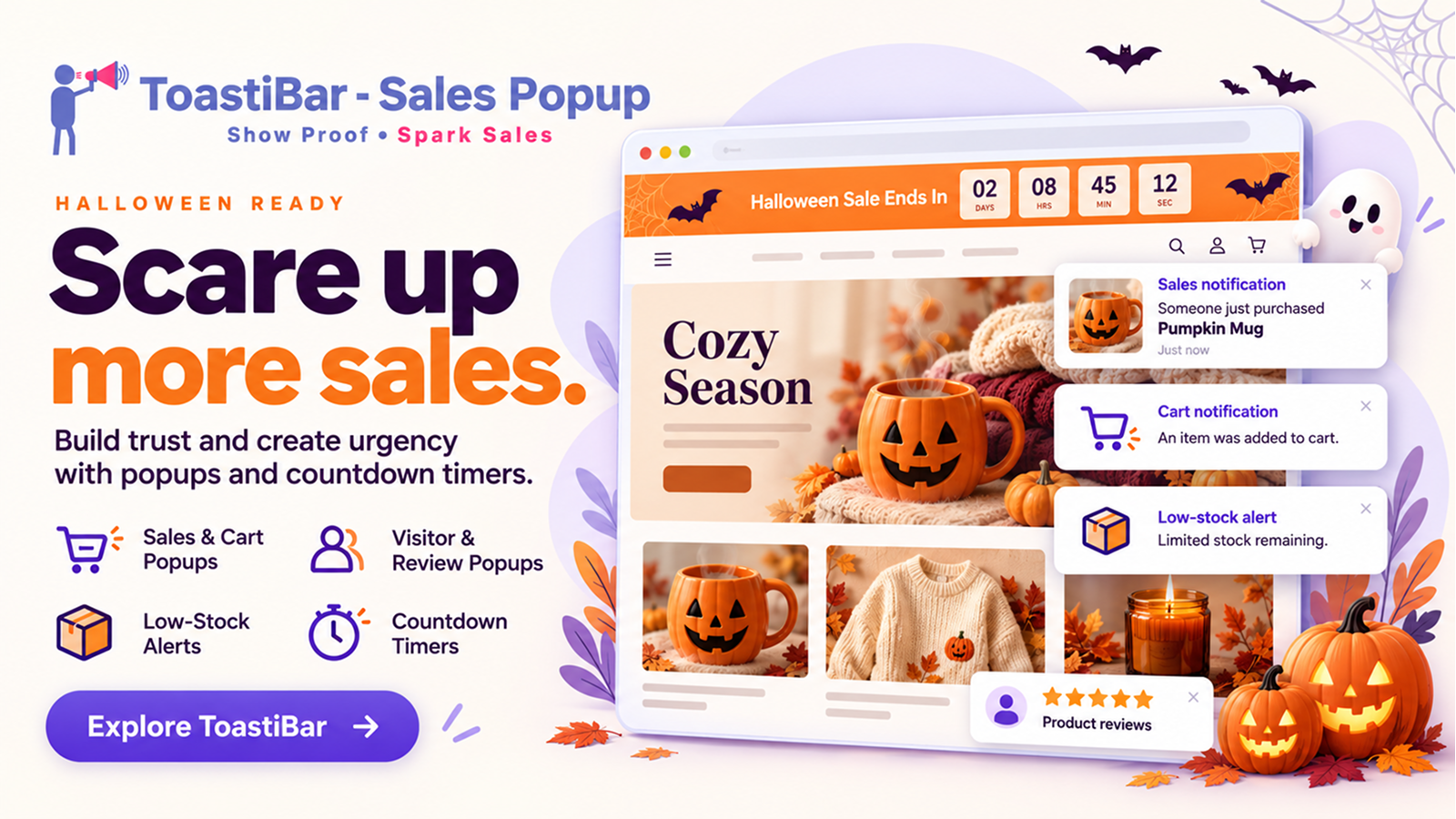
ToastiBar helps merchants display sales notifications, social proof, and countdown timers. Its notification and AI-assisted tools can help you create and customize storefront messages for a seasonal campaign.

Features include:

  • Sales notifications to display supported sales activity
  • Cart notifications to highlight supported cart-related activity
  • Product visitor notifications to draw attention to supported product activity
  • Recent visitor and online visitor notifications
  • Product review popups to showcase available reviews
  • Low-inventory notifications to highlight genuine low-stock information where supported and configured
  • Roundup notifications to present selected store information in a notification format
  • Countdown timers for genuine, time-limited promotions
  • Product-page timers to highlight the end time of an applicable offer
  • Landing-page timers for suitable promotional pages
  • Top-bar and bottom-bar timers for prominent storefront messages
  • Cart and order-summary notifications using supported formats
  • AI Setup Wizard to assist with notification configuration
  • AI Copy Generator to draft notification text and promotional messages
  • AI Performance Advisor for AI-assisted popup recommendations
  • Analytics to review available notification and timer performance data
  • Geolocation targeting and multilingual display for supported configurations
  • Desktop and mobile support

How to use ToastiBar for Halloween:

  • Announce your Halloween sale with a clear storefront notification
  • Use a countdown timer for an offer with a real end date
  • Showcase available product reviews on relevant product pages
  • Highlight accurate low-stock information for seasonal items
  • Use the AI Copy Generator to draft concise Halloween messages
  • Review available analytics to see how your notifications perform

Example notification: “Spooky Season Is Here! Explore Our Halloween Collection and Seasonal Offers.”

Keep notifications relevant and avoid showing too many at once. Make sure sales, review, visitor, and inventory information is accurate.

3) Notim: Back-in-Stock Alerts and Inventory Notifications
Turn Stockouts Into Spooky Sales

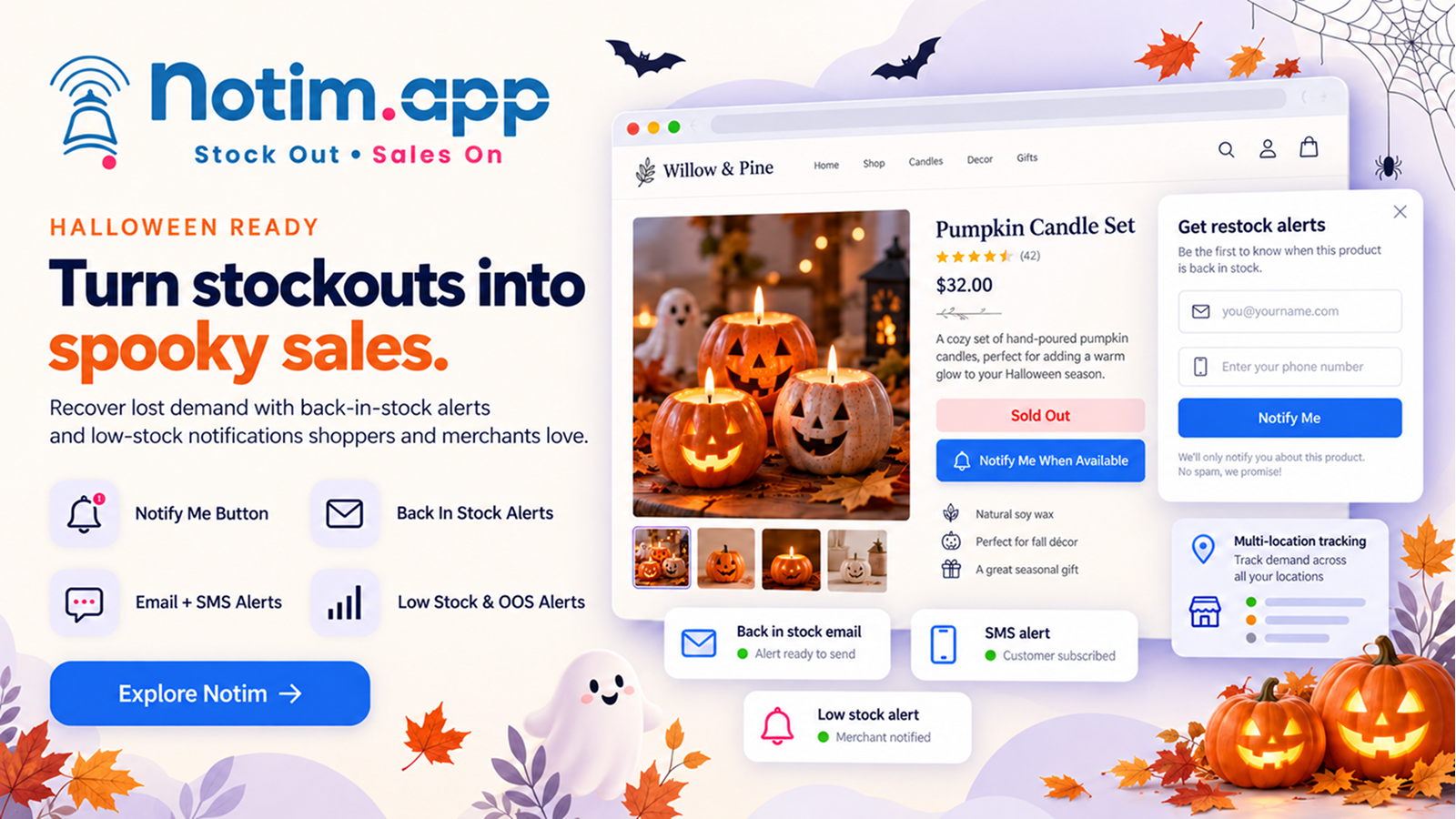
Seasonal products can sell out as Halloween approaches. Notim helps merchants manage customer interest in unavailable products and notify shoppers when eligible items are back in stock. It may be useful for stores selling costumes, seasonal clothing, decorations, and accessories with changing inventory.

Features include:

  • Notify Me buttons for eligible out-of-stock products
  • Back-in-stock email alerts when a product or variant becomes available again
  • Supported back-in-stock SMS alerts
  • Automatic restock notifications when inventory updates meet configured conditions
  • Manual restock notification options where available
  • Customer waitlists for temporarily unavailable products
  • Low-stock email alerts to help merchants monitor configured inventory thresholds
  • Out-of-stock alerts for relevant products
  • Multi-location inventory support for applicable Shopify inventory locations
  • Customizable customer-facing buttons and signup forms
  • Customizable email, SMS, and popup notification templates where supported
  • Analytics for available demand and conversion information
  • Supported integrations for inventory and notifications

How to use Notim for Halloween:

  • Add a Notify Me button to eligible out-of-stock products
  • Let interested shoppers join a restock waitlist
  • Configure email or SMS alerts for eligible products
  • Monitor inventory alerts so your team can respond to stock changes
  • Review available analytics to understand demand for seasonal products

Check inventory accuracy before sending a restock notification. For SMS campaigns, follow applicable consent requirements and review any usage limits in your app configuration.

4) Buy Me: Sticky Add to Cart, Quick Buy, and Shopping Convenience
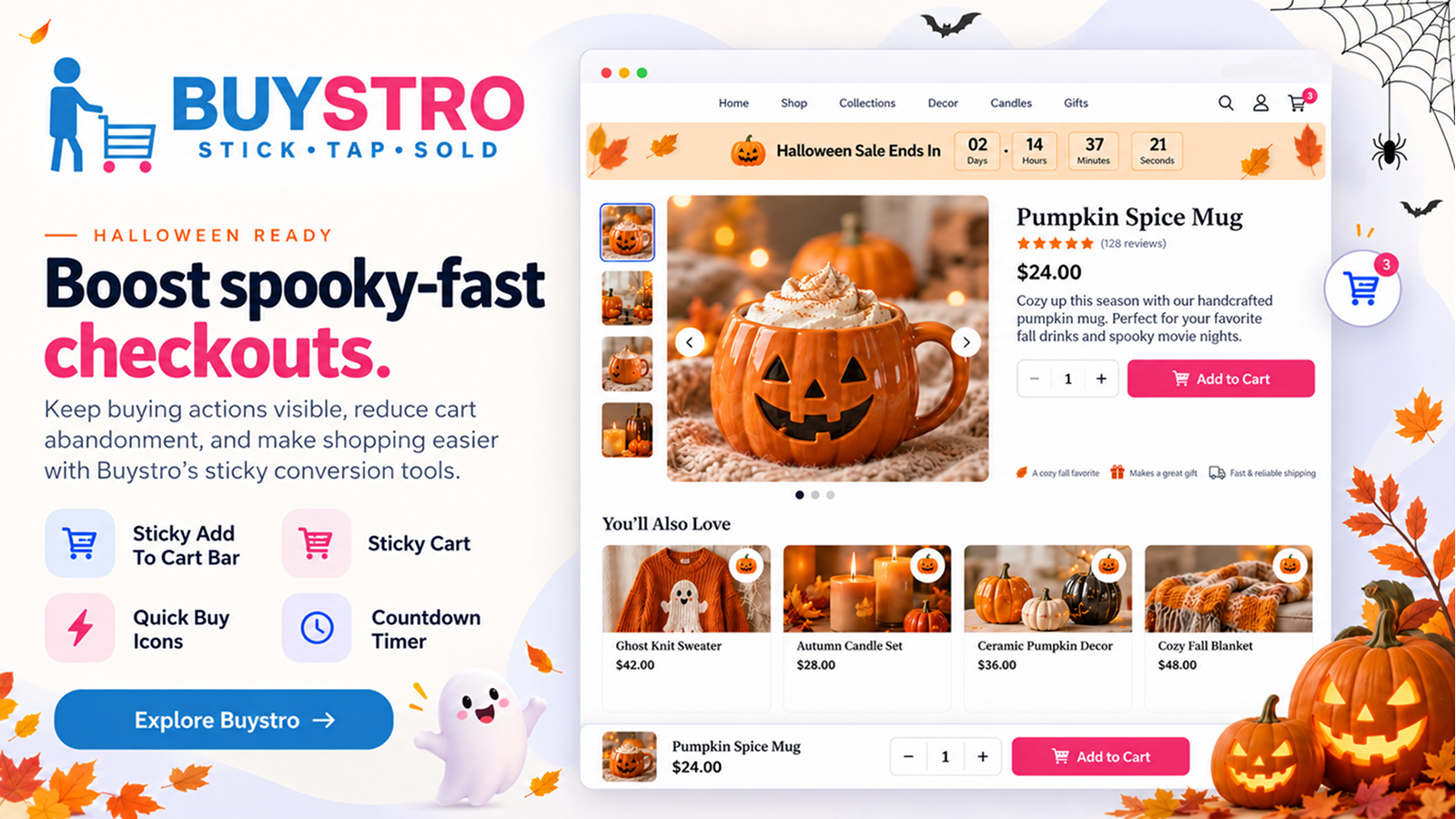
Boost Spooky Fast Checkouts

When shoppers find a Halloween product they like, the next step should be straightforward. Buy Me provides storefront features that can make purchasing actions and cart access more convenient on desktop and mobile.

Features include:

  • Sticky Add to Cart Bar to keep the add-to-cart action accessible on supported product pages
  • Sticky Buy Me Button for a prominent buying action where supported
  • Quick Buy Buttons for supported product listings
  • Sticky Cart for persistent cart access
  • Floating Cart options for cart-related actions
  • Cart Preview so shoppers can review relevant cart information
  • Supported instant-purchase experiences
  • Seasonal themes for supported storefront elements
  • Supported animations and visual effects
  • Brand customization for supported widgets
  • Mobile-friendly settings for supported screen sizes
  • Product sharing options
  • Product review display where supported and enabled
  • Countdown timer support for genuine seasonal offers where available

How to use Buy Me for Halloween:

  • Create a Halloween collection of costumes, decorations, and accessories
  • Add a suitable sticky add-to-cart bar to relevant product pages
  • Make cart access convenient for shoppers on mobile
  • Use quick-buy options where they improve collection browsing
  • Apply seasonal styling without distracting shoppers from product details

Before launch, test product variants, quantity selection, cart updates, and checkout navigation.

5) Promote Me: Multiple Storefront Tools in One App
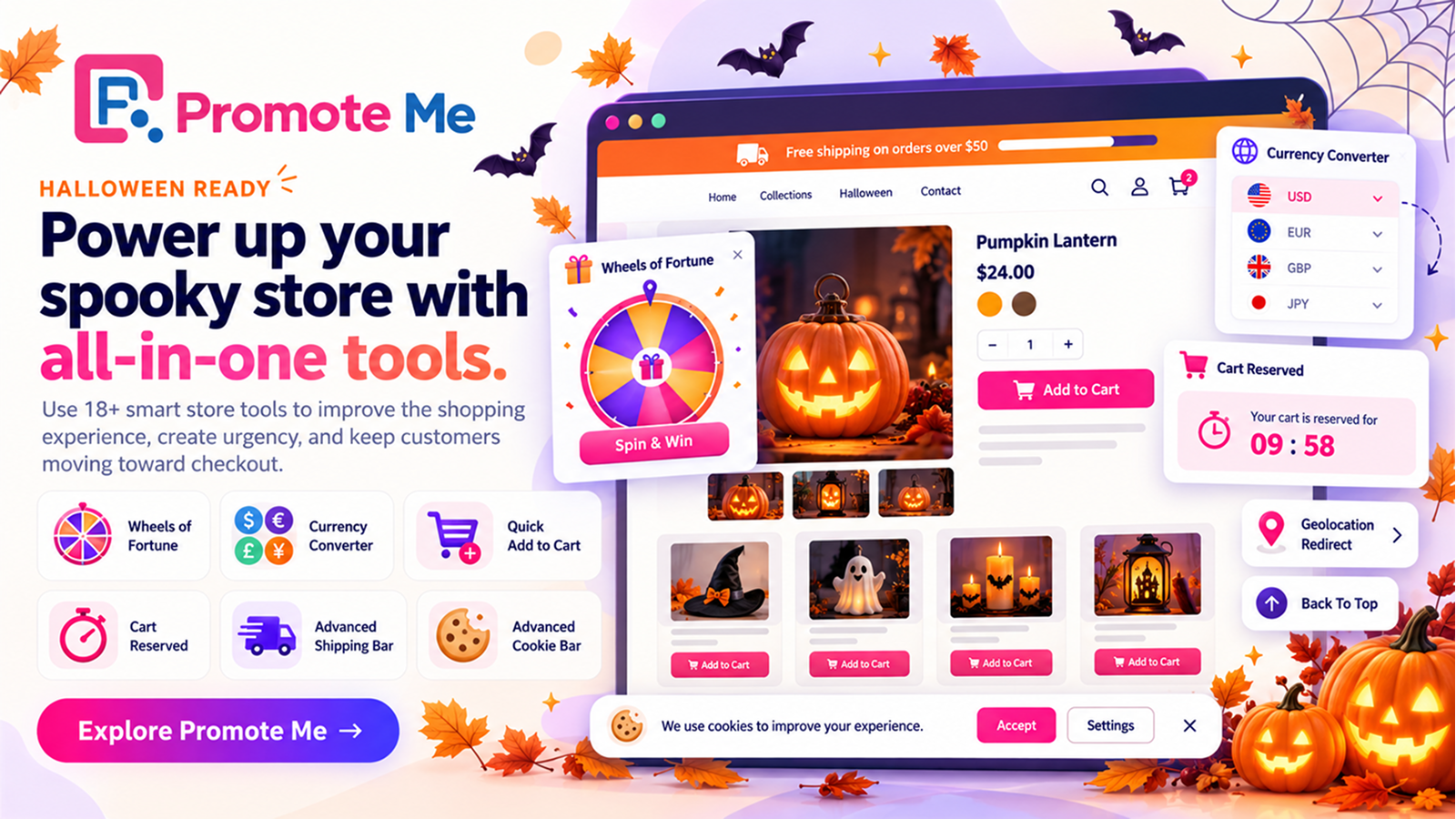
Power Up Your Spooky Store With All In One Tools

Halloween marketing can involve more than discounts. Merchants may also need interactive promotions, convenient navigation, currency conversion, shipping messages, and other storefront features. Promote Me bundles multiple Shopify tools so merchants can select the ones that suit their store.

Features include:

  • Wheels of Fortune for supported interactive promotional experiences
  • Currency Converter for supported currencies
  • Quick Add to Cart Button for supported storefront areas
  • Back to Top Button for easier navigation on long pages
  • Geolocation Redirect based on configured geographic rules
  • Copy Protection Plus with supported copy-protection functionality
  • Advanced Cookie Bar for cookie notices or consent interfaces using available settings
  • Cart Reserved for the supported cart-reservation experience
  • Advanced Shipping Bar for shipping information or configured incentives
  • Instant Page Load with supported page-preloading functionality
  • Additional bundled storefront tools available in the app

How to use Promote Me for Halloween:

  • Use Wheels of Fortune for a suitable seasonal promotion
  • Display a shipping bar that explains a genuine shipping offer
  • Add Quick Add to Cart to relevant product listings
  • Use a Back to Top button on long collection pages
  • Configure currency conversion for supported international shoppers
  • Review your geolocation and cookie settings before launch

Choose only the features that improve the customer journey. Keep promotional terms, shipping conditions, currency information, and consent interfaces clear.

6) StoreDoctor AI: Store Audits, SEO, and Content Optimization
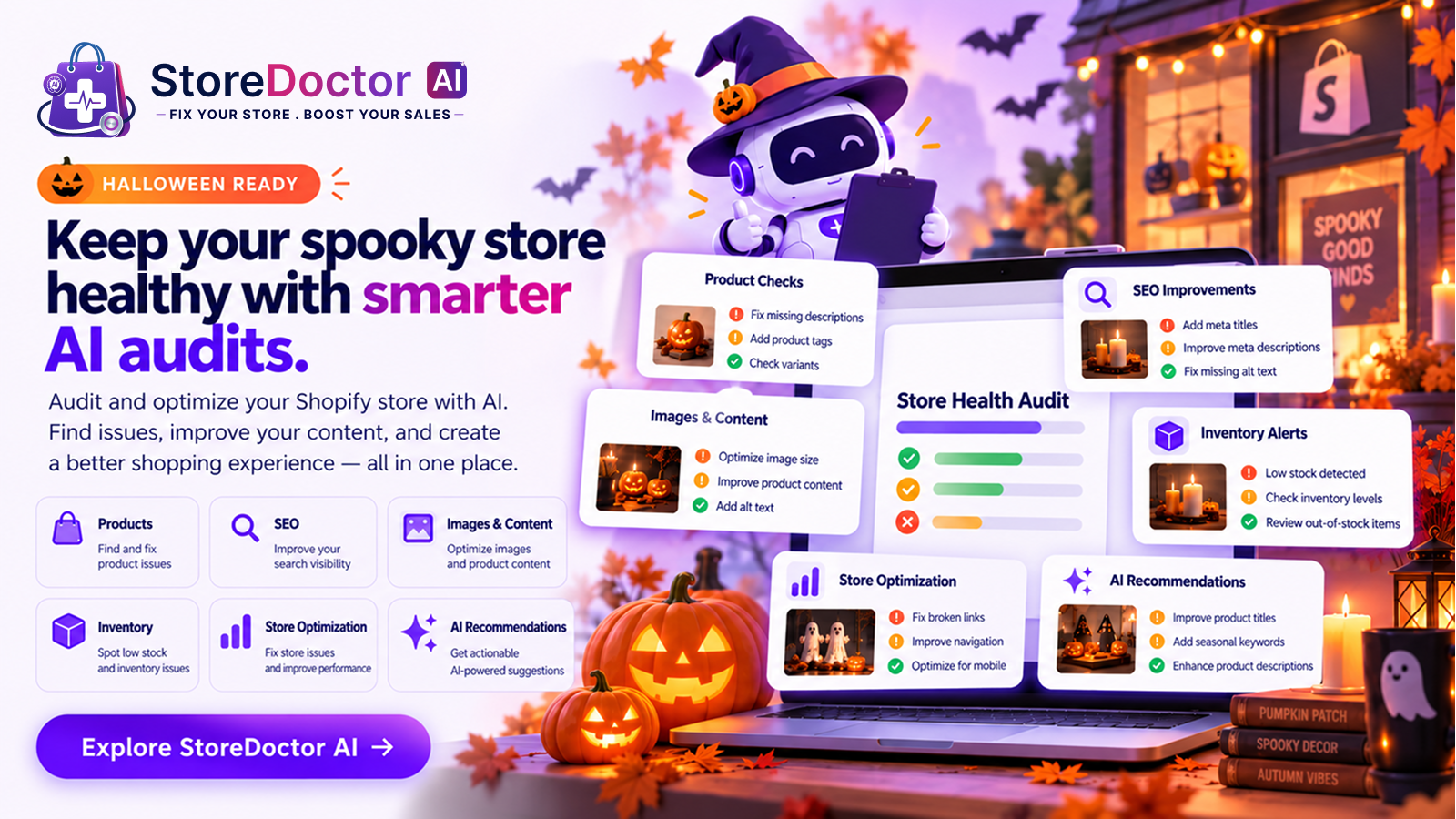
Keep Your Spooky Store Healthy With Smarter Al Audits

A successful campaign depends on more than attracting visitors. Your store also needs to make browsing convenient and product information easy to find. StoreDoctor AI helps merchants review their stores, identify potential issues, and access AI-assisted optimization suggestions.

Features include:

  • AI-powered store audits to scan for potential issues and optimization opportunities
  • Audit summaries of important findings
  • Smart, AI-assisted recommendations for addressing identified issues
  • Product issue detection for missing product information and other potential product-page problems
  • SEO analysis for product information
  • Checks for missing product descriptions and images highlighted by the audit
  • AI Chat for questions about store issues and AI-assisted insights
  • AI Copy Generator for draft product descriptions, banners, FAQs, and other supported content
  • Banner copy generation for seasonal headlines and promotional messages
  • FAQ generation for common product and campaign questions
  • Urgency copy generation for genuine, time-limited offers
  • A guided optimization workflow to help prioritize improvements

How to use StoreDoctor AI for Halloween:

  • Audit important landing pages before launching your campaign
  • Review missing product descriptions, images, and SEO information
  • Use AI-generated copy as a starting point for seasonal product pages
  • Draft FAQs about product details, shipping, and returns
  • Generate headline ideas for your Halloween banners
  • Verify recommendations and generated content before publishing

For example, a banner might say: “Get Spooky-Season Ready with Our Halloween Collection!” Review AI-generated content for accuracy. Audits and recommendations can help identify potential issues, but they don’t guarantee higher rankings or sales.

7) PehnAI: AI Virtual Try-On for Fashion and Costumes
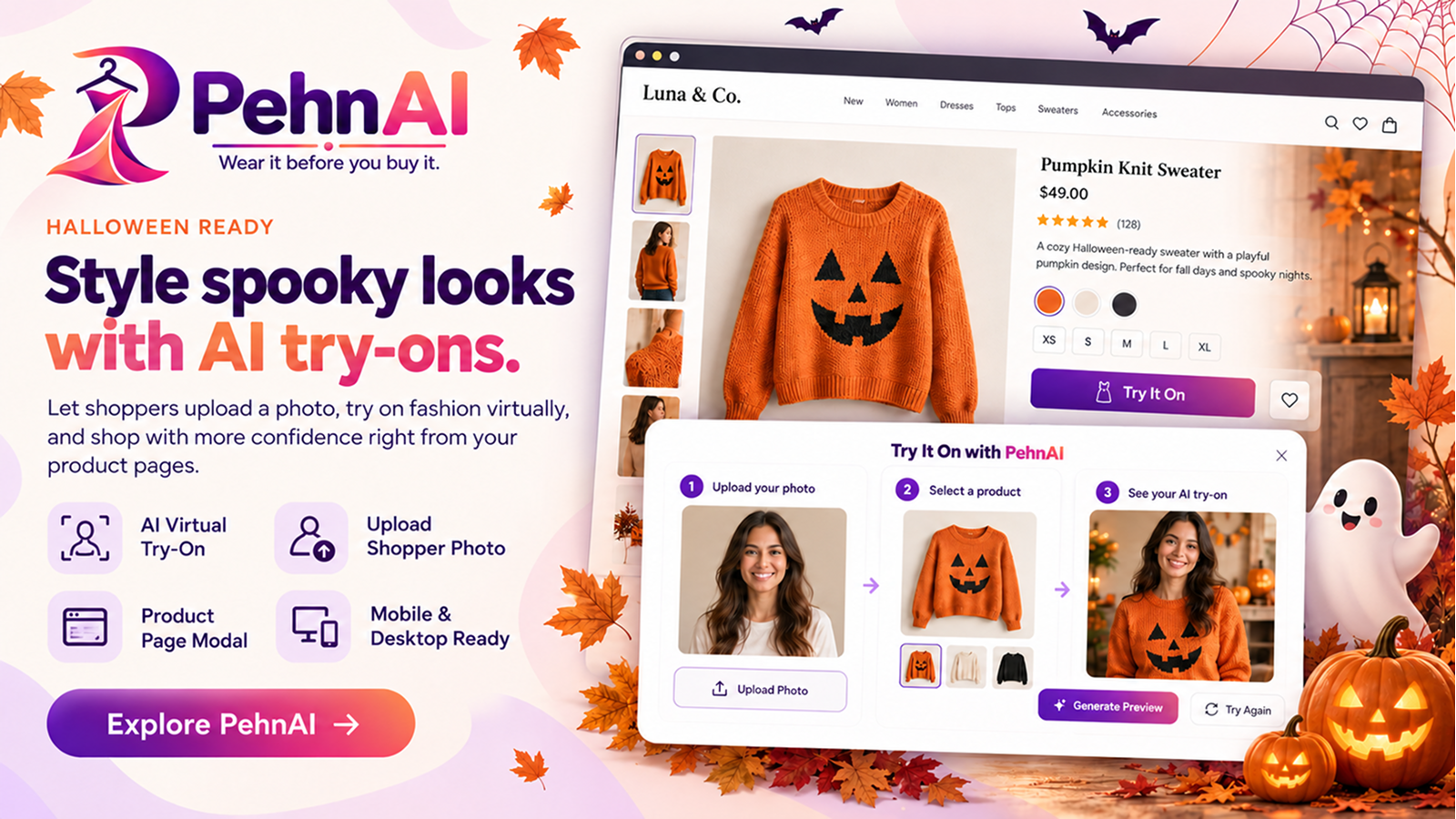
Style Spooky Looks With Ai Try Ons

Fashion stores can use Halloween to feature costumes, themed clothing, and seasonal outfits. Shoppers may want to preview how an item could look before deciding whether to buy it. PehnAI adds an AI virtual try-on experience to supported product pages, allowing shoppers to upload a photo and preview clothing on their own image.

Features include:

  • AI Virtual Try-On for supported clothing products
  • Virtual Fitting Room for an interactive product preview
  • Customer Photo Upload for the supported try-on experience
  • Customizable Try-On Button using available settings
  • Product-Level Try-On Controls for relevant products
  • Product Page Integration to place the option where shoppers consider a purchase
  • Try-On Analytics for available activity, engagement, and purchase-attribution information
  • Mobile and desktop support for the supported try-on experience
  • Customer photo privacy controls through available settings

How to use PehnAI for Halloween:

  • Identify supported clothing products that suit the season
  • Enable the try-on experience for relevant costumes and outfits
  • Customize the try-on button to fit your storefront
  • Place the option where shoppers can easily find it
  • Review available analytics to understand engagement

Make it clear that an AI preview is a visualization. It doesn’t guarantee an exact fit, fabric appearance, or final product result.

8) FeedoMix: Product Feed Management
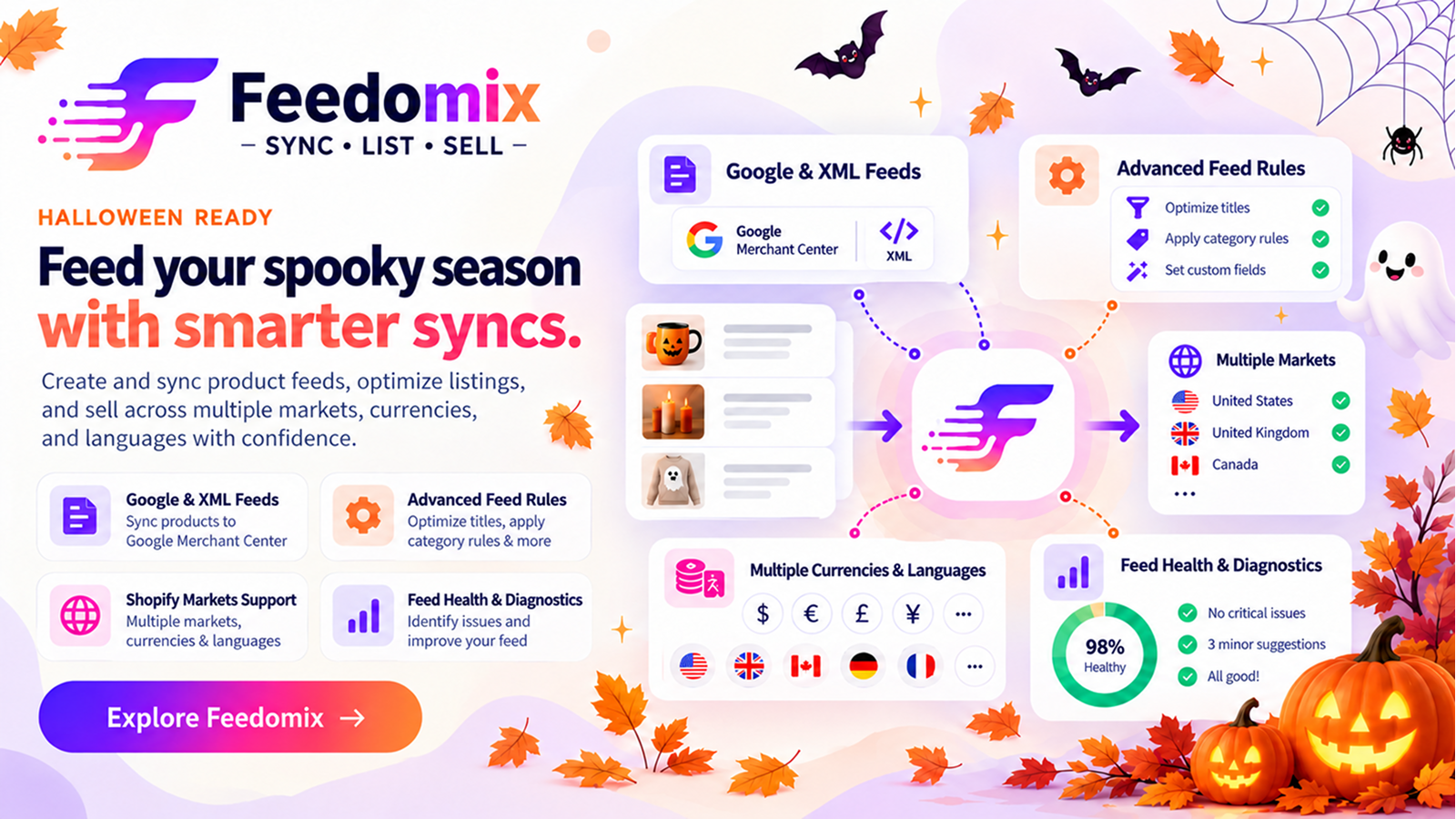
Feed Your Sppoky Season With Smarter Syncs

Shoppers may discover Halloween products through Google Shopping and other supported shopping channels before visiting your store. FeedoMix helps merchants manage product feeds and review issues for supported channels, including Google Merchant Center.

Features include:

  • Google Merchant Center connection for supported feed management
  • Feed Projects to organize feed configurations for relevant channels and markets
  • Market Settings to configure the intended market for a feed project
  • Product Attribute Configuration for attributes required by the connected feed
  • Feed Scheduling for supported feed update schedules
  • XML Feed Support to generate or manage supported XML feed outputs
  • API Feed Options for available API feed workflows when the required connection and configuration are in place
  • Feed Diagnostics to review feed status and relevant product information
  • Product Issue Monitoring for reported feed problems
  • Feed Rules for supported product-data rules
  • XML Feed URL access for supported integrations
  • Synchronization Information, including available feed status and metrics
  • Product Data Checks for titles, descriptions, images, prices, availability, and relevant identifiers

How to use FeedoMix for Halloween:

  • Organize the products you plan to promote in the relevant feed project
  • Review product titles and descriptions for accuracy
  • Check images, prices, availability, and variant information
  • Review identifiers such as GTIN or MPN where applicable
  • Check feed diagnostics and address reported issues
  • Verify the requirements of each connected shopping channel
  • Review feed synchronization before relying on it for your campaign

A clear title such as “Kids’ Halloween Witch Costume” gives shoppers more information than a vague title such as “Special Outfit.” Keep product information accurate and consistent with your Shopify store. Feed management doesn’t guarantee product approval or placement in shopping results.

9) Halloween Marketing Strategies for Shopify Stores

The right apps can support your campaign, but planning, relevant content, clear offers, and regular performance checks matter too.

Create a dedicated Halloween landing page: Bring your seasonal products and promotions together on one page. Include a Halloween banner, a short introduction, selected products, and links to relevant collections. If you offer discounts, explain the terms and dates. Keep the layout simple so shoppers can quickly find what they need.

Design clear Halloween banners: Halloween-inspired colors such as orange, black, purple, and dark green can set the mood, while good contrast keeps text readable. Include a clear headline, relevant image, main offer, call to action, and campaign dates or conditions when needed.

Offer relevant discounts and bundles: Consider discounts on selected products, bundles of complementary items, featured seasonal products, limited-time promotions with a genuine end date, or interactive promotions where they suit your campaign. Make sure your pricing, discount rules, and messages are consistent.

Improve product pages: Review product names and descriptions, image quality, prices and availability, size and material details, shipping and return information, purchasing actions, and product reviews. For Halloween products, include useful details such as dimensions, materials, included accessories, or compatibility when applicable.

Promote your campaign across channels: Depending on your setup, use email campaigns, social posts, storefront notifications, back-in-stock alerts, shopping feeds, blog posts, and virtual try-on for supported clothing products. Keep your messaging consistent so shoppers recognize the campaign.

Prepare your store for more traffic: Before launching a major promotion, review page performance, navigation, mobile layouts, product links, and checkout behavior. Confirm that important pages work correctly and product availability is accurate. If you change your theme or install promotional elements, check the affected pages again.

Measure campaign performance: Review store traffic, conversion rate, average order value, sales by product, traffic sources, campaign engagement, notification clicks, virtual try-on activity, and product feed issues where available. Compare results with your usual store performance and use what you learn to improve future campaigns.

10) Common Halloween Marketing Mistakes to Avoid

  • Overloading the storefront: Too many banners, popups, and messages can distract shoppers. Prioritize the information they need.
  • Using unclear promotional terms: Make sure shoppers understand the discount, eligible products, and campaign dates.
  • Ignoring mobile users: Check text, images, navigation, and purchasing actions on smaller screens.
  • Neglecting product data: Incorrect prices, unavailable products, incomplete descriptions, or feed errors can undermine a campaign.
  • Launching without testing: Review your store and promotional settings before announcing your campaign.
  • Using misleading urgency: Countdown timers and low-stock messages should reflect genuine conditions.
  • Ignoring customer consent: Follow applicable requirements when collecting contact information or sending marketing messages.
  • Failing to measure results: Track useful metrics to learn which products, messages, and channels performed best.

Make This Halloween a Treat for Your Shopify Store

Halloween gives Shopify merchants a chance to showcase seasonal products and create a more engaging shopping experience. ToastiBar can help you display notifications, social proof, and countdown timers. Notim supports back-in-stock alerts and inventory notifications. Buy Me offers features such as sticky add-to-cart bars, quick-buy buttons, and cart tools.

Promote Me bundles storefront tools such as currency conversion, interactive promotions, and shipping bars. StoreDoctor AI supports store audits, SEO reviews, and AI-assisted content. PehnAI offers virtual try-on for supported fashion products, while FeedoMix helps merchants manage product feeds for supported shopping channels.

Choose tools that fit your store and use them as part of a coordinated campaign. Review each app’s available features and plan requirements before configuring your promotions. Prepare your store, make seasonal products easy to discover, and create an experience shoppers will remember.

Frequently Asked Questions

1. How can I increase Halloween sales on my Shopify store?

Create a seasonal collection, offer relevant discounts, design clear promotional banners, and improve product descriptions. Apps can support customer engagement, purchasing convenience, store optimization, and product feed management. Track your results to learn which strategies work best for your store.

2. When should I start preparing my Shopify store for Halloween?

Start several weeks before Halloween, or earlier if you need to order inventory or allow extra shipping time. Plan promotions, create banners, update product listings, and test your storefront before launch.

3. What are some Halloween marketing ideas for Shopify stores?

Ideas include themed product collections, seasonal discounts, product bundles, Halloween email campaigns, social media promotions, and festive storefront banners. You might also use relevant notifications, virtual try-on, and optimized product feeds. Choose ideas that match your products, audience, and goals.

4. Which Shopify apps can help with Halloween marketing?

ToastiBar supports notifications, social proof, AI tools, and countdown timers. Notim helps manage back-in-stock alerts and inventory notifications. Buy Me offers purchasing and cart features, while Promote Me bundles storefront tools. StoreDoctor AI supports store audits, SEO, and AI-assisted content. PehnAI offers virtual try-on for supported fashion products, and FeedoMix helps manage product feeds for supported shopping channels.

5. How can I promote Halloween discounts on my Shopify store?

Use storefront banners, relevant notifications, email marketing, social media, and a dedicated promotional page. Clearly explain the discount, eligibility requirements, and end date.

6. How can I make my Shopify store look ready for Halloween?

Add Halloween-themed banners, seasonal product images, festive colors, and a dedicated collection. Keep the design consistent while making sure navigation, product details, and checkout remain easy to use on desktop and mobile.

7. How can I improve Halloween product visibility on Google Shopping?

Check that product titles, descriptions, images, prices, availability, and applicable identifiers are accurate. Review Google Merchant Center requirements and resolve reported feed issues. FeedoMix can help manage feeds for supported shopping channels, but approval and placement are determined by the relevant channel.

8. How can I improve the shopping experience during Halloween sales?

Organize seasonal collections, provide accurate product details, make offers clear, and keep navigation simple. Test your store on desktop and mobile, review page performance, and make sure the purchasing journey works. You can also use relevant buying features, stock notifications, or virtual try-on options where supported.

9. Should I offer limited-time Halloween discounts?

A limited-time offer can give shoppers a clear promotional window. Make sure it fits your margins and goals, and clearly communicate its dates, eligible products, and terms. Avoid artificial urgency or misleading discount claims.

10. How can I measure the success of my Halloween campaign?

Track website traffic, conversion rate, sales, average order value, product performance, and marketing channel results. Where available, review notification engagement, virtual try-on activity, and product feed diagnostics. Compare the results with your usual store performance.

11. Can small Shopify stores benefit from Halloween marketing?

Yes. Focus on a few relevant products, simple seasonal visuals, carefully planned promotions, and suitable marketing channels. Start with activities that fit your budget and resources, then expand based on the results.

12. What should I do after my Halloween campaign ends?

Review campaign results, identify your best-performing products, and evaluate customer engagement. Remove expired promotions, update seasonal banners, and return your storefront to its regular design where appropriate. Review stock levels and use what you learned to plan future campaigns, such as Black Friday and Cyber Monday.

Categories
Buy Me Shopify App

6 Amazing Tricks to Boost Sales In Halloween

The creepiness is directly around the corner with this current Halloween season, and therefore, the firm conviction of over 69% of advertisers states that the marketing needs to begin at this point!

Halloween, also referred to as Allhalloween, All Hallows’ Eve, or All Saints’ Eve, is celebrated yearly on October 31, the eve of the Western Christian feast of All Hallows’ Day, more commonly known as All Saints’ Day.

The upcoming uncommon and extraordinary Halloween is an energizing one. It’s Halloween on a specific night, yet we’re in a pandemic and a Mercury retrograde period, so any potential lunar festivals are getting significantly downplayed.

The fun and creepy week of Halloween is here, so it’s worth considering not just for your appearance but for your site, too. Halloween is the festival at which you terrify your companions and partners, and request treats.

“According to the National Retail Federation, buyers spend on an average $8.8 billion on the festival of Halloween and remember that that figure is increased year by year”.

Halloween is a stunning time for retailers to get their clients ‘ attention and gain new clients with the creepy, bubbly online festival. A key part of nailing your Halloween crusade is to begin early.

Halloween time is an amazing opportunity to help boost deals on your site if you use it smartly. For that use, an amazing application like the Buy Me ‑ Sticky Buy Button Shopify App, utilizing this app will help you to prepare your site for the occasion, not only in terms of the atmosphere but also in improving the selling productivity. This can be possible for your site by changing the color and design by using the Buy Me ‑ Sticky Buy Button Shopify App and creating a creepy climate to give your site customers a pleasant encounter. You can proficiently combine a few tools, setting them in various positions, and Decorate Elements of the Website.

This article will take you through a portion of the 6 amazing tricks to boost sales on Halloween that will assist you in boosting the sales of your online store.

1) Horrifying With An Animated Creepy Ghost On The Buy Button

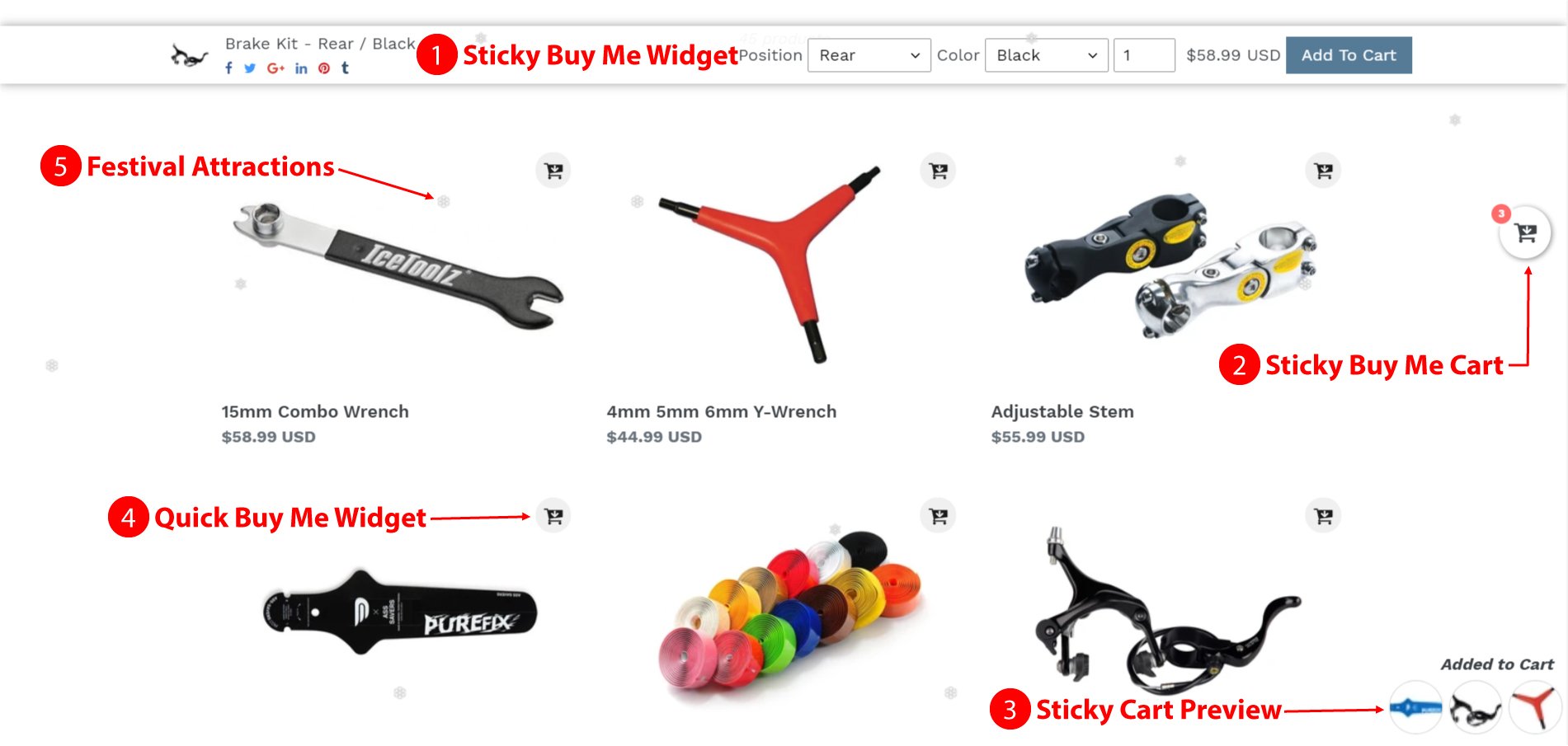
Halloween time is a superb opportunity to thrust deals on your store, so decorate your website in the spirit of Halloween. For that, the Buy Me ‑ Sticky Buy Button Shopify App provides 6 amazing tricks to boost sales on Halloween using a feature like the Sticky Buy Me Widget by changing the color of it that is available to every product detail page, making it creepy and spooky so it attracts customers to see and purchase the product. You can choose a different color for Sticky Buy Me Widget, but if you do not choose a color, then the theme color will automatically be used for Sticky Buy Me Widget. Generally, during Halloween week, choose the colors like Black, Orange, Red, White, Purple, and Green colors of the Sticky Buy Me widget, which makes your website perfect for Halloween week.

  • Black – Black implies strength, luxury, evil, death, and the unknown.
  • Orange – Warm, yet less forceful than red, orange is difficult to miss.
  • Red – the color is about blood, hiding that moves fear with vampires.
  • White – the color is about the relationship between frightening specters and skeletons.
  • Purple – the color is about everything mystical and witchy.
  • Green – the color is about electro green, which assists with recollecting trolls.

2) Promote The Store On Social Media To Boost Sales On Halloween

Halloween isn’t only the festival of scaring and surprising, it’s one of the most mainstream and profitable occasions worldwide. The customers spent about $9 billion last year on Halloween – on outfits and decorations, stunts and treats.

During Halloween week, everything looks terrifying and fearsome. So, carrying out festival campaigns on your online social pages is a decent method to direct people to your online store and increase customers.

You can utilize social media to declare new items that you have for Halloween. This will build commitment and tempt clients to visit your online business store. For that use, 6 amazing tricks to boost sales on Halloween, like hosting a Halloween contest on social media, giving special discounts on purchases, and sharing it on social media, including a packing feature in your online store to facilitate them, Time-Bound Offers, and Countdown Offers.

3) Decorate The Cart Using A Pumpkin To Encourage Customers

Enhancements in online business have picked up a foothold in the most recent decade as clients have generally expected quicker, more productive methods of purchasing online. Offering a quicker checkout is the greatest way to go if you want to give a rapid and advanced experience to your customers.

While the greater part of the advantages is pointed toward making a superior customer experience, there are numerous advantages for the web-based business retailer too, including better conversions.

During Halloween week, store owners believe in how to reduce cart abandonment, which helps them boost their sales. For that, you can use the Buy Me ‑ Sticky Buy Button Shopify App, which will provide 6 amazing tricks to boost sales on Halloween, using a feature like the Quick Buy Me Widget that will help to reduce cart abandonment. This widget will appear on every product on the collection page. Using this feature, you can decorate the Cart icon with a pumpkin, which is so appropriate for Halloween.

4) Add Spooky Icons For Rapid Checkout

When customers are making a purchase, no one likes waiting in line at the store. That creates an extraordinary opportunity for retailers who need to be distinct from the opposition to use innovative ideas to deal more readily with peak occasions and lower transaction times.

Halloween is a week when everything needs to be faster checkout to reduce cart abandonment. For that, you can use the Buy Me ‑ Sticky Buy Button Shopify App, which provides 6 amazing tricks to boost sales on Halloween using a feature like Sticky Buy Me Cart that will help to speed up checkout. This widget will appear on every page of the website, so customers do not panic; just click on the Cart icon, and then the customer will go directly to the Checkout page. You can make it more horrifying by adding spooky icons that uplift customers for faster checkout.

5) Create An Atmosphere Of Halloween Festival On Your Online Store

Halloween week is the most lucrative time for e-commerce store owners as far as expanding online deals. Be that as it may, it ends up being troublesome as they have to work hard to change the guests into conversions. The time has shown up to be ready for Halloween, where site proprietors can benefit from focused clients who are ravenous for serious deals.

Today, many people express their love for celebrations by purchasing many products. Furthermore, they consider online shopping the best and most straightforward choice. The Halloween season is the ideal time when online business stores can win clients and conversions simultaneously. They should simply need to decorate the store for Halloween creepily, which is most appropriate to increase online business.

In that case, apply a thematic design for your website on Halloween. The Buy Me ‑ Sticky Buy Button Shopify App provides 6 amazing tricks to boost sales on Halloween using a feature like Festival Attraction, where you can enable it to add a Halloween spooky icon that moves around on the website, so it looks terrifying as an exact decoration on Halloween for your store.

6) Use Scary Props For Your Website

Let’s eliminate that boring white cursor and switch it to something more appropriate for Halloween in your store.

Halloween is a time when a lot of people like to get creative by making their costumes, decorating pumpkins, and even making spooky-looking food. So, one idea for your online store to add such a spooky or petrifying icon that is perfect for the Halloween season is to encourage customers to purchase the products.

The Buy Me ‑ Sticky Buy Button Shopify App provides 6 amazing tricks to boost sales on Halloween using the feature to decorate your e-commerce store by adding such spooky or petrifying icons with the mouse pointer when moving the pointer, Halloween icon following the mouse pointer, which looks so much creepy during the Halloween season.

Conclusion

Halloween is an extraordinary opportunity to have some good times and expand your site traffic. While others are lazing around and occupied with the occasion, you can take hold of this significant high-traffic opportunity and accomplish some genuine work in boosting your site traffic. By following these 6 amazing tricks to boost sales in the Halloween time frame using the Buy Me ‑ Sticky Buy Button Shopify App, you will greatly increase your site traffic and natural position on search engines in a great manner.

Categories
Buy Me Shopify App

Six Most Productive Ways To Use Social Media To Drive Sales

Social media is used by approximately 3.81 billion people on the planet. They can be found on one or more social media sites. It makes social media one of the most important platforms for marketing and advertising your products and services. With such a large user base, you will be able to attract a large number of potential customers, which will help you improve your brand’s e-commerce conversion rate.

Social media marketing, on the other hand, is not as easy as it seems. Posting pictures of the things you’re selling won’t get you very far. Some techniques and methods have been proven to function that you can implement to improve conversions. The majority of these strategies delve into how to attract, communicate with, and gain the confidence of your target audience.

Numerous studies have shown the ability of social media to drive sales. Facebook content consumption has risen by 57% in the last two years, according to HubSpot.

According to a Forbes survey, 25% of social media users follow brand accounts, which have an effect on their final buying decisions at retail and online stores. Social media outlets such as Facebook, Twitter, and Instagram have the potential to drive sales. You must develop a plan to effectively use social media to your advantage.

For that Buy Me – Sticky Buy Button Shopify app has a feature called Sticky Buy Me Widget using which you can share your products to any social media to drive sales. This app has many social media options which you can enable to share your post.

Social Media On Sticky Buy Me Widget

Check out these Six tips for maximizing the visibility of your social media to drive sales.

1. Get To Know Your Target Market And Future Buyers

Understanding the target audience and reaching them where they live is the first step in developing effective social media campaigns.

Knowing the audience and which channels they use is the first step in using social media to drive sales. It’s critical to understand which platforms your target audience uses and to concentrate your efforts on those platforms. Rather than wasting time and money on various accounts, concentrate on a few sites.

2. Encourage And Feature User Generated Content

Organic content produced by your customers and followers on their social media is known as user-generated content (UGC). This may be photographs of your product/service taken by them or content produced by them for competitions.

Reposting these photos/videos shows the authenticity of your brand. This is an effective way to use social media to drive sales.

According to Business Insider, customers that see user-generated content are 97% more likely to convert and purchase something than those who don’t.

3. Promote And Highlight User-Generated Content

Organic content produced by your customers and followers on their social media is known as user-generated content (UGC). This may be photographs of your product/service taken by them or content produced by them for competitions.

Reposting these photos/videos demonstrates the brand’s authenticity. Customers who see user-generated content are 97% more likely to convert and buy something than those who don’t, according to Business Insider.

As opposed to a professional photo taken by the business, people prefer user-generated content because they can easily connect to a customer like them.

UGC is an excellent way to explain social evidence, which is the psychological and social phenomenon through which people subconsciously imitate the behavior of others. It’s also a tried and true method of driving sales.

4. To Inform And Entice Your Clients, Use Interactive Posts

Remember to produce useful content that educates and inspires consumers rather than hard-selling your product.

Unlike traditional marketing methods, social media marketing is unique. Your fans expect new exciting material regularly.

People are more likely to use social media in their spare time, so they want to see posts that are fun rather than posts that are pushy and compel them to buy something.

Here are a few options for doing so:

  • Create engaging content that encourages people to comment, such as competitions.
  • Photo/video/GIFs that are animated or cute.
  • Post images or videos that are inspired by real-life events.
  • To make funny stuff, include jokes or puns.
  • Post content with recipes and how-to for using your stuff.
  • Share pictures of customers interacting with or using your items.

5. Switch On Mobile View

Do you have a mobile-friendly website? If you don’t already have one, get one as soon as possible. A large number of people now use their phones to access their social media accounts; in reality, more people use Facebook on their phones than on their computers. Any social media sales promotion can almost certainly be viewed on a tablet, and you don’t want to irritate your customers with a sluggish, non-mobile-friendly platform that makes purchasing products difficult. For that reason, the Buy Me – Sticky Buy Button Shopify app has options for both desktop and mobile, and store owners can promote their products on both platforms including the mobile view.

6. Use Of Analytical Tools

Without analytics, marketing efforts and plans will fall short. Analytics are important because they enable you to evaluate the results of your marketing campaigns and, as a result, prepare for the future of your company. When you use social media analytics, you will see how successful your tactics are and what else you can do to improve your e-commerce conversion rates. Buy Me – Sticky Buy Button Shopify app has a feature called Analytics, which allows you to see past sales from both desktop and mobile devices. You’ll be able to see how many of your customers shared your goods with their social media networks using the Social Media platform. It’s very helpful, and it’s a free referral that you’ll get without having to pay for advertising.

Conclusion

As you can see, social media is an excellent platform for promoting the brand and driving sales. You can increase revenue without investing a lot of money by using various social media channels.

Use these strategies, as well as the influence of social media, to drive sales.

Categories
Buy Me Shopify App

Unique Ways To Improve The User’s Shopping Experience

The term “User Experience” refers to all aspects of a customer’s engagement with an e-commerce shop. It’s worth noting that this involves experiences on a variety of platforms with varying screen sizes with navigation. It also takes into account how goods are attached to the cart, which helps to minimize cart abandonment and improve the user’s shopping experience.

You will also lose potential customers if you have a fantastic user interface on the desktop but not on mobile. According to Experience Dynamics’ research, 52% of users said a bad mobile experience made them less interested to interact with a brand.

A good user experience will also help you to improve order value, by encouraging consumers to find the goods they want faster, and discover new ones more easily. The shopping experience would be so enjoyable that customers would want to stay on your site longer and that raises the chances of buying more items for customers.

To make it easy, the Buy Me – Buy Button Shopify app has a feature like Quick Buy Me Widget will be available on the collection page, allowing customers to add products to their cart without having to go to the product page. The Quick Buy Me Widget will appear on the collection page for each product; simply click on it to add the item to your cart. After adding the product to the cart, you can use the Sticky Buy Me Cart feature from the Buy Me app, which will redirect you straight to checkout.

Buy Me App All Feature By MakeProSimp

The following advanced tactics will help to improve the user’s shopping experience. Let’s get started!

1) Make a Mobile Responsive Website

Globally, there are currently over 4.9 billion mobile internet users (i.e. 69% of the world’s population). Since more than half of the world’s population uses mobile devices, it’s important to make sure your eCommerce shop is mobile-friendly.

Another crucial thing to note is that if a site isn’t web-friendly, mobile users are 5 times more likely to abandon a mission. That should be enough to pique your interest in mobile optimization.

Your eCommerce user interface design should have a priority to become a mobile-friendly website because it will expand your consumer base and, therefore, increase your sales.

Buy Me – Buy Button Shopify app has options for both desktop and mobile, and store owners can use the Buy Me – Buy Button app on their website for both platforms to improve the user’s shopping experience.

2) Implement Simple And Faster Checkout Processes

When a customer discovers a product and wishes to purchase it, you must seal the deal as soon as possible. Streamline the method as much as possible to improve the user’s shopping experience.

According to research by Baymard, 27% of customers abandon the checkout process because it is too difficult.

Provide a safe atmosphere so that consumers do not have any doubts about your website. A high level of site security ensures a fantastic browsing experience.

After adding items to the cart, a faster checkout is needed to minimize cart abandonment. Buy Me – Buy Button Shopify app has a feature like Sticky Buy Me Cart, and using the feature users can go directly to the checkout page with just one click from any page. So, to improve the user’s shopping experience, introduce such an innovative feature to your store. And, as a result, store sales would increase.

Sticky Buy Me Cart

3) Focus On Easy Navigation To Improve The User’s Shopping Experience

If you have a complicated website design, clients would find it challenging to navigate. You could lose a lot of customers if your website is difficult to use. You must ensure that there are almost no unnecessary clicks when designing the layout. You may also have features such as automatic scrolling to keep the users interested. You should also pay attention to search technology since it is the most effective way of assisting consumers in locating relevant information.

The ability of the website’s design is critical to make direct customers. Your customers may likely be unsure about the products they want to purchase, so you should be able to give them alternatives. Make it simple for customers to discover their options, and you’ll see an increase in revenue.

4) Get On Social Media

It will be on social media, whether it is a criticism or a compliment. It’s one of the most effective ways to communicate with your clients, regardless of which channel they’re using. Customers will feel respected if you maintain an active presence across various channels. Get valuable reviews on your brand and fix any problems that are causing hiccups in the user’s experience.

Customers can connect via social media. According to Nielsen, 84% of people will buy a product based on a recommendation from a friend, and 71% will buy based on social media referrals.

Visitors will gain faith in your brand by using social media to clear up any questions they can have. And it will improve the user’s shopping experience at your store.

Conclusion

Above are the tricks to boost revenue and improve the user’s shopping experience with the use of the Buy Me – Buy Button Shopify app. They are popular brands that prioritize customer-centric design. They predict a customer’s needs, deliver specific outcomes, and devise ways to improve the user’s shopping experience to produce better ones.

It’s all about increasing the degree of commitment; remember While it is important to improve the user’s shopping experience, other factors such as functionality, speed, efficiency, visual aesthetics, simplicity, and usability are equally important.

Categories
Buy Me Shopify App

Essential Derma: Diving Into Data With The Buy Me – Buy Button

Today we sit down for a Q & A with the co-owner of Essential Derma. Catherine Wilson is the lady behind the brand and resident skincare enthusiast. Let’s get into her story and how using the Buy Me – Buy Button app has helped grow her business.

What motivated you to start the business?

I’ve always been the type of person just to work a ‘normal’ job, but one day I just thought to myself, “Let’s go for it”, and I started researching different business models that sounded amazing.

My first couple of business ventures had mixed results, but I eventually settled on a business I am very passionate about, and that’s skincare with Essential Derma.

What’s your business about, who are your customers, and what makes you different from others?

My business focuses on skincare, specifically micro-needling products and other beauty devices. I find beauty devices super interesting and love helping people get great skin results.

What sets Essential Derma apart is that we genuinely care about our customers.

Customers range from 18-24yr olds with acne scars to 60+-year-olds who want fewer wrinkles. The fun thing with skin is we all have it, so it’s a topic of interest for most people.

We love following up with our customers to ensure they’re getting results with our products. If their skin isn’t progressing, we work with them on changes that will help kick things along again.

Most businesses will sell a product, and then you’ll never hear from them again. We do our best to follow up with people as much as possible.

What were your challenges/problems before using MakeProSimp (Buy Me – Buy Button app)?

Our biggest challenge was ensuring our buy button was always visible on the product page. We’ve done split testing before and know that you need to make it easy for the customer to buy.

Even the simple task of having to scroll back to the top of the page to click “buy” can be enough friction for people to leave the site or procrastinate on it longer. This costs you money and is a significant problem that most e-tailers should focus on.

Why did you choose MakeProSimp (Buy Me – Buy Button app) as your solution?

We instantly fell in love with the button because of its look and the promoted easy ways to customize the colors etc. One thing we didn’t expect was how perfectly it was installed on our website with no developer needed.

It always sticks to the top of our product page, even when scrolling, and the button’s animation make it stand out. It makes you want to click it – We think it’s incredible!

Which MakeProSimp (Buy Me – Buy Button app) features and integrations do you use? Can you describe in detail how you are using them?

We focus on using the Sticky Buy Me Widget. This little widget was the solution we needed to start getting more clicks to the cart and a better overall buying experience.

This widget always sticks to the top of our product page and integrates well with other software we use.

One great thing about it is it integrates with JudgeMe reviews. We use this review system to show reviews on our website.

When combining both apps, we now get a great looking Buy Me button with its review star rating next to it.  This helps it to stand out and makes it more clickable!

Sticky Buy Me Widget

What are the results after using MakeProSimp (Buy Me – Buy Button app)?

The results of using this app have been excellent. We love that we can log in to the app and see our results.

This helps us to see if the button is working on not. Below are some of our products that get the most clicks because of the Buy Me – Buy Button app.

Top 10 Product Clicks

What do you think about the MakeProSimp (Buy Me – Buy Button app) support team?

The support team has been amazing and always responds to us within minutes.

We’re used to long email communication with most software companies, but MakeProSimp always seems to be online on their live chat and can solve problems immediately.

We wish other companies will offer the support at this fast speed!

What impressed you the most about MakeProSimp (Buy Me – Buy Button app) in general?

Initially, it was the fact we could just click “Install”, and it started working immediately.

Usually, when we install a Shopify app, it breaks the website a little bit. Then requires a developer to fix things.

The Buy Me – Buy Button app just worked for us straight out of the box.

Then as time went on, we were really happy with the analytics. We loved seeing specific statistics on how the app is performing.

Most Recent 10 Clicks

Sometimes it’s easy to install a shiny new app on your store but then forget to see if it’s actually working.

With proper reporting and integrations with Google Analytics, we can see the button working exactly how we wanted it to.

What do you expect more from MakeProSimp (Buy Me – Buy Button app)?

Right now, we’re super happy with the Buy Me – Buy Button app.

It’s hard for me to think of a way to improve the service, but if I put together a wish list, the one thing I would add to the service is even more in-depth analytics.

As you can probably guess by now, I’m a data nerd and love to see statistics on all aspects of the business.

The Buy Me – Buy Button app has excellent analytics, but I think it can be even better with time.

Overall, I’m thrilled with it; our business will be using it for many years. It will continue to be in our list of top 3 apps we’ve worked with on Shopify.

Categories
Buy Me Shopify App

5 Ways To Increase Your Conversion Rate With Buy Me

Conversion rate is a function of your website usability, trust in your brand, relevancy of the incoming traffic, and a myriad of other factors. To ensure you are getting the most bang for your marketing buck, continuously optimizing your website for improved conversions is a no-brainer. However, you might often find yourself in an anomalous position when it comes to devising a step-by-step strategy that delivers worthwhile results.

According to survey of e-commerce marketers, 64% of them reported an e-commerce conversion rate between 3% and 5%. So, while the conversion rate of your store will undoubtedly vary based on your industry, price point, target demographics, etc., that 3-5% range can act as a benchmark for getting started in terms of better understanding and optimizing your online store.

Conversion rates are the lifeblood of any online marketing campaign. Whether you are an experienced digital marketer or new to the field, understanding, tracking, and increasing conversion rates all play a significant role in the success of your website.

To hit target sales, you need to draw in audiences—and then convert them. It all depends on your targeted area, the marketing platforms you use, and your relationship with your customers. Typically, 2-5% is considered an average conversion rate.

To help you get started, this blog shares 5 statistically proven tactics that you can implement using the Buy Me – Buy Button App. It will steadily help to increase the conversion rate and improve your top line.

1. Tweak And Test Your Ecommerce Checkout Process

The total number of people who have visited your website versus those who completed the purchase is a very important metric. Presumably, you’re no longer convincing the visitors that you have something they want. You’re only convincing them to proceed with the purchase.

If your store checkout process is too long, complicated, or unconventional, you may lose a lot of converted customers who are ready to buy.

This crucial step in the funnel is where a man needs a strategy should take place. For that, the Buy Me – Buy Button App has features called Sticky Buy Me Widget and Quick Buy Me Widget. When any customer clicks on the widget’s Add To Cart button, it will add the product to the cart and directly redirect to the checkout page. To implement this behavior just enable the feature from the Buy Me App. There are industry standards for the hosted online stores, but you may still need to tweak the process based on your customers to increase your conversion rate.

Buy Me App All Feature By MakeProSimp

The Sticky Buy Me Widget will be displayed on the product page and the Quick Buy Me Widget will be displayed on the collection page. And when the customers click on the widget (Add To Cart button), the product will be added to the cart and they will be redirected to the checkout page.

2. Optimize For Mobile Devices

In the near future, more than 10 percent of all retail sales around the globe are expected to be generated via mobile commerce — a growth of nearly 7% from the current rate.

If your e-commerce store does not provide a great mobile experience, you are missing out on a significant number of sales. But don’t worry about that because the Buy Me – Buy Button App will allow you to add quick tricks to the mobile view. For that, the store owner just needs to enable the required option and the customer will see those quick features on the mobile view of the website. And ultimately it will help to increase your conversion rate.

3. Show Sticky Add To Cart Button

The best advantage that every website owner needs in their website can be achieved by using a sticky add-to-cart button. After adding a Sticky Buy Me Widget (with an add-to-cart button) on the website, even after scrolling down the page, the sticky widget with the add-to-cart button will always be visible at the top of the page.

To add the sticky add-to-cart button on your website, you just need a Shopify app called Buy Me – Buy Button App. By installing the app and enabling the Sticky Buy Me Widget feature, you can easily add a sticky add-to-cart button on every product page of your website. And after that every time your customer does not need to go back scrolling the page up to access the add to cart button.

Sticky Buy Me Widget

Having such a feature on your website will help the merchant to display brief product details like name, price, image, variants, and quantity. While using such a feature, the customers don’t need to scroll up-down the page to view the product details, as they can see everything inside this sticky widget. This enhances the user experience and makes the product selection and add-to-cart process simple and easy for the customers.

Also, you can show the Sticky Add to Cart button on Home Page, Blog Page, or any custom page as per requirements. You can display the Sticky Add to Cart button on different pages except the product page using the Sticky URL Based ATC in the Buy Me app. The Sticky Add to Cart button allows customers to quickly add products to the cart and reach checkout faster with just one click on the button which helps in reducing the cart abandonment rate and helps to increase your conversion rate.

4. Make The Checkout Process Faster

The more complicated your e-commerce checkout process, the less likely users are to complete it and it will increase cart abandonment. The check-out process should be between three and five steps. The shorter process will be the better process. And to make it easy Shopify app called Buy Me – Buy Button will help for the same. It has many features like Sticky Buy Me Cart. Sticky Buy Me Cart will be visible on all the pages so as users will add the products it will reflect automatically in the Sticky Buy Me Cart. For the further process, just click on the Sticky Buy Me Cart widget and reach directly to the checkout page.

Sticky Buy Me Cart

With the help of features like Sticky Buy Me Cart and Quick Buy Me Widget of the Buy Me app, when users click on the icon, they will be redirected directly to the checkout page. So, if store owner tries shortening the process using such features, then they will defiantly get a proficient result in their sales and increase the conversion rate.

5. Grab Visitors’ Attention Quickly

One of the not-so-secret dreams of every e-commerce website owner is getting new customers, building a loyal customer base, and doubling sales. That’s why here in this part, we are going to cast light on the tested and tried techniques to get new customers for your e-commerce website.

There are many festivals celebrated locally and globally. So, the merchant should decorate the website according to festivals to grab the user’s attention and celebrate the festival online, and the online celebration will help to increase the conversion rate. The Buy Me – Buy Button App will help the merchant to decorate the website according to the festivals by Festival Attractions feature. For that, the merchant just needs to choose the widget and festival from the list and enable it and it will be automatically visible with the widget on the website.

Conclusion

The more visitors you convert, the higher the impact you drive on your top line from your existing traffic. The tactics mentioned above are a great way to start strategically improving your conversion rates. All of these tactics using the Buy Me-Buy Button App are likely to drive better results for your business than other ways. The important thing is to define your goals, gather data, and continuously run objective tests to find out what resonates with your target audience.

Categories
Buy Me Shopify App

Increase Sales Using The Buy Me App During COVID


The COVID-19 pandemic wreaked havoc on eCommerce revenue that no one could have expected at the start of the year. The shift in customer buying behavior is causing these changes.

On the plus hand, eCommerce statistics such as cart abandonment rates are said to have decreased dramatically around the world. Cart abandonment happens when a visitor transfers items to their shopping cart but does not complete the transaction.

Shopping cart abandonment is one of the most common issues that online merchants face. Customers that do not complete the checkout phase waste trillions of dollars every year.

The average cart abandonment rate before the pandemic was 75.71%. Cart abandonment fell to 59.76% at the start of the lockdowns in March 2020, before gradually rising to 64.98%.

The cart abandonment rate is a key business indicator for retailers to monitor because it is connected to consumer conversion rates and sales. A high cart abandonment rate is an indication that your checkout process or experience is vulnerable to friction. Buy Me – Sticky Buy Button Shopify App has features that will help to reduce cart abandonment.

Buy Me App All Feature By MakeProSimp

Customers should never have to struggle with the checkout process. So the merchant can take the advantage of increasing the sales using the Buy Me – Sticky Buy Button Shopify app and can make the checkout process easy. You’ll be well on your way to promoting a more streamlined shopping experience on your platform if you concentrate on the following suggestions.

1. Be Open And Direct About All Costs

Customers are less likely to be caught off guard by an abrupt price rise if you report all expenses upfront, including any delivery costs, applicable taxes, and any other fees they might expect. The merchant can make transparency in pricing and increase sales using the Buy Me – Sticky Buy Button Shopify App.

2. Boost The User Experience At The Checkout

The merchant can reduce cart abandonment and increase checkout speed and increase sales using the Buy Me – Sticky Buy Button Shopify app with features like Sticky Buy Me Cart. Customers need not worry because this widget will appear on every page of the website. When the customer clicks on the Cart button, they will be taken directly to the Checkout tab.

3. View Product Thumbnails In The Checkout Process

Using thumbnails of items in the checkout phase will help consumers feel more confident about their current purchase.

Customers can see and feel the item they’re purchasing when they make a purchase in person, which they can’t do with an online purchase. Item thumbnails are particularly helpful for keeping these things in mind during the checkout phase.

4. Make It Easy To Move From Cart To Shop

Customers want to be able to quickly add things to their shopping carts and return to browsing the rest of their inventory. The more effort you put in front of your clients, the less likely they are to purchase the items in their shopping carts.

To make it easy Buy Me – Sticky Buy Button Shopify App has a feature like Quick Buy Me Widget will be available on the collection page so the customer does not get panic to add the product into the cart by going into the product page. Quick Buy Me Widget will be on the collection of products on every page just click on it then the product will be added to the cart. And after adding the Sticky Buy Me Cart feature will allow you to go directly to checkout and help the merchant to increase sales using the Buy Me app’s features.

Make it easy for your customers to add products to their carts and return to the checkout page when they’re ready to shop. To reduce the number of clicks and page views needed to complete a purchase, some retailers have made it possible for customers to checkout directly from the product page.

5. Allow Guests To Checkout In A Variety Of Ways

Although you can view the checkout process as a useful opportunity to gather data about your customers – and it can be – requiring customers to establish an account with your store can be a big deterrent to making a purchase.

According to Invesp data, one of the leading causes of shopping cart abandonment is the lack of a guest checkout choice. Approximately 14% of online shoppers said that being required to log in to complete a transaction was enough to make them leave the method – a more significant stumbling block than being asked for too many details or getting an excessively complicated checkout process.

6. Improve Page Load Times

The last thing you want is a customer who is unsure whether or not their order was completed successfully. A fast-loading page will fulfill your customers’ desire for a quick checkout process. Customers will be happier, and they will be more likely to purchase additional items from your website because they will not have to wait as long.

Conclusion

Although each consumer segment is unique, many shoppers share certain purchasing patterns and expectations. One thing is certain: shoppers who have a frustrating and time-consuming checkout experience are more likely to abandon their purchases. So the merchant can reduce cart abandonment and increase sales using the Buy Me App.

Online retailers must continue to emphasize stellar purchase experiences to turn shoppers into paying customers in today’s experience-driven environment.